

Zendesk AI Agents
Self-improving AI agents for customer service
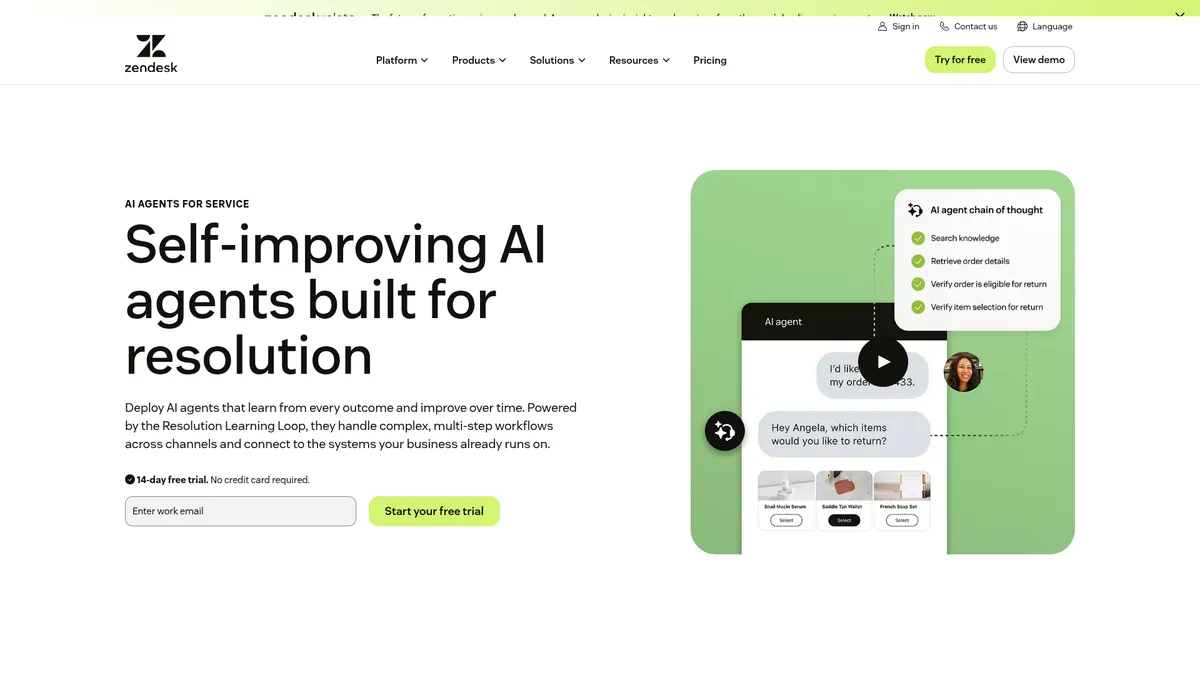
What is Zendesk AI Agents?
How to Use Zendesk AI Agents
Setting up Zendesk AI Agents is straightforward if you are already a Zendesk Suite customer. Here is how to get your first autonomous agent up and running in just a few steps.
Sign up for a Zendesk Suite plan
If you don't already have a Zendesk account, start by subscribing to a Suite plan (Growth, Professional, or Enterprise). AI Agents are available as an add-on to these tiers, so you need an active subscription to proceed with the setup.
Activate your 14-day free trial
Navigate to the AI Agents section in your Zendesk Admin Center and activate the 14-day free trial. No credit card is required, and you will get full access to all features during the trial period to evaluate the solution before committing.
Connect your knowledge base and integrations
Link your existing Zendesk knowledge base articles and configure integrations with your CRM, order management, HRIS, or other systems via Zendesk Actions and Integrations. This step may require coordination between your support, IT, and development teams to map workflows correctly.
Configure, test, and publish your AI Agent
Set up your agent's persona, brand tone, and governance policies. Use the sandbox environment to simulate conversations and refine behavior before going live. Once testing is complete, publish your agent to start handling customer requests autonomously.
Zendesk AI Agents Core Features
Zendesk AI Agents Use Cases
- 1Complex returns and refunds – Handles multi-step verification, inventory checks, and shipping label generation automatically, reducing manual effort for e-commerce support teams managing high-volume return requests.
- 2IT service requests – Automates password resets, device provisioning, and ticket escalation with knowledge-base guidance, freeing up IT staff for higher-value infrastructure and security work.
- 3Billing and subscription changes – Manages plan upgrades, invoice disputes, and payment retries across email and chat without human intervention, accelerating resolution times for finance teams.
- 4HR onboarding – Collects employee documents, processes equipment requests, and manages policy acknowledgments in a streamlined, automated workflow that reduces HR administrative burden.
- 5Voice-first support – Interprets spoken intent, queries back-end systems, and provides real-time resolutions for customers who prefer phone-based interactions without waiting for a human agent.
Pros and Cons of Zendesk AI Agents
Pros
- Deep Zendesk ecosystem integration – Works natively with existing Zendesk knowledge bases, ticketing, analytics, and third-party integrations, eliminating platform migration headaches for established customers.
- Self-learning loop reduces maintenance – The Resolution Learning Loop continuously improves accuracy from every interaction, minimizing the need for manual model retraining and oversight.
- Handles complex multi-step workflows – Unlike basic chatbots that fail on nuanced requests, it manages multi-intent conversations and orchestrates sequential actions across disparate back-end systems.
- Strong governance and compliance controls – Enterprise-grade policy rules, audit logs, and AI-human scoring provide the oversight critical for regulated industries like finance, healthcare, and insurance.
✕ Cons
- Usage-based pricing can escalate at high volumes – Costs scale per 1,000 AI-handled tickets, which can become expensive for organizations processing large support volumes without careful monitoring.
- Requires existing Zendesk Suite subscription – AI Agents are an add-on only with no standalone option; smaller teams may find the full platform more feature-rich and costly than needed for basic automation.
- Initial setup requires cross-team coordination – Mapping system integrations and configuring workflows demands involvement from support, IT, and development teams, which can slow initial deployment.
Zendesk AI Agents vs Top Alternatives
| Feature | Intercom Fin AI | Freshdesk Freddy AI | Salesforce Einstein Bots |
|---|---|---|---|
| Self-learning resolution loop | No continuous self-learning from resolutions; relies on manual knowledge base updates | ML-based automation but no resolution learning loop for continuous improvement | AI trained on org-specific data but no automated learning loop from resolutions |
| Multi-channel support | Web chat, messaging, email, and API integration | Email, chat, phone, social media, and messaging channels | Web chat, messaging, and SMS via Omni-Channel routing |
| Multi-intent handling | Handles basic multi-intent but limited sequential multi-step workflows | Basic intent classification with limited multi-step action orchestration | Advanced multi-step flows configured in Flow Builder with complex logic |
| Pricing model | Pay-per-resolution pricing from $0.99 per conversation resolution | Included with Freshdesk plans ranging from $15 to $79 per agent per month | Included with Service Cloud plans from $75 to $300 per user per month |
Zendesk AI Agents Pricing
14-Day Free Trial
- Full AI Agent functionality
- No credit card required
- Access to all channels
- Sandbox testing environment
Suite Growth + AI Add-on
- AI Agents add-on at $30 per 1,000 AI-handled tickets
- Multi-channel support
- Connected Knowledge Base
- Basic analytics and reporting
Suite Professional + AI Add-on
- AI Agents add-on at $20 per 1,000 AI-handled tickets
- Advanced analytics and QA dashboards
- Workforce Management integration
- Customizable agent personas and tone
Suite Enterprise + AI Add-on
- AI Agents add-on at $15 per 1,000 AI-handled tickets
- Enterprise-grade governance and policy controls
- Data residency and compliance options
- Dedicated account management and support
Zendesk AI Agents FAQ
What is Zendesk AI Agents?+
How does the Resolution Learning Loop work?+
Can Zendesk AI Agents handle multiple languages?+
Do I need an existing Zendesk subscription to use AI Agents?+
How much does Zendesk AI Agents cost?+
Can Zendesk AI Agents hand off conversations to human agents?+
What channels do Zendesk AI Agents support?+
Zendesk AI Agents Review — Editor's Score
Who Should Use Zendesk AI Agents?
Mid-market to enterprise customer support teams already using Zendesk Suite who need to automate complex, multi-step customer service workflows across channels. Best suited for organizations with high ticket volumes and the internal resources to manage initial setup and ongoing optimization.
Zendesk AI Agents deliver one of the most sophisticated autonomous customer service solutions on the market. The Resolution Learning Loop genuinely sets it apart from static chatbots, and the deep Zendesk integration means existing customers can hit the ground running. However, the usage-based pricing and requirement for a full Zendesk Suite subscription make it less accessible for smaller teams. If you are a mid-market to enterprise organization already in the Zendesk ecosystem, this is the best AI agent solution you can deploy today.
- Resolution Learning Loop continuously improves agent accuracy from every interaction
- Handles complex multi-intent, multi-step workflows that basic chatbots cannot manage
- Deep native integration with the entire Zendesk ecosystem for seamless adoption
- Enterprise-grade governance, compliance, and quality assurance controls built in
📺 Zendesk AI Agents Tutorials & Introduction
How to use ZenDesk AI Agents - YouTube
Meet Zendesk AI Agents: The most autonomous AI for ... - YouTube
Zendesk AI agents - Essential in action - YouTube
Keywords: