

Zendesk
AI-first customer service platform for modern teams
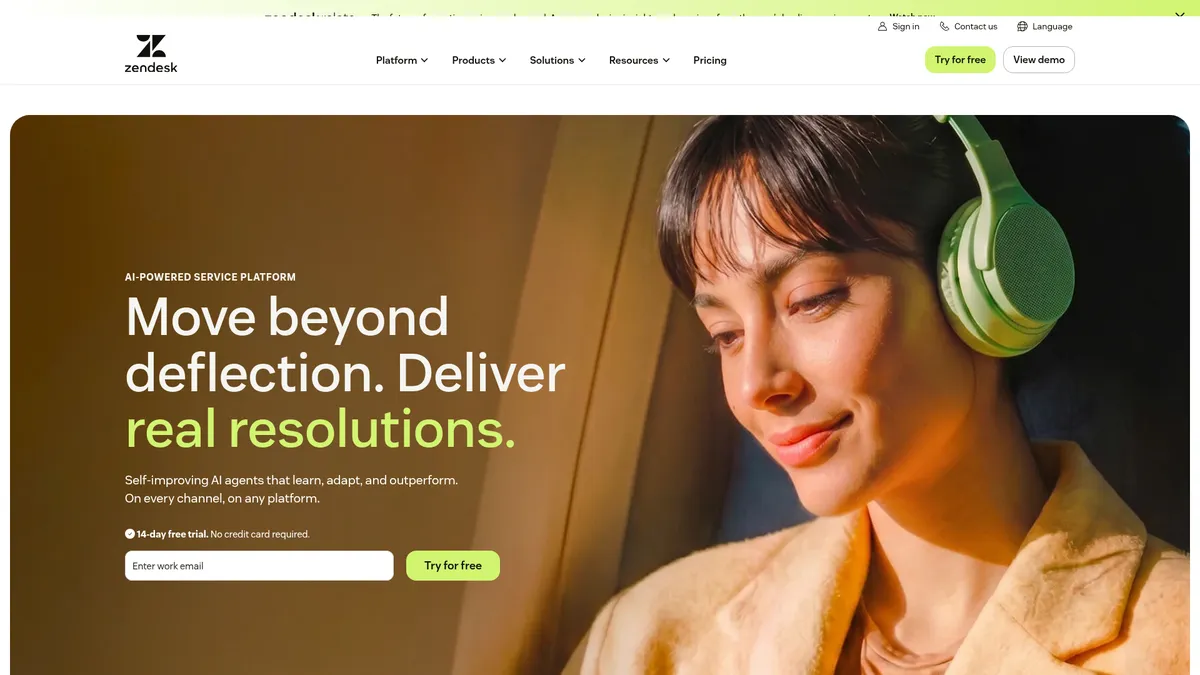
What is Zendesk?
How to Use Zendesk
Setting up Zendesk is a straightforward process that can be completed in under an hour. Follow these steps to configure your account, connect your support channels, and start using AI to automate customer service at scale.
Create your Zendesk account
Sign up for a free 14-day trial on the Zendesk website. You'll be asked to enter your business name, email address, and choose a subdomain. The setup wizard will guide you through the initial configuration and basic branding.
Configure your support channels
Navigate to the Admin Center to connect your support email, set up the web widget for live chat, enable voice if needed, and integrate social media channels like Facebook Messenger, WhatsApp, and Twitter.
Build your knowledge base
Use the Knowledge Base module to create help articles and FAQs. Enable AI-enhanced search to automatically suggest relevant articles to customers, which helps reduce ticket volume through self-service.
Set up AI agents and automation
Configure Zendesk AI agents to handle common queries, create ticket routing rules, and set up macros and triggers for repetitive tasks. Train the AI using your historical conversation data for better accuracy and context.
Invite your team and go live
Add agents, assign roles and permissions, and customize your dashboard views. Start responding to tickets and use real-time analytics to monitor performance, customer satisfaction, and AI effectiveness.
Zendesk Core Features
Zendesk Use Cases
- 1Omnichannel Customer Support – Handle customer inquiries across email, chat, social media, and voice from a single unified platform, ensuring consistent and personalized responses at scale.
- 2AI-Powered Ticket Deflection – Reduce support volume by deploying AI agents and a knowledge base to automatically resolve common queries, freeing human agents for complex, high-value issues.
- 3Internal IT Help Desk – Streamline employee support with ITSM capabilities including incident management, asset tracking, and self-service portals for IT requests and approvals.
- 4Contact Center Optimization – Transform your call center with AI-assisted routing, real-time transcription, and workforce management tools that boost agent productivity and satisfaction.
- 5Customer Experience Analytics – Leverage AI-driven reporting and quality assurance to monitor performance, identify trends, and continuously improve your support operations.
Pros and Cons of Zendesk
Pros
- Unified Platform – Combines ticketing, live chat, voice, knowledge base, and AI automation in one solution, eliminating the need for multiple disjointed tools and simplifying workflows.
- Powerful AI Capabilities – AI agents, Copilot, and automation tools continuously learn and improve, handling complex workflows and significantly reducing agent workload over time.
- Extensive Integration Ecosystem – With over 1,800 apps and pre-built connectors, Zendesk seamlessly integrates with existing business systems like CRM, ERP, and marketing platforms.
- Enterprise-Ready Security – SOC 2, GDPR, and ISO 27001 compliance, strong encryption, and AI governance controls make it suitable for regulated industries and large organizations.
✕ Cons
- Premium Pricing – Costs escalate quickly at higher tiers and with add-ons, making it less budget-friendly for small businesses and startups with limited support budgets.
- Steep Learning Curve – Advanced features like workflow automation, custom integrations, and AI configuration require significant time and technical expertise to set up properly.
- Overwhelming for Small Teams – The rich feature set and dense interface can feel cluttered for teams that only need basic ticketing, leading to unnecessary complexity.
Zendesk vs Top Alternatives
| Feature | Intercom | Freshdesk | Salesforce Service Cloud |
|---|---|---|---|
| AI & Automation | Fin AI chatbot and workflow automation | Freddy AI for ticket automation and insights | Einstein AI with predictive analytics and automation |
| Omnichannel Support | Email, chat, in-app messages, social | Email, chat, voice, social, self-service | Full omnichannel with deep CRM integration |
| Ease of Use | Intuitive interface but limited voice support | Easy setup with a clean, modern interface | Complex setup with a steep learning curve |
| Starting Price | Starts at $39/agent/month | Starts at $15/agent/month | Custom enterprise pricing, typically higher |
Zendesk Pricing
Suite Team
- Ticketing across all channels
- AI agents
- Knowledge base
- Help center
- Standard integrations
- 14-day free trial
Suite Growth
- Everything in Team
- Multiple brands
- Satisfaction surveys
- Tickets per brand
- Skills-based routing
- Business rules
Suite Professional
- Everything in Growth
- Multilingual support
- Advanced voice
- Contextual workspaces
- Side conversations
- SSO and sandbox
Suite Enterprise
- Everything in Professional
- Unlimited agents
- Custom roles
- Enterprise API
- Dedicated support
- SLA management
Zendesk FAQ
What is Zendesk used for?+
Does Zendesk offer a free trial?+
How much does Zendesk cost?+
Is Zendesk suitable for small businesses?+
What AI features does Zendesk have?+
Does Zendesk integrate with other tools?+
Is Zendesk secure for enterprise use?+
Zendesk Review — Editor's Score
Who Should Use Zendesk?
Zendesk is ideal for mid-to-large businesses with dedicated support teams that need a scalable, AI-powered omnichannel platform. It's also well-suited for enterprises requiring ITSM capabilities, workforce management, and advanced compliance features like SOC 2 and GDPR.
Zendesk remains a powerhouse in the customer service space, successfully blending traditional ticketing with cutting-edge AI capabilities. While pricing can be a hurdle for smaller teams, its comprehensive feature set, robust integrations, and enterprise-grade security make it a top choice for growing businesses and large organizations that are serious about support automation.
- AI agents that autonomously resolve complex customer issues
- Unified omnichannel inbox for all support channels
- 1,800+ integrations and extensive app marketplace
- Enterprise-grade security and compliance certifications
📺 Zendesk Tutorials & Introduction
How to use ZenDesk AI Agents - YouTube
Getting started with Zendesk AI agents - Essential - YouTube
Zendesk Advanced AI demo - YouTube
Keywords: