

Workato
Enterprise automation platform for modern businesses
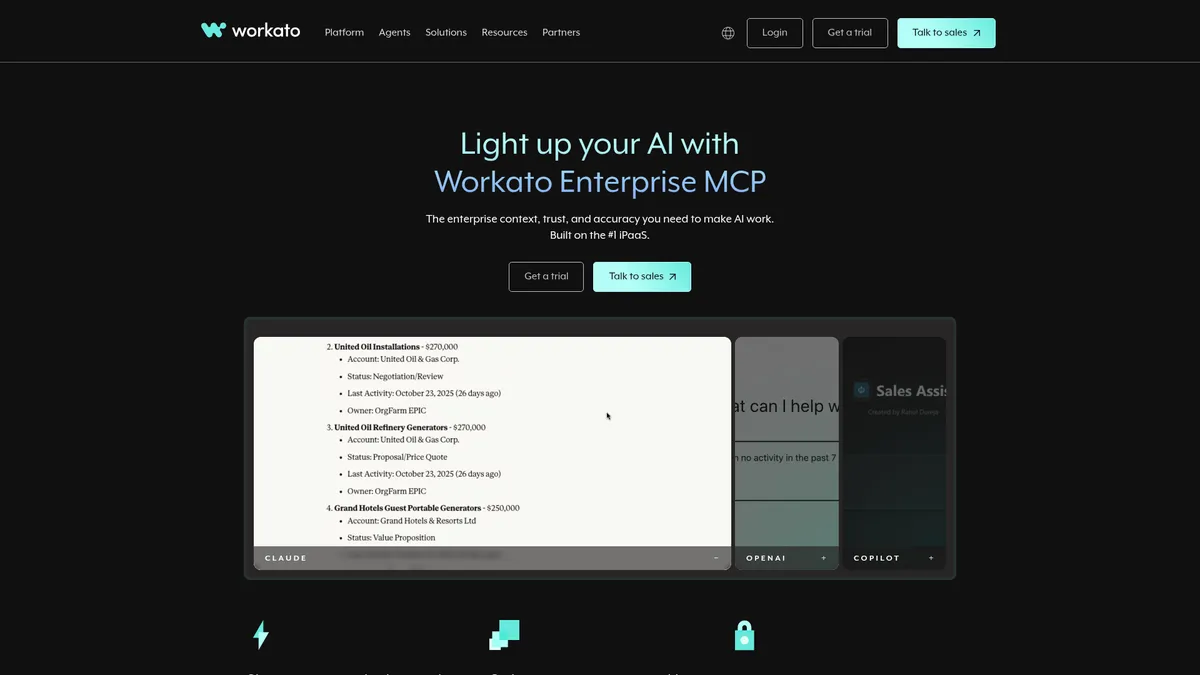
What is Workato?
How to Use Workato
Workato makes it easy to automate business processes using visual workflows called 'recipes.' Follow this guide to create a simple lead-to-CRM automation that captures new leads from a web form, scores them using AI, and updates your Salesforce records automatically.
Sign up and access the recipe builder
Create a Workato account and log into the dashboard. Navigate to the 'Recipes' tab and click 'Create New Recipe.' You'll be greeted by a visual builder where you can design your automation workflow step by step without writing code.
Configure your trigger event
Select the application that will trigger the workflow — for example, a new form submission from Typeform or a new lead in Facebook Lead Ads. Choose the specific event (e.g., 'New Entry' or 'New Lead') and connect your account by authenticating with OAuth or API keys.
Add an AI agent for lead scoring
Click the '+' button to add a new step and select 'Agent' from the available actions. Configure your AI agent to analyze the incoming lead data (industry, company size, job title) and assign a lead score. The agent can use ML models to predict conversion probability and route high-value leads to sales teams.
Set up the CRM update action
Add a final action step that creates or updates a record in your CRM (e.g., Salesforce or HubSpot). Map the fields from your trigger data and AI agent output into the CRM fields. Enable error handling and notifications so your team is alerted if the workflow fails.
Workato Core Features
Workato Use Cases
- 1Automate end-to-end business processes like order-to-cash and procure-to-pay by connecting your CRM, ERP, and finance applications into a unified workflow that reduces manual data entry and accelerates cycle times.
- 2Integrate cloud and on-premise applications without writing code, enabling your team to sync customer data, inventory levels, and financial records across Salesforce, NetSuite, SAP, and hundreds of other tools.
- 3Deploy AI agents that autonomously handle customer service inquiries by triaging support tickets, pulling order history from your CRM, and escalating complex issues — all without human intervention.
- 4Build embedded integrations that allow your SaaS product to connect with hundreds of other tools, giving customers a native integration experience that reduces churn and increases platform stickiness.
- 5Orchestrate complex data workflows between legacy systems and modern cloud applications, ensuring data consistency and enabling real-time reporting across your entire technology ecosystem.
Pros and Cons of Workato
Pros
- All-in-one platform that combines integration, automation, AI, ML, and RPA in a single unified solution, eliminating the need for multiple disparate tools and reducing overall tech stack complexity.
- Enterprise-grade security and compliance with SOC 2 Type II, HIPAA, and GDPR certifications, plus granular governance controls that meet the strictest regulatory requirements of large organizations.
- Highly scalable architecture that grows seamlessly from departmental automation to enterprise-wide orchestration, handling millions of workflows and API calls without performance degradation.
- Rich ecosystem with over 1,000 pre-built connectors, an active community of automation leaders, and 24/7 support that accelerates time-to-value and reduces implementation risk.
✕ Cons
- Steep learning curve that requires significant upfront investment in training and expertise to build complex workflows, making it less accessible for non-technical users compared to simpler tools like Zapier.
- Premium pricing that can be prohibitive for small businesses and startups, with costs scaling quickly based on workflow volume, API calls, and advanced feature usage across the organization.
- Platform dependency can create vendor lock-in concerns, as migrating complex automations and embedded integrations away from Workato requires substantial rework and re-engineering effort.
Workato vs Top Alternatives
| Feature | Zapier | Make | MuleSoft | UiPath |
|---|---|---|---|---|
| Pre-built Integrations | 5,000+ app integrations | 1,500+ app connectors | 1,000+ connectors and APIs | 1,000+ integrations and activities |
| AI & Agent Capabilities | Limited AI (ChatGPT plugin, no custom agents) | No native AI or agent capabilities | AI via Anypoint (limited agent capabilities) | Advanced AI with Document Understanding & NLP |
| Enterprise Security & Compliance | Basic security (2FA, SSO, no compliance certs) | Standard data encryption | Advanced API governance & enterprise security | Enterprise-grade RBAC, audit, and governance |
| Pricing Model | Subscription per task (from $19.99/mo) | Subscription per operation (from $9/mo) | Enterprise subscription (from $18,000/yr) | Per-robot subscription (from $420/mo) |
Workato Pricing
Standard
- Up to 10 active workflows
- Standard connectors
- Basic automation logic
- Community support
Business
- Unlimited workflows
- All premium connectors
- AI-powered automation
- Advanced governance & RBAC
- Priority support
Enterprise
- Unlimited everything
- Custom agent development
- On-premises support
- Dedicated success manager
- SLA guarantees
- 24/7 premium support
Workato FAQ
What is Workato and how does it work?+
How much does Workato cost?+
What's the difference between Workato and Zapier?+
Does Workato offer a free trial?+
What AI capabilities does Workato provide?+
Is Workato secure for enterprise use?+
How many integrations does Workato support?+
Workato Review — Editor's Score
Who Should Use Workato?
Workato is ideal for mid-to-large enterprises with dedicated automation teams or Center of Excellence (CoE) groups. It's best suited for organizations that need to automate complex, multi-system business processes and require enterprise-grade security, governance, and compliance. SaaS companies looking to embed integrations into their products will also find tremendous value.
Workato is the closest thing to an all-in-one enterprise automation platform on the market. It combines integration, AI agents, RPA, and workflow orchestration in a way that few competitors can match. The learning curve is real and the price tag isn't for everyone, but if your organization is serious about automating complex processes at scale, Workato delivers unmatched power and flexibility.
- Unified platform combining iPaaS, AI agents, RPA, and workflow automation
- Agent Studio enables custom AI agents for autonomous task handling
- Over 1,000 pre-built connectors with enterprise-grade security and compliance
- Embedded integration capabilities for SaaS companies to ship native integrations
📺 Workato Tutorials & Introduction
ITGenie demo - YouTube
How to start with Workato Apps - YouTube
Workato - Claude AI + Enterprise MCP for Marketing Teams - YouTube
Keywords: