
Wingman
Autonomous drone with tap-to-fly AI for tactical missions
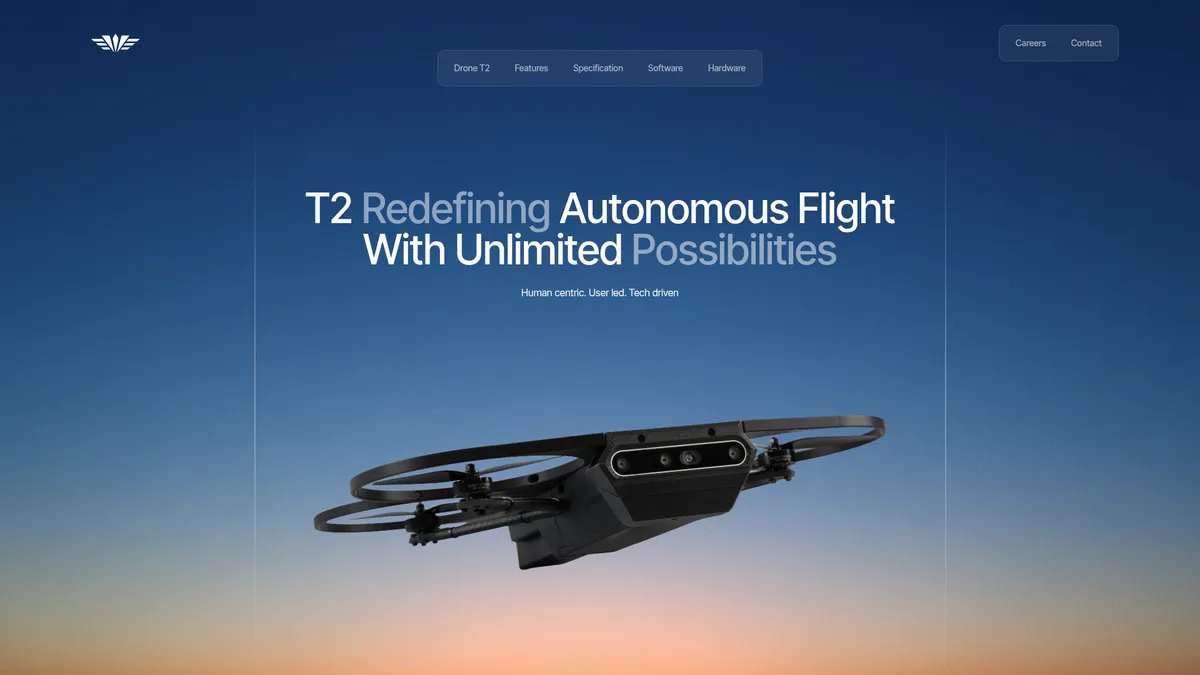
What is Wingman?
How to Use Wingman
Getting started with the Wingman T2 drone is straightforward thanks to its intuitive tap-to-fly interface. Follow these steps to deploy the T2 for your first mission.
Unbox and Assemble
Remove the T2 drone, controller, and communication unit from the case. Attach the propellers and ensure all components are secure.
Charge Batteries
Fully charge the drone battery and controller using the provided chargers. A full charge takes approximately 60 minutes.
Power On and Connect
Turn on the controller and then the drone. The communication unit will automatically establish a secure link between them.
Calibrate Compass
Follow the on-screen prompts to calibrate the compass. This ensures accurate navigation and obstacle avoidance.
Set Destination
Use the tap-to-fly interface on the controller to select a destination on the map or point on the live FPV feed.
Launch and Monitor
Tap the 'Launch' button to start the autonomous flight. Monitor the FPV feed and telemetry data on the controller screen in real time.
End Mission and Land
When the mission is complete, tap the 'Return to Home' button. The drone will autonomously land at its takeoff point.
Wingman Core Features
Wingman Use Cases
- 1Reconnaissance & Surveillance – Real-time aerial intel for troops on the ground. The drone provides high-resolution FPV feeds and can autonomously patrol areas of interest.
- 2Perimeter Security – Autonomous patrols of bases or critical infrastructure. Its obstacle avoidance and long-range communication make it ideal for securing perimeters.
- 3Indoor Tactical Operations – GPS-free navigation for building-level missions. The drone can operate in GPS-denied environments, making it suitable for indoor operations.
- 4Search & Rescue Support – Rapid area coverage in disaster zones. The compact size and easy deployment allow quick response in emergency situations.
- 5Target Acquisition & Tracking – High-resolution FPV feeds for precision engagement. The drone can track and monitor targets with its advanced camera system.
Pros and Cons of Wingman
Pros
- User-friendly tap-to-fly interface significantly lowers training time for operators, allowing novice users to pilot the drone effectively.
- Strong obstacle avoidance and GPS-free indoor navigation capabilities enable safe operation in complex environments.
- Long-range, low-latency communications support beyond-visual-line-of-sight missions, providing reliable control up to 15 km.
- High-quality handheld controller with a 6.8" AMOLED screen, 1 TB SSD, and intuitive controls enhances the user experience.
✕ Cons
- Pricing is not publicly available, requiring potential customers to contact sales, which may hinder quick purchasing decisions.
- Flight time of 20 minutes per battery may be insufficient for extended missions without carrying spare batteries.
- Lack of a dedicated About page and limited company background information makes credibility and company history difficult to verify.
Wingman vs Top Alternatives
| Feature | DJI Matrice 350 RTK | Skydio X2 | Autel EVO Max 4T |
|---|---|---|---|
| Tap-to-Fly Interface | No (requires DJI Pilot app) | Via tablet app | No |
| Indoor GPS-Free Flight | Limited (visual positioning) | Yes | No |
| Maximum Communication Range (km) | 20 km | 10 km | 20 km |
| Onboard Obstacle Avoidance | Multi-directional sensing | 360° obstacle avoidance | Multi-directional sensing |
Wingman Pricing
Custom Quote
- T2 drone unit
- Handheld controller
- Communication unit
- Spare battery
- Training support
Wingman FAQ
What is Wingman T2?+
How does the tap-to-fly interface work?+
Can the drone fly indoors without GPS?+
What is the range of the drone?+
How long does the battery last?+
Is the controller compatible with other devices?+
How do I get pricing information?+
Wingman Review — Editor's Score
Who Should Use Wingman?
Defence and security operators, military units, and tactical teams looking for a reliable, easy-to-deploy autonomous drone for reconnaissance and surveillance missions.
Wingman T2 is a purpose-built autonomous drone that excels in defence and security scenarios. Its intuitive tap-to-fly interface and robust obstacle avoidance make it accessible for operators of all skill levels. However, the lack of transparent pricing and relatively short flight time may give pause. For teams prioritizing ease of use and indoor navigation, the T2 is a compelling option.
- Intuitive tap-to-fly interface reduces training time
- Advanced obstacle avoidance and indoor navigation
- Long-range low-latency communication up to 15 km
- High-quality Steam Deck-style controller with 1 TB SSD
📺 Wingman Tutorials & Introduction
Wingman-AI - Generate a project from scratch - YouTube
Wingman-AI - Setup and walkthrough, goodbye Cursor! - YouTube
Meet The Sales Wingman Lite: The Ultimate Demo Tool to Close AI ...
Keywords: