
Wave.video
Create, edit, host, and stream videos with AI-powered simplicity.
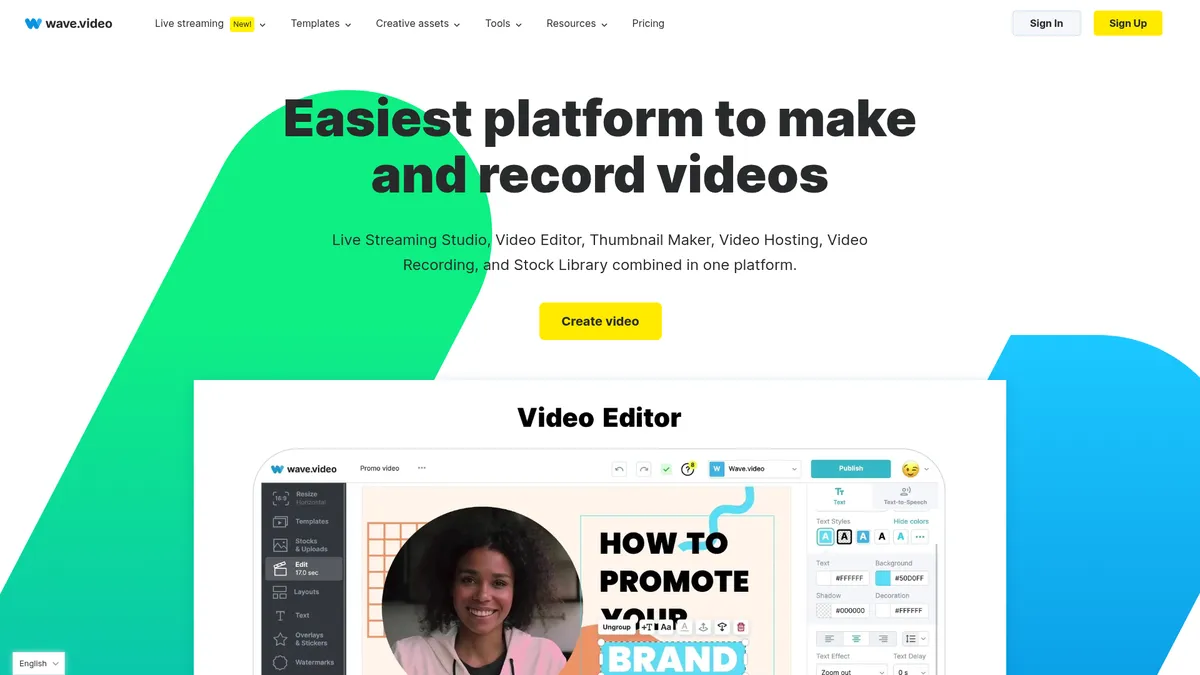
What is Wave.video?
How to Use Wave.video
Wave.video makes video creation straightforward. In this guide, we'll walk you through the process of creating a video from scratch, adding AI enhancements, and publishing it to your audience.
Sign Up and Choose a Template
Create a free account on Wave.video and browse the template library. Pick a template that matches your content type—social media ad, promo video, or webinar intro—to get a head start with pre-designed layouts.
Edit Your Video with Drag-and-Drop
Use the intuitive editor to trim clips, add transitions, insert text overlays, and include stickers or logos. You can upload your own media or choose from millions of stock assets available directly in the platform.
Enhance with AI Tools
Leverage AI to generate captions automatically, add text-to-speech voiceovers, or remove backgrounds from images. These features help you polish your video without manual effort.
Publish, Host, or Live Stream
Once your video is ready, you can host it on Wave.video's secure platform, embed it on a landing page, or go live using the streaming studio. Share directly to social channels or download the final file.
Wave.video Core Features
Wave.video Use Cases
- 1Social Media Marketing: Create short promotional videos, ads, and stories for platforms like Instagram, Facebook, and TikTok using ready-made templates and AI tools to speed up production.
- 2Product Demos & Tutorials: Record screen, camera, or both to produce clear product demos and how-to guides, then host them securely and embed on your website.
- 3Webinars & Live Events: Host professional webinars, virtual summits, or live Q&A sessions with multistreaming to YouTube, Facebook, and LinkedIn simultaneously.
- 4Podcast & Interview Production: Record remote interviews with up to 12 guests, each with separate camera feeds, and edit the final video with captions and transitions.
- 5Video Landing Pages: Build SEO-optimized landing pages with embedded videos, custom CTAs, and analytics to capture leads and drive conversions.
Pros and Cons of Wave.video
Pros
- All-in-One Platform: Combines video editing, live streaming, hosting, and marketing tools in one subscription, reducing the need for multiple services and simplifying workflows.
- AI-Powered Efficiency: Features like text-to-video, auto-captions, and text-to-speech dramatically cut down production time, letting you create content faster.
- Generous Free Tier: The free plan offers a fully functional editor, stock library, and hosting, making it accessible for beginners and small projects.
- Professional Live Streaming: Multistream to up to 10 channels, invite guests, and record streams for later editing—capabilities that rival dedicated streaming software.
✕ Cons
- Watermark & Limits on Lower Tiers: Free and Streamer plans add a watermark and cap video length, requiring an upgrade for polished, professional output.
- Browser-Only Experience: No native desktop app means performance depends on your internet connection and browser; some users report lag during complex projects.
- Storage and Traffic Caps: Even on paid plans, storage and monthly traffic limits can be restrictive for high-volume creators, especially for long-form content.
Wave.video vs Top Alternatives
| Feature | Canva | Loom | StreamYard |
|---|---|---|---|
| AI Video Generation | Basic AI video creation tools | No AI video generation | No AI video generation |
| Live Streaming | No live streaming capabilities | No live streaming; async video messaging only | Multistream to 8 channels; robust live streaming |
| Stock Library | Extensive stock library with millions of assets | No built-in stock library | Limited integrated stock assets |
| Video Hosting | Basic hosting with limited analytics | Secure hosting with viewer analytics and comments | No long-term video hosting |
Wave.video Pricing
Free
- Basic editor
- 15-min video length
- Watermark
- Thumbnail maker
- 2M stock assets
- Video hosting with watermark
- 5 embeds
- 10 GB storage
- 10 GB/month traffic
Streamer
- Live streaming (2 channels)
- 6 guests
- 1 hr/stream
- 720p
- Video recording up to 15 min
- Basic hosting
- 5 embeds
- 10 GB storage
Creator
- Editor (30-min videos)
- 200M stock assets
- Captions & subtitles
- Background removal
- Text-to-speech
- Live streaming (5 channels, 10 guests, 4 hr/stream, 1080p)
- Recording up to 4 hr
- 20 embeds
- 150 GB/month traffic
- 30 GB storage
Business
- Full editor (2 hr, 60 fps)
- All premium stock assets
- Advanced live streaming (10 channels, 12 guests, 12 hr/stream, 1080p)
- Unlimited recording
- Advanced permissions
- Shared login
- 200 embeds
- 500 GB/month traffic
- 30 GB storage
- Marketing tools
Wave.video FAQ
What is Wave.video?+
Is Wave.video free?+
Can I use Wave.video for live streaming?+
Does Wave.video remove watermarks?+
What platforms can I stream to with Wave.video?+
How much does Wave.video cost?+
Can I edit videos with AI on Wave.video?+
Wave.video Review — Editor's Score
Who Should Use Wave.video?
Marketers, social media managers, course creators, small business owners, and anyone who needs to produce professional-looking videos without a steep learning curve.
Wave.video is a versatile all-in-one platform that delivers on its promise of simplifying video marketing. It's not perfect for high-end production, but for everyday business and social media content, it's a top contender.
- All-in-one video marketing platform
- AI text-to-video generation
- Multistream live streaming
- Generous free tier
📺 Wave.video Tutorials & Introduction
AI Tools make Video Editing EASY in 2024 - YouTube
Text to Video with AI using wave.video - YouTube
How To Use Wave.Video (Step-By-Step) - YouTube
Keywords: