
Walnut
AI-powered interactive demos for B2B revenue teams
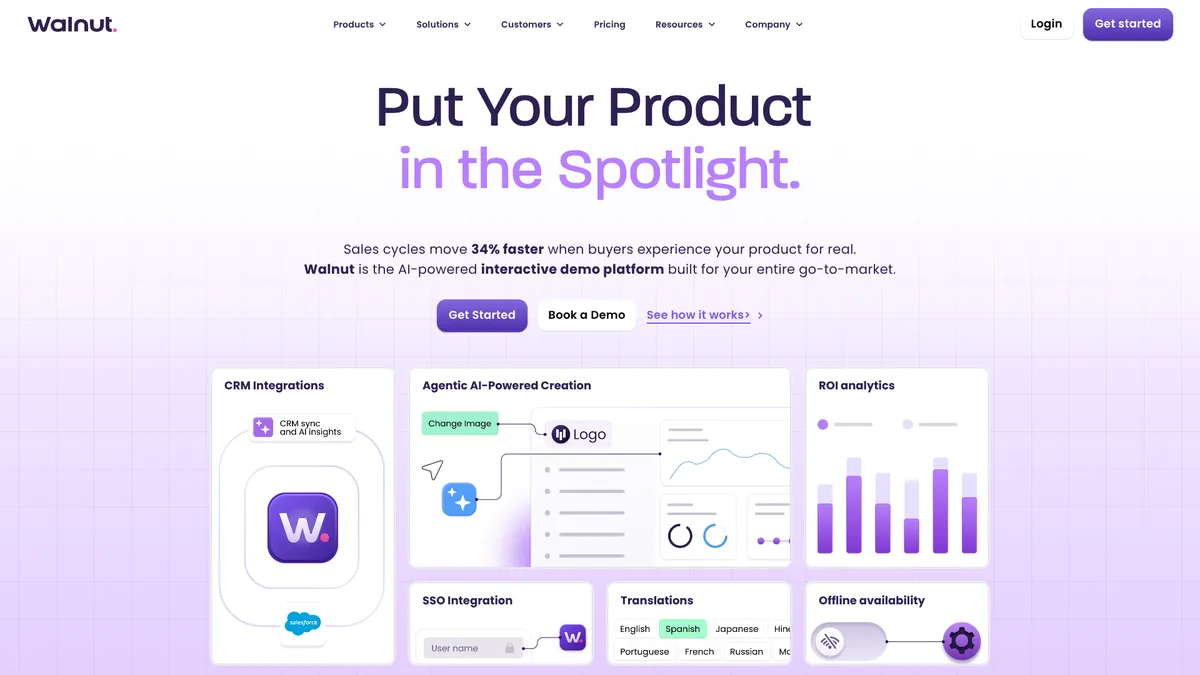
What is Walnut?
How to Use Walnut
Creating an interactive demo with Walnut is straightforward thanks to its AI-powered tools. You can either record your screen with StoryCapture AI to auto-generate a demo, or build from scratch using drag-and-drop elements. Follow these steps to create, personalize, and share your first interactive product demo that drives real engagement.
Set Up Your Workspace and Connect CRM
Log into your Walnut account and configure your workspace settings including brand colors, logo, and default language. Connect your CRM (Salesforce or HubSpot) to enable seamless data synchronization and lead capture from day one. This ensures prospect engagement data flows directly into your existing pipeline.
Create a Demo Using StoryCapture AI
Click 'New Demo' and select StoryCapture AI to record your screen while narrating your product walkthrough. Walnut automatically captures each step and generates a structured interactive demo complete with clickable elements and guide text that matches your narration. The process takes minutes rather than hours.
Refine and Personalize with AI Mode
Use AI Mode to polish your demo by typing natural language prompts like 'Change the button color to blue' or 'Add a step explaining the pricing page.' Enable dynamic personalization to automatically insert prospect names, logos, and custom content based on CRM data for a tailored experience.
Add Interactivity and Lead Capture
Enhance your demo with choose-your-own-adventure branching paths so prospects can explore features relevant to their needs. Embed lead capture forms at strategic moments to collect prospect information, and add video overlays for personalized messages that boost engagement.
Publish, Share, and Analyze Performance
Publish your demo and share it via web link, email embed, or directly within your CRM. Enable analytics tracking to monitor prospect engagement including heat-maps, time spent on each step, and drop-off points. Use these insights to continuously optimize your demo flow for better conversion rates.
Walnut Core Features
Walnut Use Cases
- 1Sales teams can create interactive product demos in minutes that replace static videos or live walkthroughs. These demos can be personalized for each prospect and shared instantly, reducing the need for scheduling live demos. The result is a 34% shorter sales cycle and 32% higher conversion rates for teams using Walnut consistently.
- 2Marketing teams can embed interactive demos on websites, landing pages, and email campaigns to generate qualified leads. Prospects can explore the product at their own pace with choose-your-own-adventure playlists, and lead capture forms collect their information when engagement peaks. This creates a powerful self-guided buying experience that drives conversions.
- 3Customer success teams can use sandbox demos and guided tours to onboard new users effectively. The same platform can demonstrate premium features to existing customers, creating upsell opportunities within a familiar interface. Analytics reveal which features users engage with most, informing retention and expansion strategies.
- 4Revenue operations teams can track prospect engagement with granular analytics including heat-maps, drop-off points, and viewer actions. AI-powered insights allow conversational queries about demo performance, while Walnut Uncover identifies anonymous visitors. This data integrates directly into Salesforce and HubSpot for unified pipeline visibility.
- 5Global go-to-market teams can deploy multilingual demos in up to 243 languages with white-labeled branding for regional consistency. Each region can maintain its own demo library while enterprise controls ensure brand compliance. Dedicated CSM support and quarterly business reviews help optimize global demo strategies.
Pros and Cons of Walnut
Pros
- AI-driven authoring with StoryCapture AI and AI Mode dramatically reduces demo creation time from hours to minutes, enabling sales teams to iterate and personalize rapidly without technical support.
- Documented revenue impact with 34% shorter sales cycles, 32% higher conversion rates, and 26% increased engagement backed by real customer data rather than marketing claims.
- Deep integration ecosystem spanning Salesforce, HubSpot, Marketo, and Pardot creates seamless workflows between demo engagement data and existing CRM pipelines for unified revenue operations.
- Enterprise-grade security with SOC 2 compliance, SSO/SCIM support, and white-label options meets strict procurement requirements for large organizations with dedicated CSM support.
✕ Cons
- Premium pricing starting at $750 per month may be prohibitively expensive for early-stage startups and small businesses, with no free tier or trial available to evaluate the platform before committing.
- Extensive feature set and multiple AI capabilities create a notable learning curve for new users, requiring dedicated training time to fully leverage the platform's breadth of functionality.
- Limited pricing transparency for the Scale tier and lack of publicly available information about company details may raise concerns for procurement teams requiring full vendor disclosure.
Walnut vs Top Alternatives
| Feature | Navattic | Storylane | Reprise |
|---|---|---|---|
| AI Demo Creation | StoryCapture AI & AI Mode vs AI-assisted screen capture | StoryCapture AI & AI Mode vs AI-guided demo builder | StoryCapture AI & AI Mode vs AI demo builder |
| Starting Price (per month) | $750/mo vs $599/mo | $750/mo vs Custom pricing | $750/mo vs Custom pricing |
| CRM Integrations | Salesforce, HubSpot, Marketo, Pardot vs Salesforce, HubSpot | Salesforce, HubSpot, Marketo, Pardot vs Salesforce, HubSpot | Salesforce, HubSpot, Marketo, Pardot vs Salesforce, HubSpot |
| Best For | Enterprise revenue teams vs Mid-market sales teams | Enterprise revenue teams vs Product-led growth teams | Enterprise revenue teams vs Enterprise sales enablement |
Walnut Pricing
Ignite
- 3 editor seats
- Unlimited demo publishing
- StoryCapture AI creation
- AI Mode basic editing
- Basic analytics
- HubSpot, Marketo, Pardot & Salesforce integrations
- Choose-your-own-adventure playlists
- Expert support & onboarding
Accelerate
- 5 editor seats + 5 presenter seats
- All Ignite features
- Sandbox demos
- Prospect personalization
- Video overlays
- Advanced analytics & AI insights
- Walnut Uncover
- Advanced Salesforce integration
- SSO/SCIM
- Sales & Customer Hub playlists
Scale
- Custom seat limit
- All Accelerate features
- White-labeled brand experience
- Advanced translations (243 languages)
- Enterprise-grade controls
- Dedicated strategic CSM
- Quarterly business reviews
- White-glove professional services
Walnut FAQ
What is Walnut and how does it work?+
How much does Walnut cost?+
Does Walnut offer a free trial?+
What integrations does Walnut support?+
How does Walnut's AI demo creation work?+
Can I track how prospects interact with my demos?+
Is Walnut secure for enterprise use?+
Walnut Review — Editor's Score
Who Should Use Walnut?
Mid-market to enterprise B2B companies with dedicated sales and marketing teams looking to accelerate sales cycles, personalize prospect engagement at scale, and gain deep insights into how buyers interact with their product demos.
Walnut is a premium AI-powered interactive demo platform that delivers measurable results for B2B revenue teams. While the steep starting price and learning curve make it better suited for mid-market and enterprise organizations, the depth of features, robust analytics, and enterprise-grade security justify the investment. It's the kind of tool that pays for itself if your team is serious about demo-driven growth.
- AI-driven demo creation reduces build time from hours to minutes with StoryCapture AI and AI Mode
- Measurable 34% reduction in sales cycles and 32% boost in conversion rates backed by real customer data
- Deep integration ecosystem spanning Salesforce, HubSpot, Marketo, and Pardot for unified revenue operations
- Enterprise-grade security with SOC 2 compliance, SSO/SCIM support, and white-label branding options
📺 Walnut Tutorials & Introduction
Walnut.io Tutorial | How to Create Interactive Product Demos
Walnut Demo Software: Create Interactive Demos Easily - YouTube
Introducing Canvas | The Next-Gen AI Compositor - YouTube
Keywords: