
Viso Suite
End-to-end computer vision infrastructure for enterprises
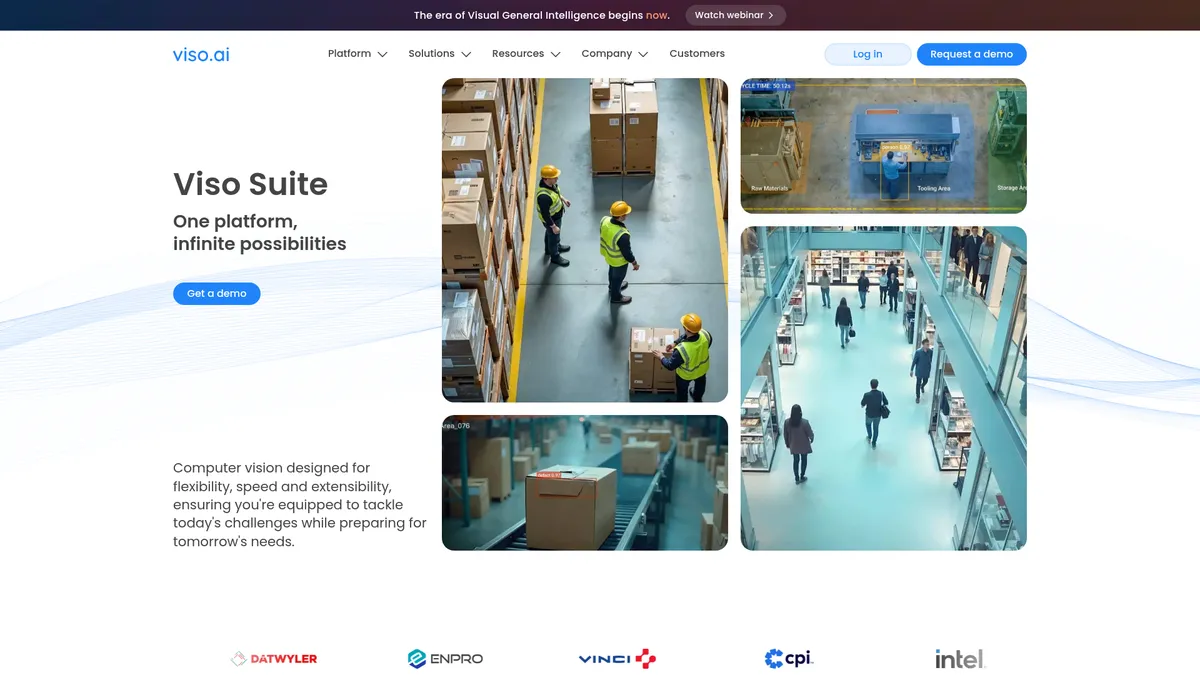
What is Viso Suite?
How to Use Viso Suite
Getting started with Viso Suite is straightforward, even if you're new to computer vision. Follow these steps to connect your cameras, train a model, and deploy real-time AI monitoring across your operations.
Connect Your Cameras
Integrate your existing IP cameras or video sources using the universal camera integration. Viso Suite supports most major camera brands and protocols, so you can start streaming live feeds within minutes without replacing hardware.
Collect and Annotate Data
Use the built-in annotation tools to label objects, people, or anomalies in your video footage. You can upload existing datasets or create new ones directly in the platform using the no-code labeling interface.
Train or Select a Model
Choose from the pre-trained model library for common use cases like PPE detection or object counting, or train a custom model using your annotated data. The no-code interface makes it easy to configure training parameters without writing code.
Deploy to Edge or Cloud
Set up automated deployment pipelines to push your model to edge devices or cloud servers with one click. Viso Suite handles versioning, scaling, and monitoring across all deployment targets automatically.
Monitor and Optimize
Use the real-time dashboards to track model accuracy, latency, and system health across all deployed instances. The platform supports continuous self-learning, so your models improve automatically from new data streams.
Viso Suite Core Features
Viso Suite Use Cases
- 1PPE Detection & Safety Compliance: Monitor workers in real time to ensure they are wearing helmets, vests, goggles, and other protective gear. Automatically flag violations and generate compliance reports for construction and manufacturing sites.
- 2Hazardous Zone Identification: Set up virtual boundaries around dangerous areas like heavy machinery or chemical storage. Receive instant alerts when personnel enter restricted zones, helping prevent workplace accidents and enforce safety protocols.
- 3Object Counting & Inventory Management: Automatically tally parts, boxes, pallets, and products as they move through warehouses or production lines. Get real-time inventory counts without manual scanning or RFID tags.
- 4Predictive Maintenance of Heavy Machinery: Use computer vision to detect visual signs of wear, misalignment, leaks, or corrosion on equipment. Flag anomalies early to schedule maintenance before costly breakdowns occur.
- 5Quality Inspection on Production Lines: Spot defects in products like bottles, electronics, or packaging at high speed. Reduce waste, catch errors early, and maintain consistent quality across manufacturing runs.
Pros and Cons of Viso Suite
Pros
- End-to-end platform eliminates the need for multiple disparate tools, streamlining the entire computer vision workflow from data collection to deployment in one unified interface.
- Unlimited streams and user seats enable truly enterprise-scale deployments without artificial caps, hidden fees, or per-camera licensing costs at any tier.
- Flexible deployment options including cloud, edge, and on-premises cater to varied security, latency, and compliance requirements across different industries.
- Rich out-of-the-box feature set covering annotation, model training, monitoring, and enterprise security, backed by strong support options including expert services and technical account managers.
✕ Cons
- No transparent pricing requires organizations to request a demo for a quote, making budget planning difficult and limiting quick evaluation for smaller teams.
- Platform complexity may require dedicated staff or external consulting to fully leverage all capabilities across the entire computer vision pipeline.
- Primarily targeted at mid-size to large enterprises; smaller teams may find the breadth of features overwhelming and the cost prohibitive for simpler use cases.
Viso Suite vs Top Alternatives
| Feature | Google Cloud Vision API | Amazon Rekognition | Landing AI |
|---|---|---|---|
| End-to-end pipeline coverage | API-only; no annotation or training UI | API-only; limited training customization | Annotation + training; no camera integration |
| No-code/low-code interface | Developer SDK; no low-code option | API/SDK based; no visual builder | Yes - no-code focused platform |
| Edge deployment support | Limited edge via IoT Core | Edge via AWS Greengrass | Basic edge via LandingLens |
| Real-time monitoring & analytics | Requires external monitoring tools | CloudWatch integration; basic dashboards | Basic monitoring available |
Viso Suite Pricing
Standard
- Unlimited user seats
- Unlimited camera streams
- Data collection & image annotation
- ML model training & pre-trained model library
- Edge device management
- Real-time monitoring & diagnosis
- Unified security & encryption
Production
- Everything in Standard
- Unlimited applications & deployments
- Custom module SDK
- Advanced team & permission management
- Advanced security center
- On-demand expert services
- Technical Account Manager
Enterprise
- Everything in Production
- Service-level agreements (SLA)
- Multiple workspaces
- Custom integrations
- Full-solution services
- On-premises deployment
- 24/7 priority support
Viso Suite FAQ
What is Viso Suite?+
What industries does Viso Suite serve?+
Does Viso Suite work with existing cameras?+
Is coding required to use Viso Suite?+
Can Viso Suite be deployed on-premises?+
How much does Viso Suite cost?+
What kind of support does Viso Suite offer?+
Viso Suite Review — Editor's Score
Who Should Use Viso Suite?
Mid-size to large enterprises in manufacturing, construction, logistics, retail, and healthcare that need to deploy computer vision at scale across multiple sites. Also ideal for organizations with existing camera infrastructure looking to add AI-powered monitoring without juggling multiple point solutions.
Viso Suite is one of the most complete end-to-end computer vision platforms on the market, offering a rare combination of no-code accessibility and enterprise-grade infrastructure. While the opaque pricing and platform complexity may deter smaller teams, organizations serious about scaling vision AI across their operations will find an incredibly capable all-in-one solution that eliminates the traditional patchwork of tools.
- End-to-end pipeline from data collection to deployment in one platform
- No-code/low-code interface empowers non-technical team members
- Unlimited cameras and user seats across all pricing tiers
- Flexible deployment: cloud, edge, or on-premises environments
📺 Viso Suite Tutorials & Introduction
Viso Suite Platform - Is it WORTH IT? - YouTube
Keywords: