
VEED
AI-powered video creation for marketers & creators
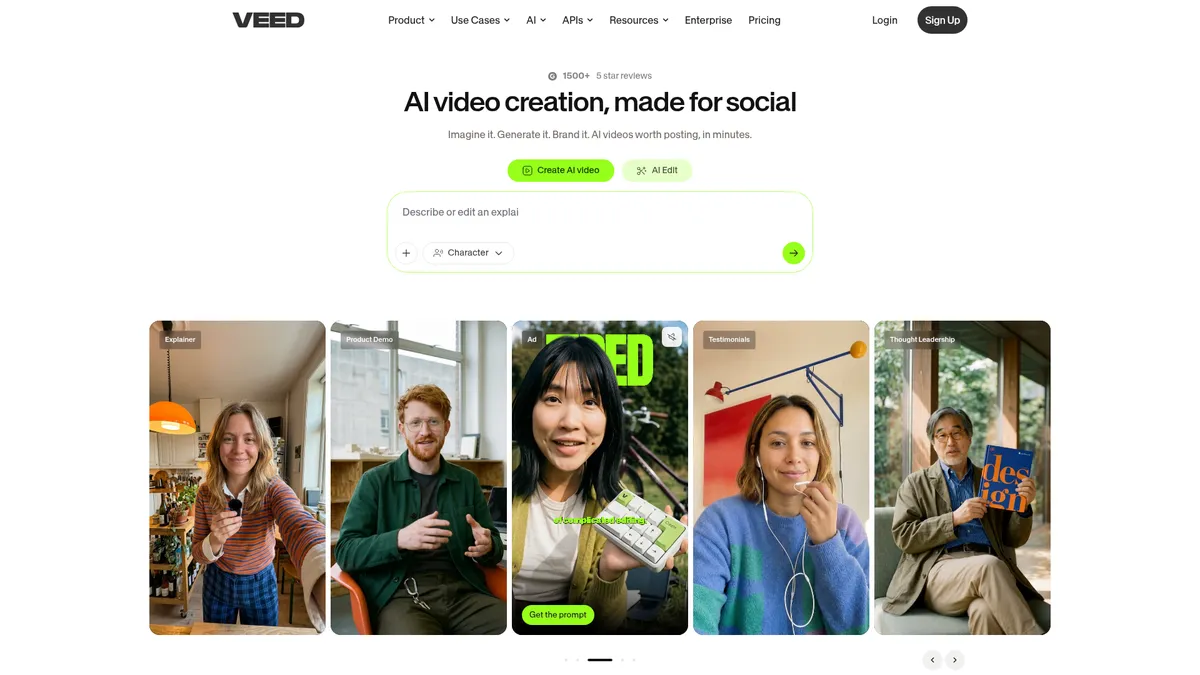
What is VEED?
How to Use VEED
Creating a professional video with VEED takes just a few steps. Whether you're starting from a script or raw footage, the platform's AI tools handle the heavy lifting from generation to export.
Choose Your Starting Point
Select 'AI Video' in Gen-AI Studio to generate a complete video from a text prompt or script, or upload existing footage to edit and enhance with AI-powered tools.
Add AI Enhancements
Apply auto-subtitles, background removal, noise reduction, and eye-contact correction with a single click for polished, professional production quality.
Apply Your Brand Kit
Instantly apply your brand colors, fonts, logo, and voice tone to ensure every video maintains consistent visual identity across all content.
Translate and Export
Translate subtitles to 50+ languages for global reach, then export in feed-ready formats optimized for TikTok, Instagram, LinkedIn, and other platforms.
VEED Core Features
VEED Use Cases
- 1Social media ad creation: Produce TikTok, Instagram Reels, and LinkedIn videos with AI-generated scripts, subtitles, and brand-consistent visuals ready for publishing
- 2Product demo videos: Create professional demonstrations for SaaS products or e-commerce items using screen recordings enhanced with AI voice-overs and annotations
- 3Customer testimonial clips: Polish raw customer interview footage with eye-contact correction, noise reduction, and branded overlays for social proof content
- 4Internal training and onboarding: Generate explainer videos from documentation or slide decks with AI voice-overs and multi-language subtitles for global teams
- 5Multi-language marketing campaigns: Translate existing video content into 50+ languages with synchronized subtitles and AI voice-overs for international audiences
Pros and Cons of VEED
Pros
- Browser-based interface eliminates software installation and works from any device with internet access
- Comprehensive AI suite (script-to-video, auto-subtitles, voice-overs) dramatically reduces production time
- Brand Kit ensures consistent visual identity across all video content for professional brand management
- Unlimited auto-subtitles improve accessibility and boost viewer engagement on social media platforms
✕ Cons
- Free tier is heavily limited with watermarked exports, making it unsuitable for professional use
- AI credit system can restrict high-volume production and requires upgrading to maintain workflow
- No offline editing capability means constant internet connection is required to use the platform
VEED vs Top Alternatives
| Feature | Descript | Canva | Synthesia |
|---|---|---|---|
| AI Video Generation | Text-based editing, no generative AI video | Basic AI video generation (Magic Studio) | AI avatar video from text scripts |
| Auto-Subtitles | Yes, with Studio Sound enhancement | Yes, auto-generated subtitles | Yes, 120+ language subtitles |
| Brand Kit | Basic templates, no brand system | Yes, Brand Kit included | Limited brand customization |
| Starting Price | $24/mo | $12.99/mo | $30/mo |
VEED Pricing
Free
- Basic video editing tools
- Watermarked exports
- Limited AI credits
- Access to 15+ AI tools
Creator
- No watermark on exports
- 6,000 AI credits (~1,200 AI videos)
- Unlimited subtitles
- Full media catalog
- 15+ AI tools
Pro
- 30,000 AI credits (~6,000 AI videos)
- Multiple brand kits per account
- 50+ language translation
- 144 hr/yr AI voice
- All Creator features
Studio
- 180,000 AI credits (~36,000 AI videos)
- Custom video templates
- 960 hr/yr AI voice
- 12 hr/yr translation
- All Pro features
Enterprise
- Unlimited AI credits
- Team & data management
- Review mode for stakeholder approvals
- Advanced privacy & data controls
- Dedicated success manager
- API access for automated workflows
VEED FAQ
What is VEED and who is it for?+
Does VEED have a free plan?+
How does VEED's AI video generation work?+
Can I remove the VEED watermark from my videos?+
What languages does VEED support for translation?+
Is VEED suitable for team collaboration?+
What are AI credits and how do they work?+
VEED Review — Editor's Score
Who Should Use VEED?
Marketers, social media managers, content creators, and enterprise teams who need to produce high-volume, brand-consistent video content without specialized editing skills or expensive production equipment.
VEED strikes an impressive balance between powerful AI features and ease of use. While the credit system and pricing can be hurdles for power users, the quality of its auto-subtitles, brand consistency tools, and AI generation capabilities make it one of the most accessible professional video platforms available today.
- Best-in-class auto-subtitles with unlimited usage on paid plans
- AI script-to-video generation reduces production from hours to minutes
- Brand Kit ensures consistent visual identity across all video content
- Translation to 50+ languages for global marketing campaigns
📺 VEED Tutorials & Introduction
VEED The ULTIMATE AI Video Generator - Full Tutorial - YouTube
VEED.io review | AI video editing made accessible for everyone
VEED Tutorial for Beginners | How to use Veed.io (2024) - YouTube
Keywords: