

Typedream
No-code website builder for creators and side-hustlers
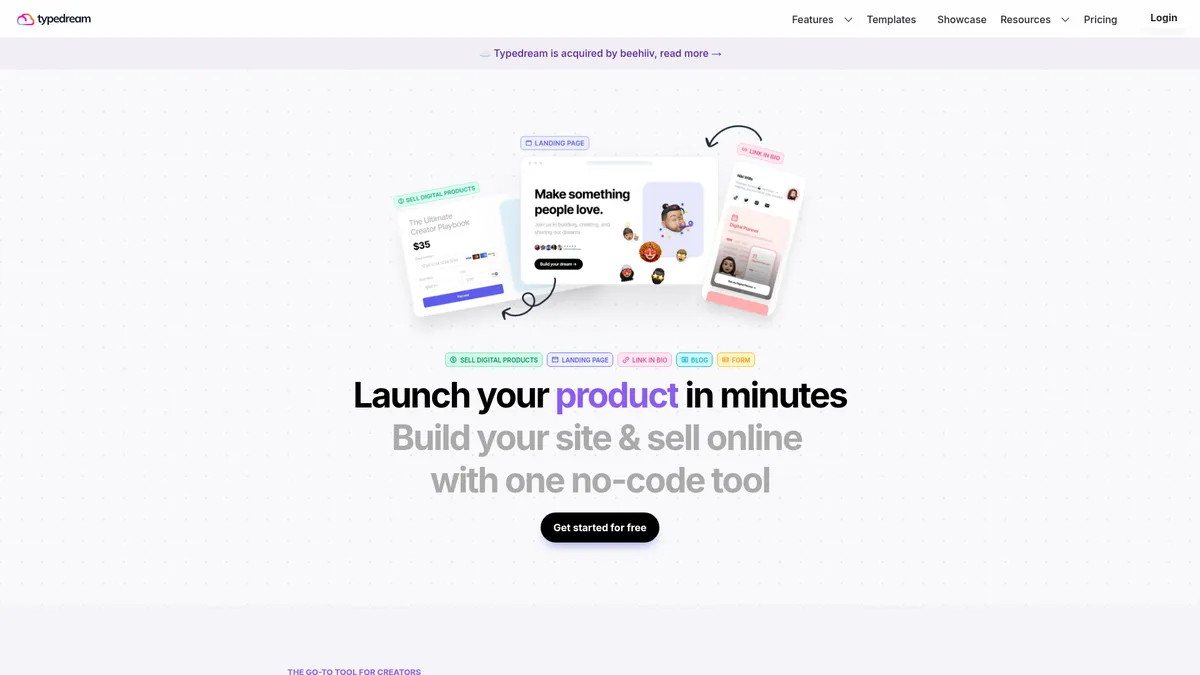
What is Typedream?
How to Use Typedream
Getting started with Typedream is remarkably fast. Follow these steps to build and publish your first site in under 30 minutes, no coding required.
Sign up and choose a template
Create a free Typedream account at typedream.com. Browse the template gallery and pick a starting point that matches your goal — whether it's a landing page, link-in-bio hub, portfolio, or digital storefront. Templates are fully customizable, so don't stress about finding the perfect match.
Build your page with the block editor
Use the slash (/) command to insert pre-designed blocks for text, images, videos, buttons, forms, and product listings. Drag blocks to rearrange them, customize colors and fonts using the visual editor, and add your content. Everything updates in real time.
Connect a custom domain
Navigate to Settings > Domain and enter your custom domain. Typedream automatically provisions free SSL encryption. Paid plan users can claim a free .xyz domain for the first year or point an existing domain they already own.
Set up digital product sales (optional)
If you plan to sell products, connect your Stripe or PayPal account from the Payments settings. Add product blocks for e-books, courses, templates, or services. Set your prices, upload digital files, and configure automated delivery upon purchase.
Publish and share your site
Hit the publish button to make your site live immediately. Share the URL on social media, add it to your Instagram or TikTok bio, or start driving traffic through email. Use the built-in analytics dashboard to track page views, visitor sources, and conversion activity.
Typedream Core Features
Typedream Use Cases
- 1Selling digital products — Creators can set up a storefront for e-books, courses, templates, and files with integrated payment processing and instant delivery, eliminating the need for separate e-commerce platforms.
- 2Building a link-in-bio hub — Influencers and multi-platform creators can replace Linktree with a fully customizable page featuring videos, images, product links, and email sign-up widgets.
- 3Launching a newsletter or blog — Writers and journalists can publish blog posts, grow an email subscriber list, and monetize through paid content or digital product sales from a single dashboard.
- 4Creating landing pages for side projects — Entrepreneurs and indie hackers can spin up product landing pages with waitlist sign-ups, payment buttons, and analytics in under an hour.
- 5Portfolio sites for freelancers — Designers, photographers, and consultants can showcase their work, list services, accept bookings, and capture leads without maintaining a separate site.
Pros and Cons of Typedream
Pros
- Blazing fast setup — You can go from blank page to published site in minutes thanks to the intuitive slash-command editor and hundreds of pre-built templates.
- True all-in-one platform — Combines website building, e-commerce, email marketing, and analytics in one tool, eliminating the need to juggle multiple subscriptions.
- Generous free tier — The free plan includes a link-in-bio page, hosting, and basic features with no time limit, making it ideal for hobby projects and testing the waters.
- Excellent value for creators — Competitive pricing with a free .xyz domain on paid plans and a 14-day money-back guarantee provides low-risk entry for side-hustlers.
✕ Cons
- Transaction fees add up — The 2% fee on paid plans (5% on free) eats into margins for high-volume digital product sellers compared to platforms with flat-rate pricing.
- Limited design flexibility — The block-based editor is easy to use but can feel restrictive for users who want pixel-perfect control or advanced custom layouts.
- Vendor lock-in concerns — Sites are hosted on Typedream's infrastructure, and migrating away requires rebuilding from scratch, which may worry long-term users.
Typedream vs Top Alternatives
| Feature | Carrd | Linktree | Squarespace |
|---|---|---|---|
| Ease of use | Extremely simple one-page builder with minimal learning curve | Quick link-in-bio setup with limited design customization | Moderate learning curve with template-based design system |
| Built-in e-commerce | No built-in e-commerce; requires third-party embeds | Limited e-commerce via Shopify integration only | Full-featured online store with inventory management |
| Transaction fees | No transaction fees (flat subscription pricing) | No transaction fees (subscription-based pricing model) | 0% transaction fees on subscription plans |
| Best for | Simple portfolios, one-page sites, and landing pages | Social media link-in-bio pages and storefronts | Professional websites, blogs, and full-fledged online stores |
Typedream Pricing
Free
- 1 page site or link-in-bio
- Typedream.app subdomain
- Typedream branding badge
- 5% transaction fee + card processing fees
- 1 collaborator seat
- Basic site analytics
Launch
- Unlimited pages
- Custom domain with free SSL
- SEO tools and code injection
- 1 blog and 1,000 form submissions per month
- 2% transaction fee + card processing fees
- 1,000 email subscribers
- 2 collaborator seats
- Free .xyz domain for first year
Grow
- All Launch features
- Unlimited blogs and form submissions
- Password-protected pages
- 5,000 email subscribers
- 5 collaborator seats
- Free .xyz domain for first year
- Priority support
Typedream FAQ
What is Typedream and who is it for?+
Is Typedream free to use?+
How does Typedream's pricing work?+
Can I sell digital products on Typedream?+
Does Typedream support custom domains?+
What happened with the beehiiv acquisition?+
How does Typedream compare to Carrd or Squarespace?+
Typedream Review — Editor's Score
Who Should Use Typedream?
Ideal for Notion template creators, course instructors, e-book authors, newsletter writers, influencers, and small business owners who want a quick, affordable, and integrated online presence without technical headaches or managing multiple platforms.
Typedream is a standout no-code website builder for creators who need to move fast. Its all-in-one approach eliminates the hassle of patching together separate tools for landing pages, e-commerce, and email capture. While the design flexibility won't satisfy power users and transaction fees can nibble at margins, the sheer speed and simplicity make it a compelling choice for side-hustlers and small businesses looking for an integrated online presence.
- Build and publish a functional site in under 10 minutes with zero coding
- All-in-one platform replaces 3-4 separate tools for creators
- Generous free tier with no time limits for testing and hobby projects
📺 Typedream Tutorials & Introduction
Typedream - The BEST Website Builder - YouTube
How To Build Amazing Website with Typedream - TypeDream Tutorial
Typedream Website Tutorial in 2023 - YouTube
Keywords: