

tl;dv
AI Meeting Notetaker & Conversational Intelligence
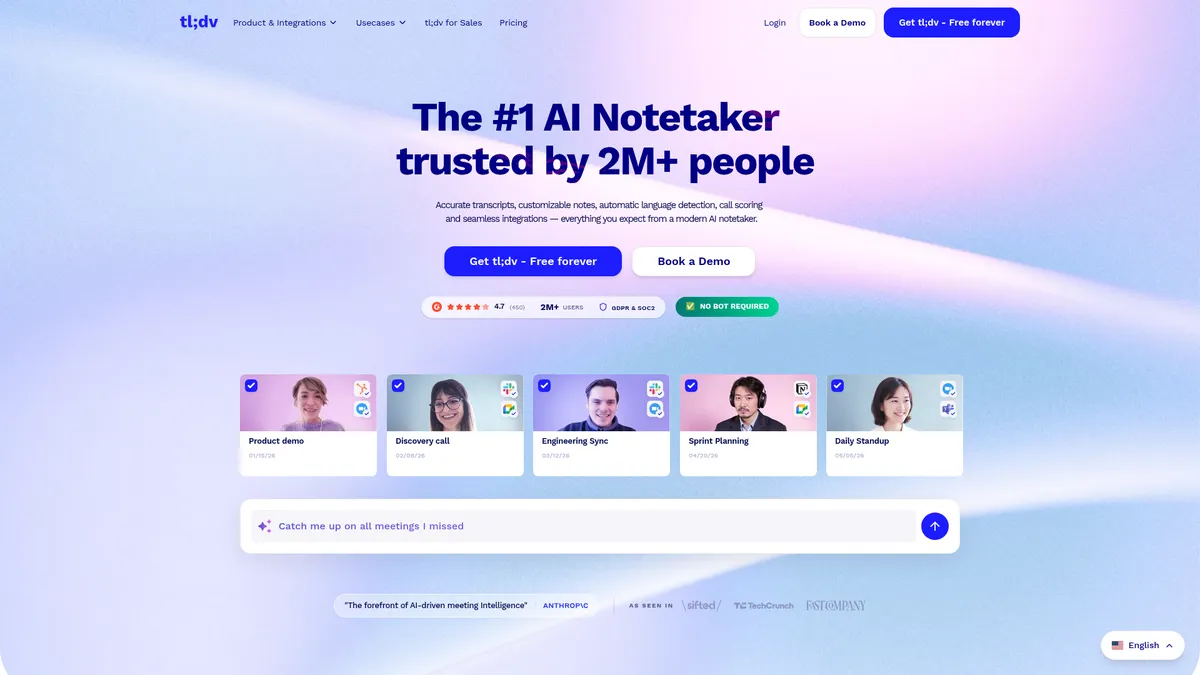
What is tl;dv?
How to Use tl;dv
Getting started with tl;dv takes just a few minutes. Simply create a free account, connect your calendar or meeting platform, and let the AI handle the rest. Here's how to set up and start capturing meeting insights automatically.
Sign Up for a Free Account
Visit tldv.io and create a free account using your work email or Google account. No credit card is required for the Free Forever plan, and you'll get immediate access to the dashboard.
Connect Your Calendar or Install the Extension
Connect your Google Calendar or install the Chrome extension so tl;dv can automatically detect your scheduled meetings. You can also manually add meetings or connect other platforms like Zoom and Microsoft Teams.
Join Meetings as Usual
Attend your video calls normally — tl;dv works silently in the background without a bot joining the conversation. There's nothing extra to click or configure during the meeting itself.
Review Transcripts, Summaries, and Action Items
After each meeting, visit your tl;dv dashboard to access the automatically generated transcript, AI summary, and extracted action items. You can search, tag, and share notes directly from the platform.
Integrate with Your CRM and Workflow Tools
Connect tl;dv to HubSpot, Salesforce, Slack, or Zapier to automatically log notes, update deals, and trigger follow-up actions. Set up custom workflows to streamline your post-meeting processes.
tl;dv Core Features
tl;dv Use Cases
- 1Sales teams can auto-log discovery and demo calls, generate objection reports, coach reps with AI-selected clip highlights, and automatically draft follow-up emails — all without manual data entry.
- 2Product and engineering teams can capture feature requests, bug mentions, and user feedback from customer calls to inform roadmap decisions and prioritize development sprints.
- 3Marketing teams can extract authentic customer quotes, pain points, and use-case narratives from recorded conversations to fuel content creation and sales enablement materials.
- 4Customer success teams can summarize support calls, track satisfaction trends, and create action-item lists to improve retention and proactively address churn risks.
- 5General internal meetings like stand-ups, sprint planning, and discovery calls can be transcribed instantly with minutes, action items, and summaries shared automatically to stakeholders.
Pros and Cons of tl;dv
Pros
- Fully automated note-taking eliminates manual minutes and saves hours of administrative work each week for the entire team.
- Strong integration ecosystem connects seamlessly with Zoom, Google Meet, Slack, HubSpot, Salesforce, and Zapier for streamlined workflows.
- Enterprise-grade security with end-to-end encryption, GDPR, SOC 2, and ISO 27001 compliance ensures sensitive meeting data stays protected at all times.
- Generous free-forever tier lowers the barrier to entry for small teams and solo professionals who need core meeting transcription capabilities.
✕ Cons
- Pricing for paid plans is opaque, requiring larger organizations to request a custom quote rather than seeing transparent pricing upfront.
- Advanced features like custom AI models and bulk reporting are locked behind paid plans, limiting functionality for free-tier users.
- Reliance on third-party AI infrastructure (Anthropic) could introduce latency or cost implications as meeting volume and usage scale up.
tl;dv vs Top Alternatives
| Feature | Otter.ai | Fireflies.ai | Gong |
|---|---|---|---|
| Automatic Transcription & Summaries | Real-time transcription with speaker identification | Automatic transcription and note-taking | Advanced conversation recording and transcription |
| CRM & Workflow Integrations | Limited integrations mainly via Zapier | 40+ integrations including HubSpot and Salesforce | Deep CRM sync with Salesforce and HubSpot |
| AI-Powered Insights & Analytics | Basic keyword spotting and topic tracking | Conversation intelligence with sentiment analysis | Revenue intelligence with deal scoring and forecasting |
| Free Forever Plan | Free tier with 300 minutes per month | Free tier with 800 minutes per month | No free tier; enterprise-only pricing |
tl;dv Pricing
Free Forever
- Basic AI transcription and note generation
- Limited integrations
- Searchable transcript archive
- Multi-platform recording
Enterprise
- Advanced AI models and custom templates
- Bulk reporting and aggregated insights
- Dedicated support and onboarding
- Advanced security and compliance features
tl;dv FAQ
What is tl;dv and how does it work?+
Is tl;dv free to use?+
Which meeting platforms does tl;dv support?+
How does tl;dv handle data privacy and security?+
Can tl;dv integrate with my CRM and other tools?+
Does tl;dv require a bot to join meetings?+
What languages does tl;dv support?+
tl;dv Review — Editor's Score
Who Should Use tl;dv?
tl;dv is ideal for sales teams looking to automate call logging and coaching, product managers mining customer feedback, and any professional who wants to reclaim time lost to manual note-taking. It's particularly well-suited for organizations that prioritize data privacy and need enterprise-grade security compliance.
tl;dv delivers one of the most polished AI meeting note-taking experiences on the market. Its no-bot approach, enterprise-grade security, and generous free tier make it a standout choice for teams tired of manual minutes. While advanced features require a paid plan and pricing remains opaque, the core product is exceptionally well-executed and genuinely useful for any team that lives in meetings.
- No-bot browser-based recording that doesn't disrupt meeting flow or participant experience
- Enterprise-grade security with GDPR, SOC 2, and ISO 27001 compliance and private AI processing
- AI-powered insights that aggregate trends, objections, and quotes across your entire meeting library
📺 tl;dv Tutorials & Introduction
MeetGeek vs tl;dv: Which is the Best AI Notetaker? - YouTube
How to Use Tl;dv for Zoom & Google Meet Calls - YouTube
How to Use tl;dv for Newbies | AI Notetaker for Zoom ... - YouTube
Keywords: