
Talkdesk
AI-powered customer experience automation platform
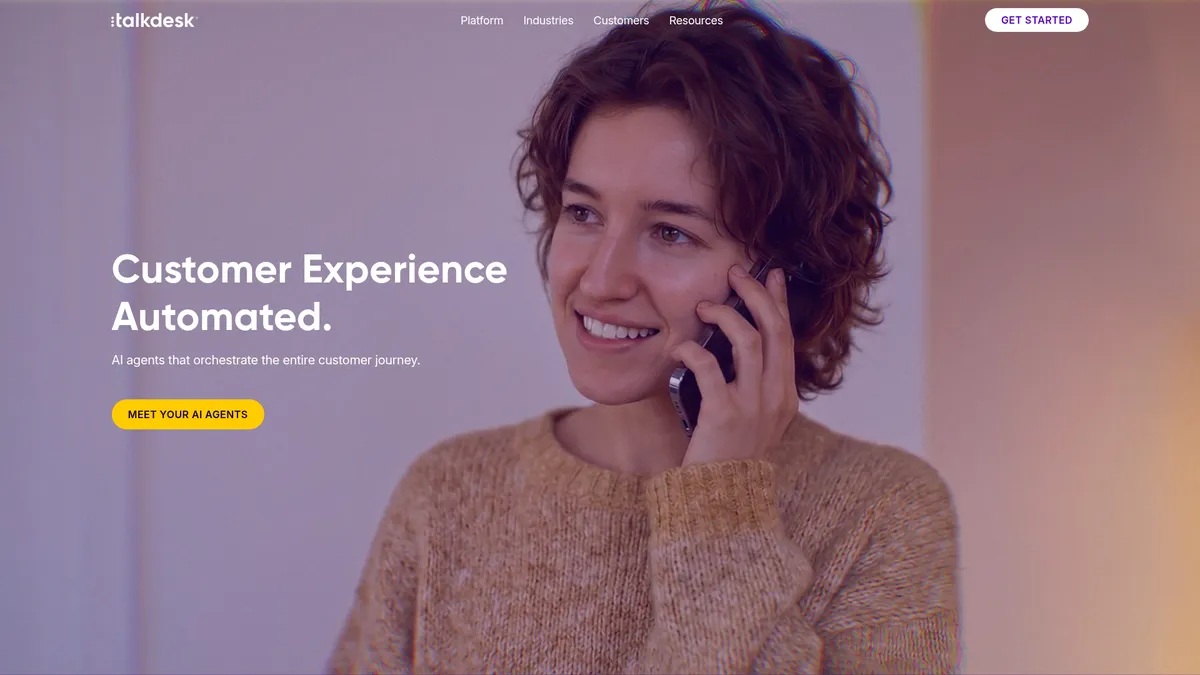
What is Talkdesk?
How to Use Talkdesk
Getting started with Talkdesk is a straightforward process designed to get your team up and running quickly. Follow these steps to set up your account, configure AI agents, and launch your first automated customer experience workflows.
Create Your Account and Set Up Your Organization
Sign up for Talkdesk Express or a paid plan through the Talkdesk website. Once registered, configure your organization profile including business hours, time zones, language preferences, and user roles. Invite team members and assign admin or agent permissions based on your operational structure.
Configure Your Communication Channels
Set up the channels your customers will use to reach you. Configure phone numbers for voice engagement, connect email inboxes, enable live chat on your website, and activate SMS or social messaging channels. Each channel can have its own routing rules and greetings tailored to your brand voice.
Build Your First AI Agent Workflow
Use Talkdesk's Studio tool to design intent-driven AI workflows. Define common customer intents like 'check order status' or 'book appointment,' set the conversation flow, and specify when the AI should handle tasks autonomously versus when to escalate to a human agent. Add knowledge base articles to help the AI answer questions accurately.
Set Up Routing and Queue Management
Configure intelligent routing rules in Studio to direct incoming inquiries to the right agents or teams based on skills, availability, and customer data. Set up queue priorities, wait time thresholds, and overflow policies to ensure no customer falls through the cracks during peak volumes.
Launch, Monitor, and Optimize Performance
Go live with your configured workflows and use the Real-time Dashboards to monitor agent activity, queue lengths, and AI performance. Review Explore BI reports to identify bottlenecks, track customer satisfaction, and refine your AI agents' intent models and routing rules for continuous improvement.
Talkdesk Core Features
Talkdesk Use Cases
- 1Customer Service Automation: Deploy AI agents to handle common support requests, order issues, and account inquiries 24/7, routing only complex or sensitive cases to human agents for resolution
- 2Sales and Lead Management: Use intelligent routing to connect prospects with the right sales reps, track every interaction across channels, and automate personalized follow-up communications
- 3Appointment Scheduling and Management: Let AI agents manage booking, rescheduling, and cancellations across voice and digital channels with full calendar synchronization and reminder automation
- 4Order and Package Tracking: Automate order status inquiries and real-time tracking updates while proactively notifying customers about shipping delays, delivery windows, or fulfillment issues
- 5Travel and Hospitality Support: Send proactive notifications about flight changes, hotel bookings, and itinerary updates while autonomously handling rebooking requests and cancellation management
Pros and Cons of Talkdesk
Pros
- AI agents handle real customer service tasks autonomously, dramatically reducing human workload and speeding up resolution times across all channels
- Instant scalability lets you add agents and adjust operational capacity on the fly without infrastructure headaches or lengthy deployment cycles
- Intent-driven execution aligns every customer interaction with defined business goals through configurable policies and smart routing logic
- Comprehensive analytics suite with live dashboards and deep BI reporting provides actionable insights to continuously optimize contact center performance
✕ Cons
- Premium pricing starts at $85 per user per month, making it a significant investment for smaller teams or businesses with tight budgets
- Integration with existing CRM, ERP, and legacy telephony systems requires careful planning, technical resources, and potentially professional services
- Advanced features like Studio workflows and Guardian quality management have a learning curve that necessitates administrator training and onboarding
Talkdesk vs Top Alternatives
| Feature | Five9 | Genesys Cloud | Amazon Connect | NICE CXone |
|---|---|---|---|---|
| AI Agent Capabilities | Basic IVR with optional third-party bot integrations | Predictive routing and optional virtual agents | Lex conversational bots and Amazon Q agent assist | Enlighten AI for agent assistance and automation |
| Omnichannel Support | Voice, email, chat, SMS, social | Full omnichannel voice, digital, social messaging | Voice, chat, tasks, outbound campaigns | Voice, email, chat, SMS, social, video |
| Starting Per-User Price | $149/user/month (Premium Voice) | $75/user/month (Voice only) | Pay-per-use from $0.25/minute | $102/user/month (Core) |
| Analytics & Reporting Depth | Real-time and historical reports with basic analytics | Advanced analytics with speech and text analytics | CloudWatch monitoring with custom QuickSight BI | Advanced WFO with speech analytics and QA |
Talkdesk Pricing
Talkdesk Express
- 25 agent licenses
- $100 free platform credit
- For businesses under 50 employees
- Access to core voice and digital features
- Email and chat support
Digital Essentials
- Per user per month pricing
- Digital engagement channels (email, chat, SMS)
- Studio & Routing
- Real-time Dashboards
- API Access
Voice Essentials
- Per user per month pricing
- Voice engagement with speech recognition
- Digital engagement channels
- Voicemail transcription
- Studio & Routing
Elite
- All Voice Essentials features
- Business Intelligence (Explore)
- Guardian quality management
- Custom Reporting with Live and Explore
- Screen Recording
Industry Experience Clouds
- All Elite features
- Industry-specific workflows and templates
- Advanced AI agent capabilities
- Premium support and onboarding
- Dedicated customer success manager
Talkdesk FAQ
What is Talkdesk used for?+
How much does Talkdesk cost?+
Does Talkdesk offer a free trial?+
What communication channels does Talkdesk support?+
Can Talkdesk integrate with my existing CRM?+
What industries does Talkdesk serve?+
How does Talkdesk's AI automation work?+
Talkdesk Review — Editor's Score
Who Should Use Talkdesk?
Mid-market to enterprise companies looking to modernize their customer service operations with AI automation, especially those handling high volumes of repetitive inquiries across multiple channels who need a unified, scalable platform.
Talkdesk delivers a powerful, AI-first approach to customer experience that genuinely reduces the burden on human agents. While the price point and implementation effort mean it's best suited for mid-market and enterprise teams, the depth of features—from intent-driven AI agents to robust analytics—makes it a top contender in the contact center space. It's not the cheapest option, but it's one of the most complete.
- AI agents automate real customer service tasks end-to-end without human hand-holding
- Intent-driven architecture aligns customer interactions directly with defined business goals
- Comprehensive omnichannel support covering voice, digital, and social in a single pane
- Powerful dual analytics layer with live dashboards and deep Explore BI reporting
📺 Talkdesk Tutorials & Introduction
What is agentic AI and multi-agent orchestration - Talkdesk - YouTube
Product Launch: Talkdesk AI Agents for Insurance - YouTube
Talkdesk Ascend AI™: Unleash the power of agentic AI - YouTube
Keywords: