

Strava
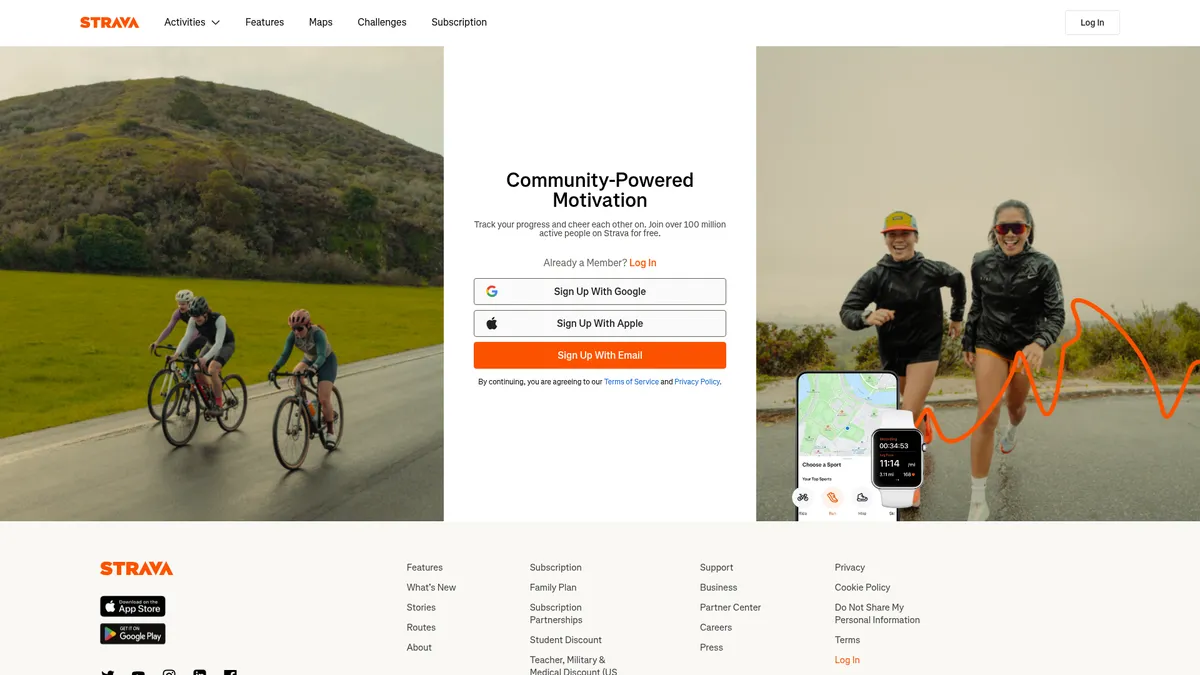
Track, compete & connect with 100M+ athletes
What is Strava?
How to Use Strava
Getting started with Strava is quick and straightforward. Whether you're a seasoned marathoner or just beginning your fitness journey, this step-by-step guide will help you set up your account, track your first activity, connect with friends, and unlock the platform's most powerful features.
Download the app and create your account
Download the Strava app from the iOS App Store or Google Play Store, or visit strava.com on your desktop. Sign up using your email address, Google account, or Apple ID. Complete your athlete profile by selecting your primary sports and setting fitness goals to tailor your experience from day one.
Track your first activity using GPS
Tap the orange Record button at the bottom of the app screen and select your sport from the list of 50+ options. Press Start when you're ready to begin. Strava will use your phone's built-in GPS or connected wearable to map your route, capture distance, pace, elevation gain, and more in real time.
Analyze, save, and share your workout
When you finish, tap Stop and review your activity summary. You'll see key metrics like elapsed time, moving time, distance, average pace, elevation gain, and calories burned. Add a photo, title, and description to personalize your post, then tap Save to share with your followers on the Strava feed.
Connect with friends and join clubs
Sync your phone contacts to find friends already on Strava, or search for athletes and clubs by name using the search bar. Join clubs based on your city, sport, or interests to participate in group challenges, share training tips, and discover local routes and events recommended by fellow members.
Explore Premium features for deeper training insights
Consider starting a free 30-day trial of Strava Premium to unlock training plans, personalized coaching insights based on your fitness level, the Beacon safety feature for real-time location sharing, and advanced performance analytics like Relative Effort, fitness score, and training load balance to optimize your workouts.
Strava Core Features
Strava Use Cases
- 1Runners and cyclists can track detailed performance metrics like pace, power, and heart rate, compete on segments for local bragging rights, and join monthly challenges to push their limits while staying motivated by the community.
- 2Coaches and sports teams can use Strava to monitor athlete performance remotely, assign structured training plans, and analyze workout data to optimize training loads and prevent overtraining.
- 3Outdoor enthusiasts including hikers, kayakers, and climbers can map GPS routes, share adventure photos, and discover new trails verified by the community's真实 activity history.
- 4Safety-conscious solo athletes can activate Beacon to share their real-time GPS location with up to three trusted contacts during workouts, providing peace of mind on remote runs and rides.
- 5Social clubs and local groups can organize group rides and runs, communicate through club feeds, share event details, and build a supportive fitness community around shared training goals.
Pros and Cons of Strava
Pros
- Massive global community of over 100 million athletes provides unmatched social motivation, accountability, and friendly competition that keeps users consistently engaged and returning.
- Comprehensive activity tracking supports 50+ sport types with deep performance analytics including Strava's proprietary Relative Effort metric for meaningful training insights.
- The segment and leaderboard system gamifies fitness training, transforming ordinary routes into competitive challenges that drive athletes to beat their personal bests again and again.
- Cross-platform availability across iOS, Android, web, and seamless integration with major GPS devices ensures you can track and analyze workouts regardless of your preferred hardware.
✕ Cons
- Free tier is significantly limited, locking essential advanced analysis tools, training plans, and safety features like Beacon behind the Premium subscription paywall.
- Premium pricing at $11.99 per month is relatively expensive compared to niche fitness apps that offer specialized training content and coaching for less money.
- Heavy emphasis on social feed and public sharing by default can feel intrusive for privacy-focused users, though granular privacy controls are available in settings.
Strava vs Top Alternatives
| Feature | Garmin Connect | Nike Run Club | Runkeeper |
|---|---|---|---|
| Social Community Features | Limited social interaction; device-focused ecosystem with basic feed | Guided runs and audio coaching with basic social sharing features | Activity feed with friends and customizable fitness challenges |
| Segment & Leaderboard Competition | No segment-based competition or community leaderboards | No segments; milestone-based audio celebrations for achievements | No segment leaderboards; route comparison against personal history only |
| Advanced Performance Analytics | Deep device-specific metrics and comprehensive health analytics | Basic running metrics with guided run coaching from elite athletes | Standard metrics with adaptable training plans for various goals |
| Free Tier Offering | Completely free with Garmin device purchase; no premium subscription tier | Fully free app with optional Nike Training Club premium content | Limited free tier with Runkeeper Go premium upgrade at $9.99/month |
Strava Pricing
Free
- Unlimited activity recording
- Basic performance metrics
- Community feed with kudos and comments
- Club and group features
- GPS route planning
Premium (Monthly)
- All Free features
- Advanced performance analytics
- Training plans and coaching
- Segment leaderboard insights
- Beacon safety feature
- Relative Effort and fitness tracking
- Goal setting and progress tracking
Premium (Annual)
- Same as Premium Monthly
- Best value at $6.67/month
- 30-day free trial available
Family Plan
- Same as Premium Annual
- Covers up to six family members
- Individual accounts and privacy
- Centralized billing
Strava FAQ
What is Strava and how does it work?+
Is Strava free to use?+
How much does Strava Premium cost?+
What devices and apps work with Strava?+
How do Strava segments and leaderboards work?+
What is Strava Beacon and how does it enhance safety?+
Can I import data from other fitness apps into Strava?+
Strava Review — Editor's Score
Who Should Use Strava?
Strava is ideal for runners, cyclists, and multi-sport athletes who thrive on social motivation and friendly competition. It's also excellent for coaches managing athlete performance, outdoor enthusiasts discovering new routes, and safety-conscious solo adventurers who want location sharing. Casual users will appreciate the free tier, while data-driven athletes will get the most from Premium.
Strava dominates the social fitness space by combining rock-solid GPS tracking with an engaged community of over 100 million athletes. While the free tier is generous enough for casual users, serious athletes will want Premium for deeper analytics, training plans, and safety features. The addictive segment leaderboard system turns every workout into a competition, making it the most effective motivation tool we've tested. It's not the cheapest fitness app, but the community value is unmatched.
- 100M+ global athlete community for unmatched social motivation
- Addictive segment and leaderboard system gamifying every workout
- 50+ supported sport types from running to kiteboarding
- Safety Beacon feature for real-time location sharing with contacts
📺 Strava Tutorials & Introduction
Strava's AI is trolling athletes with the truth - YouTube
Strava's AI "Instant Workouts" feature is a mess - YouTube
Build your First AI Agent with n8n and Gemini - YouTube
Keywords: