
Steve AI
AI video creation platform for stunning content in minutes
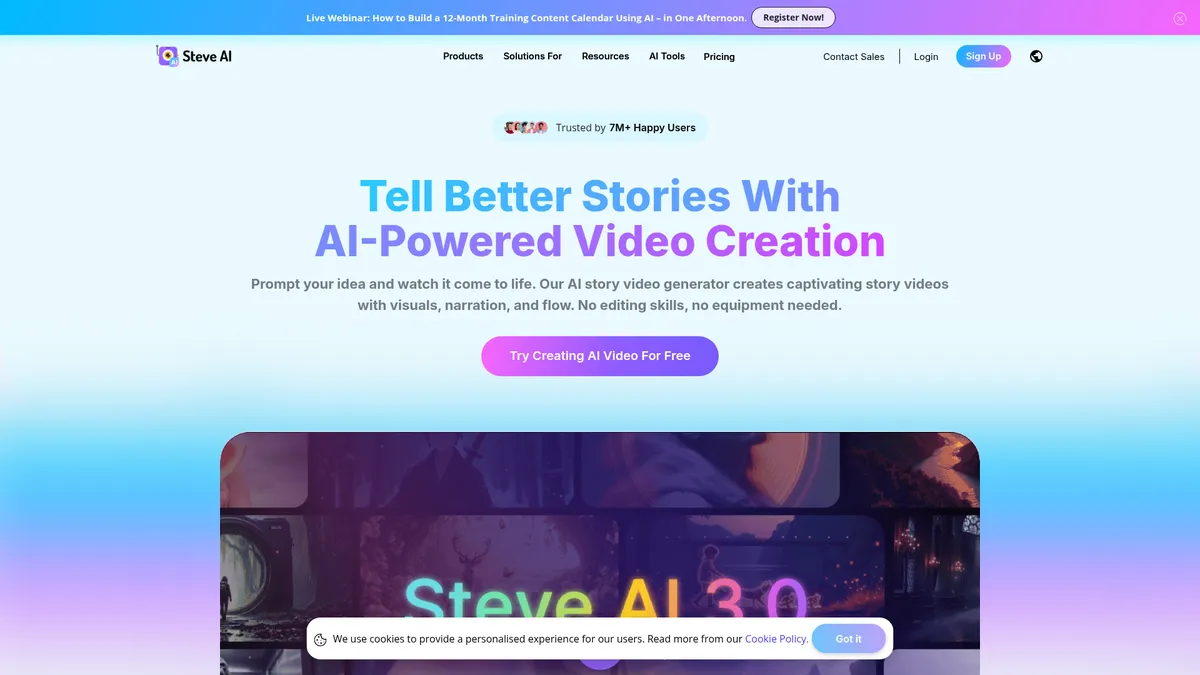
What is Steve AI?
How to Use Steve AI
Creating a video with Steve AI is straightforward. Follow these steps to turn your idea into a polished video using the platform's AI-powered tools.
Choose Your Input Method
Start by selecting whether you want to create a video from text, a script, an image, or an audio file. Steve AI provides dedicated tools for each input type, so choose the option that best fits your source material and the type of video you want to produce.
Generate or Upload Your Content
If you don't have a script ready, use the AI Script Generator to create one from a topic or prompt. Otherwise, upload your text, image, or audio file directly to the platform. The AI will analyze your content and begin generating the video automatically.
Customize with AI Tools
Enhance your video using Steve AI's toolkit. Add AI voiceovers, generate subtitles, apply motion effects, or use the Advanced Prompter to refine the AI's output. You can also select from available templates and styles to match your brand identity.
Preview and Export
Preview your video to ensure everything looks right and the AI-generated elements align with your vision. Make any final adjustments, then export your video in your desired resolution. Paid plans unlock 4K export and watermark-free downloads for professional use.
Steve AI Core Features
Steve AI Use Cases
- 1Social Media Content Creation: Produce engaging short-form videos for TikTok, Instagram Reels, and YouTube Shorts at scale. Steve AI's ClipMaker and text-to-video tools help creators maintain a consistent posting schedule without sacrificing quality.
- 2Marketing & Advertising Campaigns: Quickly create product demos, promo videos, and ad creatives for digital campaigns. The AI script and voice generators streamline production from concept to completion, reducing turnaround time significantly.
- 3Educational & Training Videos: Transform training manuals, lecture notes, and presentations into dynamic video content. Ideal for e-learning platforms, corporate training, and instructional content where engagement matters.
- 4Podcast & YouTube Content Repurposing: Turn long-form podcast episodes and YouTube videos into short, shareable clips with AI-powered editing. Maximize content reach across multiple platforms with minimal additional effort.
- 5Business Communications & Explainer Videos: Create professional internal communications, product explainers, and sales pitches without hiring video production teams. Steve AI's templates and AI tools ensure consistent branding across all video assets.
Pros and Cons of Steve AI
Pros
- Intuitive drag-and-drop interface makes professional video creation accessible to beginners and non-designers, eliminating the steep learning curve of traditional editing software.
- Versatile input support allows users to create videos from text, images, audio, scripts, or existing footage, offering flexibility for different content formats and workflows.
- Comprehensive AI toolkit includes script generation, voiceovers, subtitles, motion effects, and animation—reducing the need for multiple separate tools.
- Affordable pricing with a functional free tier makes advanced AI video generation accessible to individuals, freelancers, and small businesses on limited budgets.
✕ Cons
- Watermark on the free plan limits professional use and requires upgrading to a paid subscription for clean, brand-ready exports.
- Limited customization and granular control compared to traditional video editing software like Adobe Premiere Pro or Final Cut Pro.
- Advanced features including 4K resolution and watermark removal are locked behind higher-tier plans, which may frustrate budget-conscious power users.
Steve AI vs Top Alternatives
| Feature | Synthesia | Pictory | InVideo | VEED.io |
|---|---|---|---|---|
| AI Video Quality | High-quality AI avatars & presenters | Good for short-form repurposing | Template-based editing quality | Basic AI generation capabilities |
| Script & Voice Tools | Text-to-speech, multi-language, script editor | Script-to-video, basic voiceover | Script assistant, voiceover library | Subtitles, voiceover, script tools |
| Starting Price | $29/mo | $19/mo | $20/mo | $18/mo |
| Best For | Corporate training & professional videos | Content repurposing & social clips | Marketing & social media content | Quick subtitling & simple edits |
Steve AI Pricing
Free
- Create videos with watermark
- Basic AI tools
- Limited downloads
- Standard video resolution
Basic
- Watermark removal
- HD video export
- AI voice generator
- AI subtitle generator
- Standard templates
Starter
- Everything in Basic
- Advanced AI tools
- Higher video limits
- Priority support
- Premium templates
Pro
- Everything in Starter
- 4K video resolution
- Unlimited downloads
- All AI features
- Watermark-free exports
Steve AI FAQ
What is Steve AI?+
Is Steve AI free?+
What types of videos can I create with Steve AI?+
What input formats does Steve AI support?+
How does the Veo3 ClipMaker work?+
Can I remove the watermark from my videos?+
Does Steve AI support multiple languages?+
Steve AI Review — Editor's Score
Who Should Use Steve AI?
Steve AI is best for content creators, social media managers, marketers, educators, and small business owners who need to produce high-quality video content regularly without investing in expensive software or hiring video production teams. It's also ideal for anyone looking to repurpose existing content—like blog posts, podcasts, or images—into engaging video formats quickly.
Steve AI is a powerful and accessible AI video generation platform that excels at turning text, images, and audio into polished videos quickly. Its comprehensive toolkit—covering scripts, voiceovers, subtitles, motion effects, and animation—makes it a versatile choice for content creators and marketers. While it lacks the granular control of professional editing suites, its speed and simplicity are ideal for high-volume content production. If you need to create engaging video content without a steep learning curve, Steve AI delivers impressive results at a reasonable price.
- Comprehensive AI toolkit covering text, image, audio, and video generation
- Intuitive interface designed for non-editors and beginners
- Affordable pricing with a functional free tier
- Fast turnaround time from concept to finished video
📺 Steve AI Tutorials & Introduction
Create a Professional Video in Minutes with Steve.Ai - YouTube
The AI Video Generator Anyone Can Use @SteveAI - YouTube
Steve Ai Animation Tutorial (2026) How to Make ... - YouTube
Keywords: