

Sendsteps
From Document to Interactive Presentation in Minutes
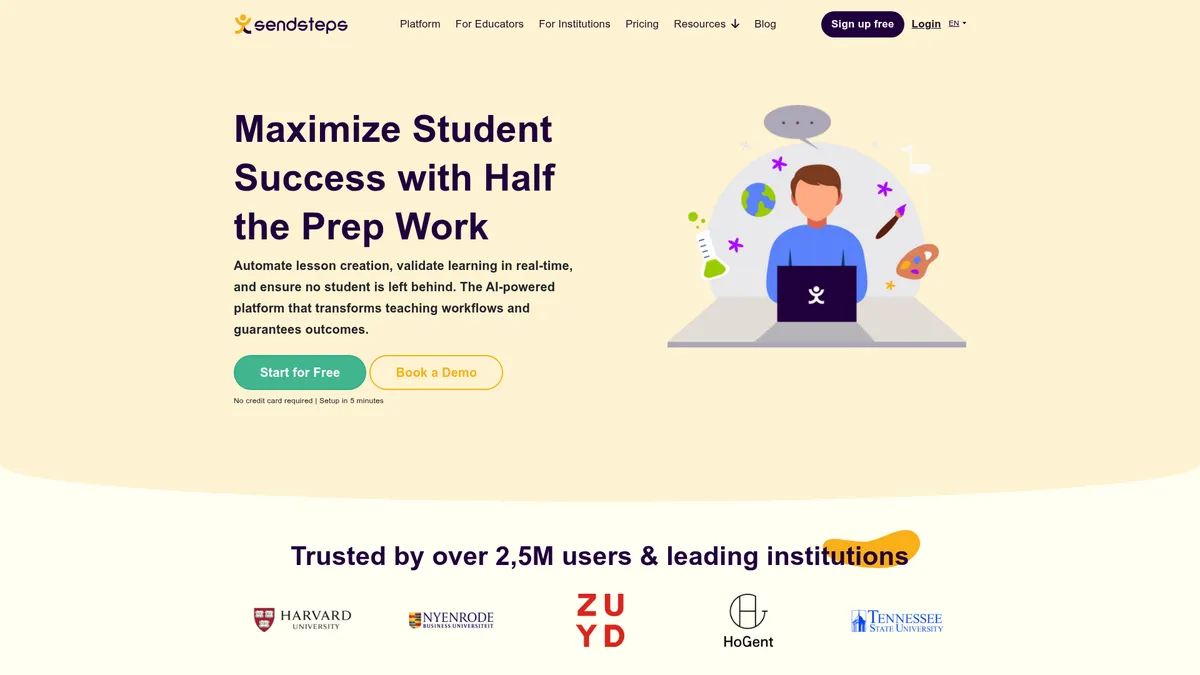
What is Sendsteps?
How to Use Sendsteps
Ready to transform your static presentations into interactive, data-driven experiences? Sendsteps makes it incredibly simple — just upload your curriculum, document, or topic, and let AI do the heavy lifting. Follow these steps to create your first interactive session in minutes.
Sign Up and Create Your Account
Head to sendsteps.com and click 'Get Started' to register with your email address or Google account. You can start with the Free tier immediately — no credit card required — and upgrade to a paid plan whenever you need more advanced features.
Upload Your Content or Enter a Topic
Click 'New Presentation' and choose to upload a curriculum document, import an existing PowerPoint file, or simply type in a topic. The AI will automatically analyze your content and generate a complete interactive presentation with slides, polls, quizzes, and word clouds tailored to your learning objectives.
Customize Your Interactive Elements
Review the AI-generated content and fine-tune it to match your style. Add or remove slides, adjust question types (multiple choice, open-ended, ranking, rating), and customize the branding with your institution's logo and colors if you're on a paid plan.
Launch Your Live Session
Click 'Present' to start your interactive session. A unique session code will be displayed — share this with your audience so they can join from any device with a web browser. Participants don't need to create an account; they simply enter the code and start responding.
Track Comprehension and Export Results
Monitor engagement and comprehension in real time through the live dashboard. After the session ends, export detailed reports in PDF, Excel, CSV, or PowerPoint format. Use the analytics to identify knowledge gaps, track progress over time, and refine your future lessons.
Sendsteps Core Features
Sendsteps Use Cases
- 1For K-12 teachers: Rapidly build interactive lesson plans from any curriculum document, keep classrooms engaged with live polls and quizzes, and identify struggling students in real time through comprehension tracking to provide targeted support before they fall behind.
- 2For university professors: Create consistent, high-quality lecture material across multiple courses, run hybrid or fully remote sessions with live audience feedback, and access institutional analytics to monitor student progress and improve retention rates.
- 3For corporate trainers: Design engaging workshops and training sessions without manual slide work, capture audience sentiment through advanced poll types (ranking, rating, open-ended), and generate post-session reports for compliance tracking and stakeholder reporting.
- 4For educational administrators: Deploy a unified interactive teaching platform across multiple faculties, monitor institution-wide learning outcomes through centralized dashboards, and leverage data-driven insights to improve curriculum design and student engagement.
- 5For business professionals: Transform static boardroom presentations into interactive conversations, collect real-time audience input during meetings and town halls, and export comprehensive analytics for executive reporting and decision-making.
Pros and Cons of Sendsteps
Pros
- Drastically reduces lesson and presentation prep time — AI creates complete interactive content from documents or topics in minutes, freeing educators and professionals to focus on delivery rather than slide design.
- Real-time learning validation provides deeper insights beyond basic engagement metrics, allowing teachers to see exactly which students need help and on which specific concepts, enabling timely intervention.
- Scales effortlessly from individual teachers to entire institutions with centralized analytics, user and role management, SSO, LMS integrations, and dedicated customer support for enterprise deployments.
- Flexible pricing with a generous free tier and affordable paid plans starting at just $6.50/month (Starter) and $13.50/month (Professional), making it accessible for schools, universities, and businesses of any size.
✕ Cons
- Advanced AI and analytics features are locked behind paid tiers — the free version is limited to basic interactivity without PowerPoint import, custom branding, or unlimited AI-generated presentations.
- No publicly disclosed on-premise deployment option, which may be a concern for highly regulated institutions that require data sovereignty, offline access, or strict compliance controls.
- Pricing is optimized for annual billing, so month-to-month costs may be higher, and the lack of transparent Enterprise pricing requires contacting sales for a custom quote rather than self-serve checkout.
Sendsteps vs Top Alternatives
| Feature | Mentimeter | Kahoot! | Nearpod | Pear Deck |
|---|---|---|---|---|
| AI-Powered Content Generation | Basic AI question generation only | AI quiz and question generator | Limited AI lesson builder | Basic AI integration features |
| Real-Time Comprehension Tracking | Aggregate response data, no per-user tracking | Game-based score tracking only | Student progress dashboard available | Student comprehension dashboard |
| Anonymous Participation Mode | Yes, anonymous by default | Nickname-based, no true anonymity | Nickname-based participation only | Anonymous mode available |
| Starting Price (Free Tier) | Free; Pro at $11.99/mo | Free; Premium at $3.99/mo | Free; Gold at $13.25/mo | Free; Premium at $12.50/mo |
Sendsteps Pricing
Free
- AI-supported presentations
- Interactive questions
- Live presenting
- Share presentations
- Live response view
Starter
- All Free features
- PowerPoint import
- Remove Sendsteps branding
- Export to PDF/Excel/CSV
- Session history
Professional
- All Starter features
- Unlimited AI presentations
- Unlimited imports
- Unlimited audience size
- Custom logo
- Advanced poll types
- Phone support
Enterprise
- All Professional features
- Company-wide branding
- User management & roles
- Dedicated customer success manager
- SSO & LMS integrations
- Institutional analytics
- Compliance tools
- Dedicated training
Sendsteps FAQ
What is Sendsteps and how does it work?+
Is Sendsteps free to use?+
Who is Sendsteps best suited for?+
Can I import my existing PowerPoint presentations?+
Does Sendsteps support anonymous participation?+
What kind of analytics and reporting does Sendsteps provide?+
Can I use Sendsteps for corporate training and business meetings?+
Sendsteps Review — Editor's Score
Who Should Use Sendsteps?
Teachers at any level looking to reduce lesson prep time and boost classroom engagement, university professors managing hybrid or remote courses, corporate trainers who need to create interactive workshops quickly, and educational administrators seeking a unified interactive platform with institutional analytics.
Sendsteps stands out as a genuine time-saver for educators and presenters who want to move beyond static slides. Its AI-powered content generation from uploaded documents is remarkably efficient, and the real-time comprehension tracking provides actionable insights that go far beyond typical engagement metrics. While the free tier is somewhat limited and the lack of on-premise deployment may deter some institutions, the platform's scalability and affordable paid plans make it a strong choice for schools, universities, and corporate teams alike.
- AI transforms any document or topic into a complete interactive presentation in minutes
- Real-time comprehension tracking identifies struggling students before they fall behind
- Scales from individual teachers to entire institutions with centralized analytics
- Generous free tier with affordable upgrades starting at just $6.50/month
📺 Sendsteps Tutorials & Introduction
Engage Your Classroom with AI-Powered Quizzes | Sendsteps AI
Learn How to Create a Stunning Presentation with Sendsteps!
How to generate an interactive AI presentation using AI ... - YouTube
Keywords: