

Salesken
AI-Powered Sales Intelligence & Real-Time Coaching Platform
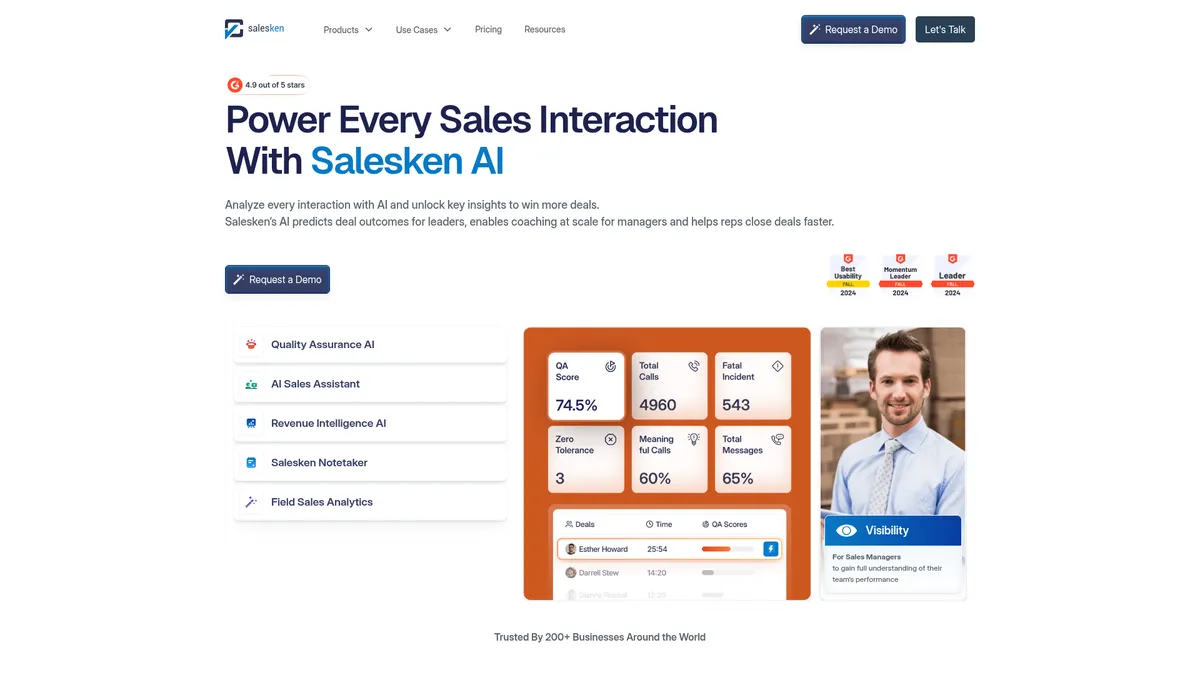
What is Salesken?
How to Use Salesken
Getting started with Salesken involves connecting your communication tools and CRM, configuring your QA and coaching parameters, and letting the AI engine analyze your sales conversations. Here's a step-by-step guide to setting up Salesken for your team.
Connect Your Communication Tools
Integrate Salesken with your existing communication platforms — Zoom, Microsoft Teams, Google Meet, and your telephony system. You can also enable co-browsing capture and WhatsApp integration to ensure every customer interaction is recorded and analyzed.
Sync Your CRM
Connect Salesken to your CRM (Salesforce, HubSpot, etc.) using native integrations. This enables auto-enrichment, allowing Salesken to push call transcripts, summaries, and key data points directly into your deal records without manual entry.
Configure QA Scoring & Coaching Parameters
Set up your quality assurance criteria, compliance rules, and coaching triggers. Define what constitutes a compliance breach, objection spike, or risk moment. Configure the AI to deliver specific coaching cues based on your sales methodology (BANT, MEDDIC, etc.).
Assign Users & Set Permissions
Invite your sales reps, managers, and RevOps team members to the platform. Assign roles and permissions — reps get live coaching cues and call reviews, managers get team dashboards and performance insights, and admins control QA scoring and compliance settings.
Review Insights & Optimize Performance
Once calls start flowing, use the dashboard to monitor pipeline health, deal scores, and team performance. Managers can review AI-generated coaching recommendations, while reps can access their personalized performance insights and call history to continuously improve.
Salesken Core Features
Salesken Use Cases
- 1Sales Pipeline & Deal Management — Boost pipeline visibility and improve win rates with AI-driven deal scoring, risk alerts, and closure probability analytics based on BANT/MEDDIC frameworks. Salesken surfaces at-risk deals before they slip and recommends next-best actions to keep momentum going.
- 2Sales Coaching & Onboarding — Shorten ramp time for new reps with real-time AI coaching cues that fire during live calls. Managers get personalized performance dashboards and data-driven feedback to pinpoint exactly where each rep needs improvement.
- 3Revenue Operations & Forecasting — Unify revenue intelligence across your entire stack with automated CRM enrichment, compliance monitoring, and AI-driven forecasting. RevOps teams get a single source of truth for pipeline health, team performance, and deal-level risk flags.
- 4Field Sales Enablement — Capture on-site conversations, transcribe them in real-time, and generate coaching feedback for field sales teams. Salesken analyzes in-person interactions for buying signals, pain points, and competitive intelligence that would otherwise be lost.
- 5Customer Support & Contact Center QA — Automate quality assurance for support calls with 100% audit coverage, bias-free scoring, and instant compliance flagging. Contact centers can scale QA without adding headcount while ensuring regulatory adherence.
Pros and Cons of Salesken
Pros
- End-to-end funnel coverage consolidates multiple point solutions (conversation intelligence, QA, coaching, forecasting) into a single platform, reducing total cost of ownership and tool sprawl.
- Real-time AI coaching eliminates delayed feedback loops, enabling reps to adjust their approach during live conversations rather than reviewing recordings hours later.
- 100% automated QA removes manual sampling bias and ensures every single call is audited for compliance, quality, and adherence — critical for regulated industries.
- Multi-language conversation analysis and automatic CRM enrichment streamline global sales operations and eliminate hours of manual data entry for reps.
✕ Cons
- Pricing is entirely opaque and quote-based, requiring sales engagement before any cost visibility, which can delay procurement and complicate budget planning.
- Heavy reliance on recorded conversation data means teams with limited call volume or strict recording policies may struggle to realize the platform's full value.
- Feature-rich interface presents a steep learning curve that demands dedicated change management and onboarding investment, especially for smaller teams.
Salesken vs Top Alternatives
| Feature | Gong | Chorus.ai | Outreach |
|---|---|---|---|
| Conversation Recording & Analysis | Full conversation recording with AI-powered analysis and transcription | Comprehensive conversation recording and transcription for calls | Multi-channel engagement tracking across email, calls, and social |
| Real-Time AI Coaching | Limited real-time cueing (primarily post-call analysis and coaching) | Post-call coaching insights with highlights and scorecards (limited live cues) | Sequence-based coaching with template suggestions and cadence optimization |
| CRM Automation & Enrichment | Seamless CRM enrichment via native integrations with major CRMs | CRM integration with manual review options and basic enrichment | CRM sync for engagement data, task logging, and activity history |
| Revenue Intelligence & Forecasting | Advanced revenue intelligence with deal scoring and pipeline forecasting | Deal scoring and pipeline analytics with basic forecasting capabilities | Revenue forecasting based on sequence performance and pipeline velocity |
Salesken Pricing
Hourly Analysis
- Per-hour conversation analysis pricing
- Full transcription and scoring
- Basic QA and compliance checks
- CRM enrichment for analyzed calls
Full Analysis
- Per-recorded-user license pricing
- 100% call audit with AI scoring
- Real-time coaching and live cues
- Revenue intelligence and deal forecasting
- Multi-language conversation analysis
- Advanced CRM enrichment and summaries
Enterprise
- Custom per-user pricing with platform fee
- Bespoke integrations and dedicated support
- Enterprise-grade compliance and security
- Consulting services and custom model training
- Unlimited users and advanced analytics
Salesken FAQ
What is Salesken and how does it work?+
How does Salesken's AI coaching work in real-time?+
Does Salesken integrate with existing CRMs?+
What communication platforms does Salesken support?+
How does Salesken's QA automation differ from traditional methods?+
Is Salesken suitable for small businesses or only enterprises?+
How much does Salesken cost?+
Salesken Review — Editor's Score
Who Should Use Salesken?
Mid-market to enterprise sales organizations, RevOps leaders, sales enablement managers, and compliance-heavy teams (finance, insurance, healthcare) who want to automate QA, accelerate rep onboarding, and gain unified revenue intelligence. Best suited for teams that already capture significant call volume and have dedicated change management resources.
Salesken is a powerful all-in-one sales intelligence platform that successfully consolidates conversation intelligence, real-time coaching, automated QA, and revenue forecasting into a single engine. It's an excellent choice for mid-market and enterprise teams looking to replace multiple point solutions, but the opaque pricing and steep learning curve mean smaller teams should proceed with caution. If you're serious about scaling sales performance through AI, Salesken delivers where it counts.
- Audits 100% of sales conversations with AI-driven QA, eliminating manual sampling bias
- Provides real-time coaching cues during live calls, not just post-call analysis
- Supports multi-language conversation analysis without manual translation
- Consolidates conversation intelligence, QA, coaching, and forecasting into one platform
📺 Salesken Tutorials & Introduction
5 Best Conversation Intelligence Software| Gong, Fathom ... - YouTube
Keywords: