
Rossum
AI-Powered Document Data Extraction Platform
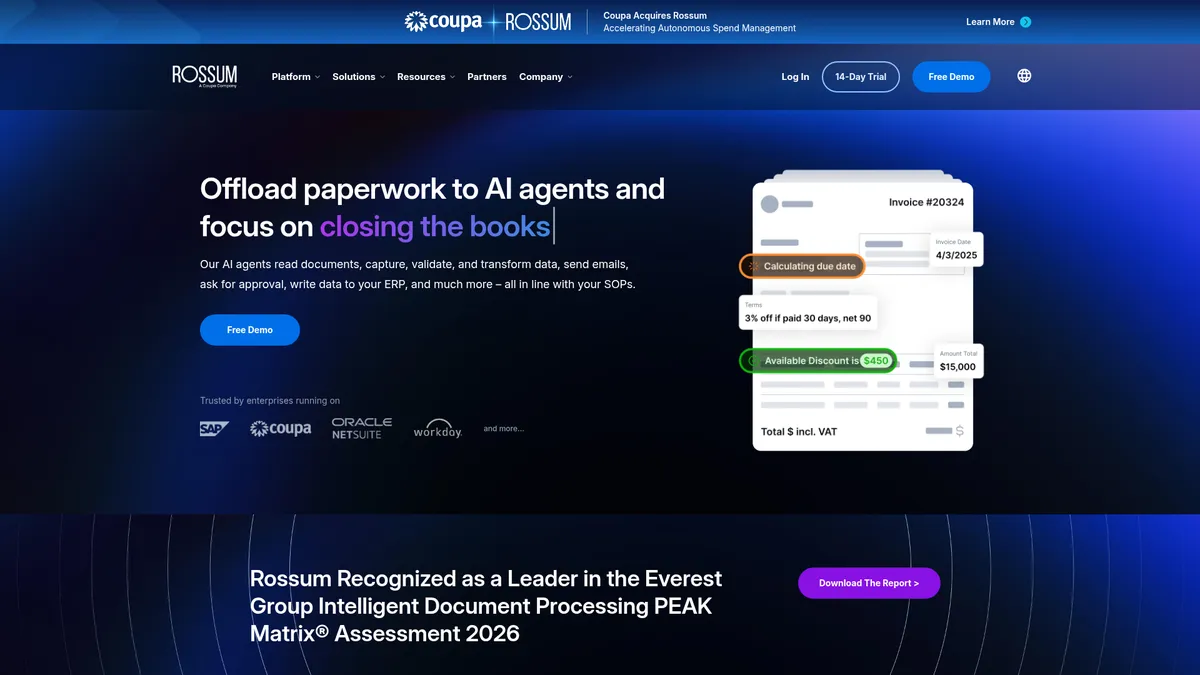
What is Rossum?
How to Use Rossum
Getting started with Rossum is straightforward. Follow these steps to set up your document processing pipeline, from creating an account to extracting your first data set. The platform is designed to have you up and running in minutes, not days.
Create Your Rossum Account
Sign up for a free Rossum account at rossum.ai. Choose the Free plan to start with 50 documents per month, or select a paid tier if you need higher volume. No credit card is required for the free tier. Once registered, you'll land in the Rossum dashboard where you can manage your projects and documents.
Upload or Connect Documents
Upload documents directly via the web interface by dragging and dropping PDFs or scanned images. For automated processing, use the Rossum API or set up email ingestion to forward documents automatically. The platform supports batch uploads and will begin processing documents immediately using its pre-trained AI models.
Configure Extraction Fields
Rossum's AI automatically detects and extracts relevant fields from your documents by default. For specialized needs, you can customize which fields to extract by defining a schema. The platform learns from your corrections, so the more documents you process, the better the AI adapts to your specific document types and formats.
Review and Validate Extracted Data
Use the validation interface to review AI-extracted data in a clean spreadsheet view. Each field shows the extracted value alongside the original document snippet for easy verification. You can approve correct extractions, edit inaccurate ones, or flag documents for re-processing. This human-in-the-loop step ensures high accuracy before data leaves the platform.
Export or Integrate with Your Systems
Export validated data as CSV, JSON, or XML, or push it directly into your ERP or accounting software through native integrations. For custom workflows, use the REST API or set up webhooks to send data to any business application automatically. Rossum also supports scheduled exports and real-time sync for continuous processing pipelines.
Rossum Core Features
Rossum Use Cases
- 1Automate accounts payable by extracting invoice data like vendor details, line items, and totals, then syncing directly into your ERP or accounting software to eliminate manual data entry.
- 2Streamline purchase order processing by capturing PO numbers, item descriptions, quantities, and prices from supplier documents, enabling faster matching with invoices and receipts.
- 3Digitize contract management by extracting key terms, parties, dates, and clauses from signed agreements, making them searchable and actionable in your document management system.
- 4Accelerate mortgage and loan processing by pulling applicant data from pay stubs, bank statements, and tax returns, reducing turnaround time for underwriting teams.
- 5Modernize logistics and shipping workflows by extracting data from bills of lading, packing lists, and customs documents to speed up cross-border freight processing.
Pros and Cons of Rossum
Pros
- Truly template-free AI extraction that adapts to new document layouts automatically, saving weeks of configuration work compared to traditional OCR solutions.
- Exceptional accuracy on structured documents like invoices and POs, with continuous learning that improves performance over time as more documents are processed.
- API-first design makes it easy for engineering teams to embed document processing directly into existing apps, ERPs, and custom workflows.
- Built-in validation interface lets humans review AI predictions in a clean, spreadsheet-like view, catching errors before they reach your financial systems.
✕ Cons
- Pricing can become expensive at high volumes, making it less cost-effective for organizations processing tens of thousands of documents monthly compared to some competitors.
- Accuracy drops noticeably on handwritten documents, low-quality scans, or highly unstructured formats like free-form contracts without clear field labels.
- Limited native integrations with mid-market accounting tools compared to enterprise ERPs, requiring custom API work for some smaller business systems.
Rossum vs Top Alternatives
| Feature | Abbyy | Nanonets | Veryfi | Docparser |
|---|---|---|---|---|
| AI Extraction Method | Advanced AI OCR with document understanding | AI-based extraction with custom model training | AI document capture with pre-built field schemas | Rule-based parsing with zone OCR technology |
| Template Configuration | Requires template configuration per document type | Template-free with optional training customization | Pre-configured templates for common document types | Manual template creation using document zones |
| API & Integration Options | Comprehensive API with on-premise and cloud SDKs | API-first platform with Zapier and webhook support | REST API with mobile SDK for in-app capture | Zapier, Make, and REST API integrations |
| Starting Price | $50/mo for cloud-based OCR | $99/mo for starter plan | Free tier available with 10 documents/month | Free tier available with 50 documents/month |
Rossum Pricing
Free
- Up to 50 documents per month
- AI-powered extraction
- Validation interface
- CSV export
- Email support
Starter
- Up to 500 documents per month
- All Free features
- API access
- JSON & XML export
- Email & chat support
Growth
- Up to 2,000 documents per month
- All Starter features
- Advanced validation rules
- ERP integrations (SAP, Oracle)
- Priority support
Enterprise
- Unlimited documents
- All Growth features
- Self-hosted option available
- Dedicated account manager
- Custom SLAs
- On-premise deployment
- Advanced security & compliance
Rossum FAQ
What is Rossum and how does it work?+
What types of documents can Rossum process?+
Does Rossum offer a free plan?+
How accurate is Rossum's data extraction?+
Can Rossum integrate with my accounting software?+
Is Rossum secure and compliant?+
How is Rossum different from traditional OCR solutions?+
Rossum Review — Editor's Score
Who Should Use Rossum?
Rossum is ideal for finance and accounting teams processing high volumes of invoices and purchase orders, especially those already using ERP systems like SAP or Oracle. It's also a great fit for developers who want to embed document data extraction into their applications via the API, and for medium-to-large businesses looking to automate accounts payable workflows without hiring a team of data entry clerks.
Rossum delivers on its promise of template-free AI document extraction with impressive accuracy on standard business documents. The validation workflow strikes an excellent balance between automation and human oversight, making it a solid choice for teams that want to reduce manual data entry without going fully hands-off. It's not the cheapest option at scale, and accuracy on messy or handwritten docs still needs improvement, but for invoice and PO processing, it's one of the best tools available today.
- Template-free AI extraction adapts to new document layouts automatically without manual configuration
- Human-in-the-loop validation workflow reduces errors while maintaining processing speed
- API-first architecture enables seamless integration with existing business applications and ERPs
- Pre-trained on millions of documents for out-of-box accuracy on invoices, POs, and receipts
📺 Rossum Tutorials & Introduction
Rossum & Coupa: AI Invoice Processing & AP Automation Demo
How does Rossum work? [Invoice Data Capture Made Easy]
Short demo: Product Walkthrough - YouTube
Keywords: