
Roboflow
End-to-end computer vision platform for developers
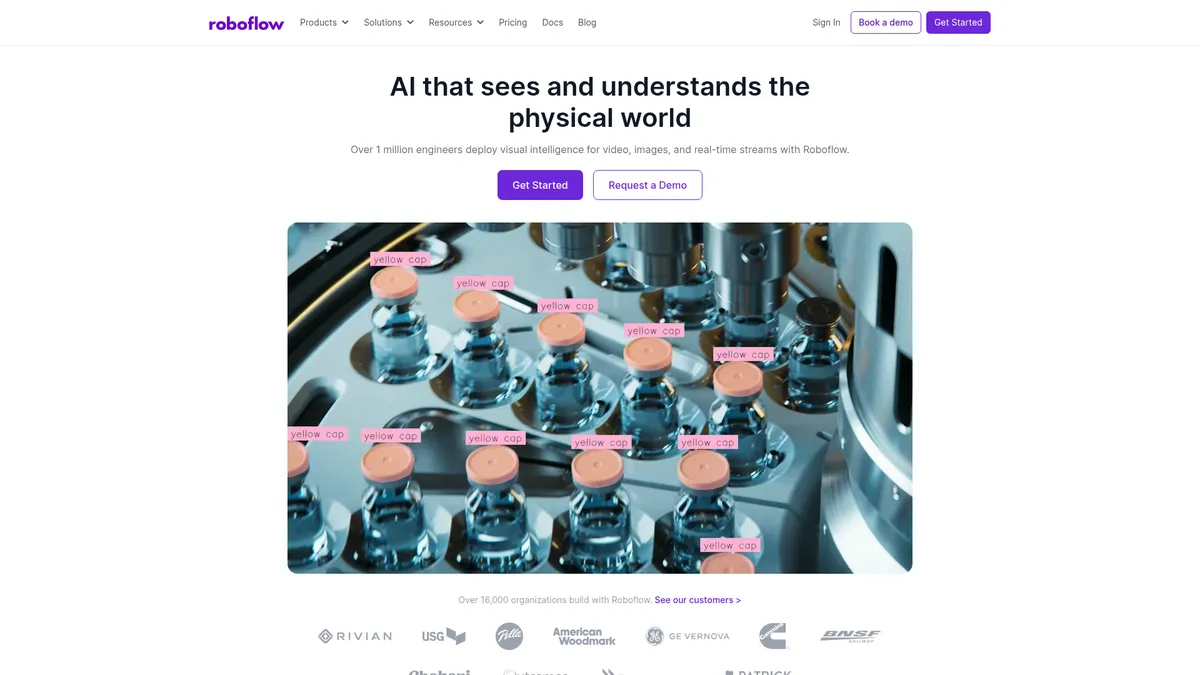
What is Roboflow?
How to Use Roboflow
Getting started with Roboflow is straightforward. Follow this step-by-step guide to upload images, label your data, train a computer vision model, and deploy it to production in minutes.
Create a Project and Upload Images
Sign in to Roboflow and create a new project for your use case. Upload your image dataset directly or import from cloud storage. Organize images into folders by class for easier annotation.
Label Your Images with AI Assistance
Use Roboflow's AI-powered labeling tools to draw bounding boxes, polygons, or segmentation masks around objects. The auto-label feature can pre-annotate images, which you then review and correct for accuracy.
Apply Preprocessing and Train Your Model
Configure preprocessing steps and augmentations like rotation, flipping, and brightness adjustment to improve model robustness. Click 'Train' and Roboflow automatically trains your model with optimized hyperparameters.
Evaluate Performance and Deploy to Production
Review model metrics like precision, recall, and mAP in the analytics dashboard. Once satisfied, deploy your model to a cloud-hosted API endpoint or export it for edge devices with a single click.
Roboflow Core Features
Roboflow Use Cases
- 1Aerospace and defense teams use Roboflow to train models for drone surveillance, satellite imagery analysis, and threat detection. The platform's secure deployment options ensure sensitive data remains private and compliant with military standards.
- 2Automotive manufacturers leverage Roboflow for defect detection on assembly lines and autonomous driving perception systems. Preprocessing tools handle diverse environmental conditions like lighting changes and weather variations.
- 3Healthcare and medical institutions build diagnostic imaging models to detect tumors and abnormalities in X-rays, MRIs, and CT scans. Private data management features help maintain HIPAA compliance.
- 4Industrial manufacturing teams deploy quality inspection systems that catch defects in real-time on production lines. Edge deployment capabilities enable low-latency inference without relying on cloud connectivity.
- 5Logistics and supply chain companies automate warehouse operations including package sorting, barcode reading, and inventory tracking. The platform scales seamlessly from pilot projects to full production deployments.
Pros and Cons of Roboflow
Pros
- Intuitive visual interface makes computer vision accessible to developers of all skill levels, dramatically reducing the learning curve
- End-to-end platform covers everything from data labeling to deployment, eliminating the need to juggle multiple disjointed tools
- Scalable cloud infrastructure with priority GPU access enables training complex models without managing hardware yourself
- Extensive preprocessing and augmentation library improves model accuracy with minimal manual configuration effort
✕ Cons
- Free tier's $60 monthly credit limit restricts usage for larger projects or teams with high-volume needs
- Enterprise custom pricing can be prohibitively expensive for small businesses and early-stage startups
- Non-technical users may struggle with the platform's developer-oriented workflows and technical terminology
Roboflow vs Top Alternatives
| Feature | Ultralytics | Clarifai | Google Cloud Vision |
|---|---|---|---|
| Built-in Data Labeling | Third-party tools required for annotation | Human-in-the-loop labeling workflows | No built-in labeling tools included |
| Custom Model Training | YOLO models with limited customization options | Pre-trained and custom model training offered | Pre-trained APIs only, no custom training |
| Edge Device Deployment | Partial edge deployment via ONNX export | Edge deployment available via SDK | Cloud-only inference, no edge support |
| Free Tier Availability | Open-source models, no managed cloud tier | Free tier with limited API operations | Free tier with monthly usage limits |
Roboflow Pricing
Public
- $60/mo free credits
- Basic data labeling tools
- Community support
- Limited preprocessing options
Core (Monthly)
- Unlimited datasets
- Advanced labeling tools
- Faster GPU training
- Email support
Core (Annual)
- All Core features
- Annual discount
- Priority email support
- Advanced preprocessing
Enterprise
- Custom user seats
- Dedicated support
- On-premise deployment
- SIEM exports
- Model monitoring
- Priority GPU access
Roboflow FAQ
What is Roboflow used for?+
Does Roboflow offer a free plan?+
Can I train custom computer vision models on Roboflow?+
What types of computer vision tasks does Roboflow support?+
Is Roboflow suitable for enterprise deployments?+
How does Roboflow handle data privacy?+
What edge devices does Roboflow support?+
Roboflow Review — Editor's Score
Who Should Use Roboflow?
Developers and enterprises building custom computer vision applications who want a unified platform from labeling to deployment, without managing infrastructure or juggling multiple tools.
Roboflow is the most accessible end-to-end platform for computer vision development. It democratizes AI by handling the heavy lifting of data labeling, model training, and deployment in one unified workflow. While the free tier is generous for exploration, serious teams will need the Core plan for production workloads.
- End-to-end platform covers the entire computer vision workflow
- AI-powered labeling reduces annotation time by orders of magnitude
- One-click training with auto-augmentations and hyperparameter tuning
- Flexible deployment to cloud API or edge devices
- Enterprise-grade security with RBAC and on-premise options
📺 Roboflow Tutorials & Introduction
Master AI Model Training with Roboflow - YouTube
Use Roboflow to Train AI Models on Custom Labelled Datasets
How to Build a Computer Vision App using Workflows ... - YouTube
Keywords: