

Reprise
AI-powered demo platform for enterprise software teams
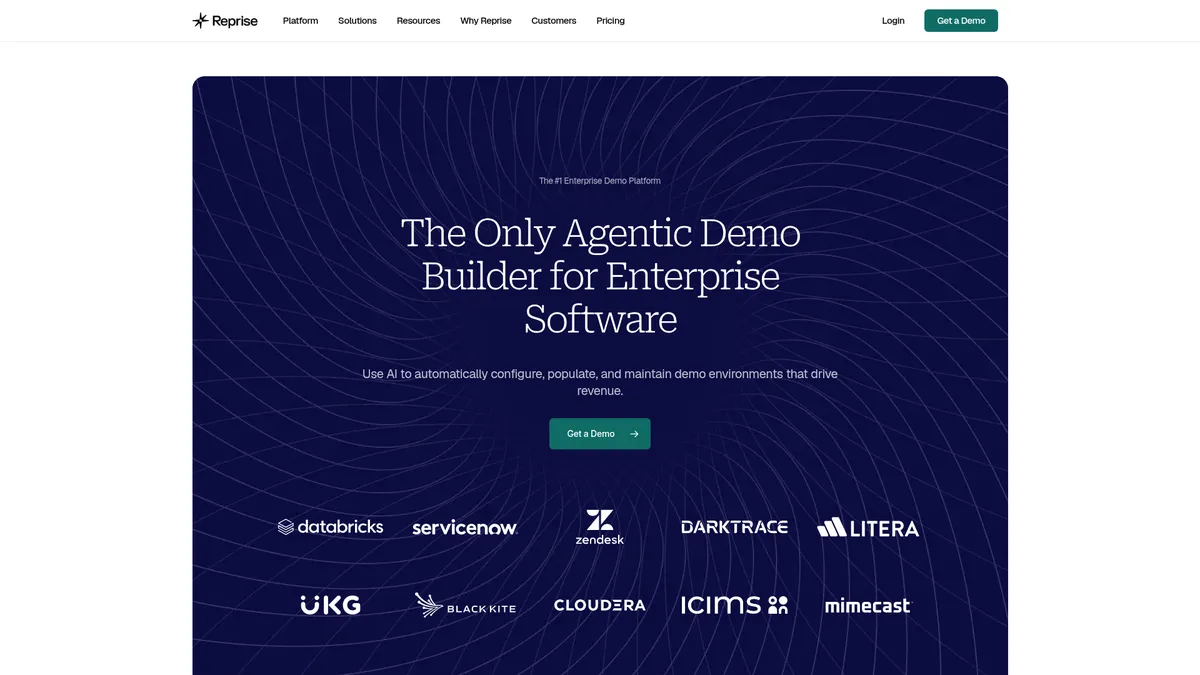
What is Reprise?
How to Use Reprise
Creating a compelling product demo doesn't require engineering resources. With Reprise, you can build a polished, interactive demo in minutes using AI-powered tools and a no-code editor. Follow these steps to create your first demo and start engaging prospects with a hands-on product experience.
Capture your application with a clickpath or clone
Start by either recording a clickpath — Reprise captures every front-end interaction for a pixel-perfect replay — or using Replicate to create a full-fidelity sandbox clone of your production environment. Choose based on whether you need a guided walkthrough or a fully interactive sandbox for prospects to explore freely.
Populate with AI-generated demo data
Use Reprise's AI data injection to automatically fill your demo with realistic, context-relevant data. The AI analyzes your app's structure and generates appropriate charts, tables, text, and numbers so your demo feels authentic. No more manually editing spreadsheets or creating dummy accounts.
Customize with the no-code editor
Tailor every element of your demo using the drag-and-drop editor. Swap out text, change images, hide or highlight UI elements, and apply your brand theme. Add interactive hotspots, pulsing call-to-action buttons, and typewriter effects to guide viewers through key features and value propositions.
Share, track, and optimize engagement
Publish your demo and share it via a link, embed it on your website, or send it as a personalized leave-behind. Reprise's analytics dashboard tracks who viewed it, how they interacted, and which sections captured attention. Use these buyer intent signals to follow up with the hottest leads and refine your demo over time.
Reprise Core Features
Reprise Use Cases
- 1Live sales demos and product tours: Sales reps can deliver personalized, interactive product demos during calls, trade shows, or in-person meetings, instantly customizing the experience for each prospect without engineering support.
- 2Sales leave-behinds: After a call, reps can share customized, interactive demo recordings that prospects can explore at their own pace, keeping the product top-of-mind throughout the evaluation process and reducing follow-up friction.
- 3Self-service sandbox environments: Prospects can explore a fully functional, resettable sandbox environment to evaluate the product hands-on, reducing the burden on sales engineers and accelerating proof-of-concept cycles.
- 4Marketing-driven product tours: Marketing teams can embed interactive product tours on websites, in email campaigns, and on landing pages to engage visitors and generate qualified leads with built-in intent data.
- 5Partner enablement demos: Channel partners can access a library of pre-built, customizable demos to effectively sell your product without needing deep technical knowledge of the solution.
Pros and Cons of Reprise
Pros
- AI-driven demo creation with automatic data population saves hours of manual setup time for sales and solutions engineering teams
- Full-fidelity sandbox cloning lets prospects interact with a real, risk-free environment without exposing production data
- Centralized demo library ensures consistency and version control across sales, marketing, and partner teams
- Enterprise-grade security and compliance (SOC 2, ISO 27001, SSO, RBAC) baked into every plan from day one
✕ Cons
- No transparent public pricing — requires contacting sales, which can be a barrier for smaller teams and startups
- Feature-rich platform has a noticeable learning curve for new users, especially for advanced customizations and integrations
- Premium enterprise pricing model can be cost-prohibitive for small to mid-sized businesses with limited budgets
Reprise vs Top Alternatives
| Feature | Walnut | Demostack |
|---|---|---|
| Full-Fidelity Sandbox Cloning | Clickpath demos only | Clickpath + basic sandbox |
| AI-Powered Data Injection | Manual data setup required | Limited AI data population |
| Centralized GTM Demo Library | Individual demo management | Team demo management |
| Offline Demo Delivery | Online-only delivery | Online-only delivery |
Reprise Pricing
Enterprise
- Annual platform fee with flexible per-user licensing
- Unlimited guided demos and clickpath captures
- Full-fidelity sandbox cloning (Replicate)
- AI-powered data injection
- Enterprise security (SOC 2, ISO 27001, SSO, RBAC)
- Dedicated account manager and support team
- Native integrations and API access
- Demo library with version control
Reprise FAQ
What is Reprise and how does it work?+
How does Reprise differ from traditional demo tools or screenshots?+
Is Reprise secure enough for enterprise use?+
How much does Reprise cost?+
Does Reprise offer a free trial?+
What types of demos can I create with Reprise?+
Does Reprise integrate with Salesforce and HubSpot?+
Reprise Review — Editor's Score
Who Should Use Reprise?
Enterprise software companies with complex products and dedicated GTM teams. Ideal for sales organizations that need scalable, customizable demo environments without relying on engineering resources. Also well-suited for marketing teams creating product tours and partner teams enabling channel sales.
Reprise is hands-down the most comprehensive demo platform for enterprise GTM teams. Its AI-powered data injection, full-fidelity sandbox cloning, and centralized demo library make it a powerhouse for sales, marketing, and partner enablement. While the lack of transparent pricing and steep learning curve may deter smaller teams, larger organizations with complex products will find it indispensable for shortening sales cycles and winning more deals.
- AI-powered data injection eliminates manual demo setup and ensures consistency
- Full-fidelity sandbox cloning for risk-free, hands-on prospect exploration
- Centralized demo library scales across the entire GTM organization
- Rich analytics surface buyer intent signals from demo engagement
📺 Reprise Tutorials & Introduction
Demo with Ease - with new tool called REPRISE - YouTube
Reprise Review 🕹️ Interactive Demos For Software Sales?
Reprise introduces a new demo creation platform - YouTube
Keywords: