

Renderforest
AI-powered branding for videos, logos & websites
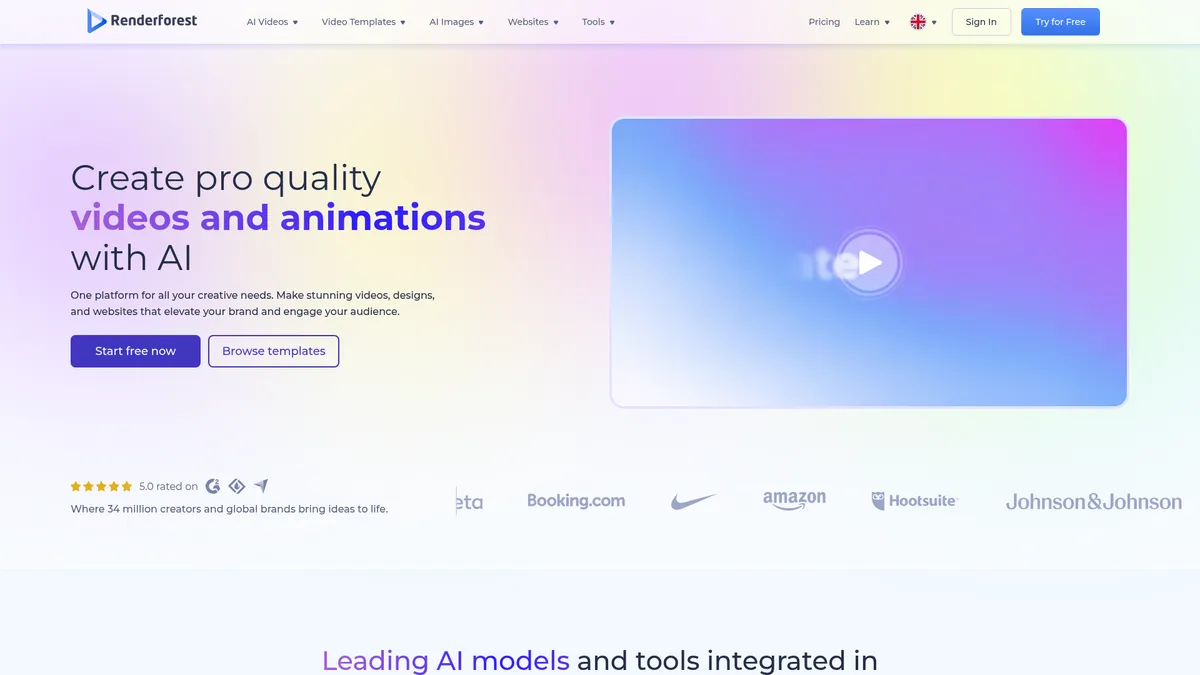
What is Renderforest?
How to Use Renderforest
This guide walks you through creating a professional brand video using Renderforest's AI-powered tools and customizable templates. Follow these steps to produce engaging content for your business or personal brand in minutes, without any prior video editing experience.
Choose a Template
Browse Renderforest's library of over 1,200 professionally designed templates and select one that matches your project type—whether it's a social media reel, YouTube intro, explainer video, or logo animation. Use the search filters to narrow down by category, style, or theme.
Customize Your Content
Edit the placeholder text, colors, fonts, and layout to reflect your brand identity using the drag-and-drop editor. You can rearrange scenes, adjust timing, and modify every element to make the template your own without any design skills.
Add Media and Music
Enhance your project with millions of stock photos and videos from the built-in library, or upload your own assets. Choose from a collection of royalty-free music tracks to match the tone of your video—adjust volume and trim tracks as needed.
Apply AI Enhancements
Use the AI Video Generator to refine scenes, leverage text-to-video AI to create new content, or apply smart transitions and animations. The AI tools help polish your video and add professional touches with minimal manual effort.
Export and Share
Preview your finished video, select your desired resolution (up to 4K on Pro and Business plans), and export. Share directly to social media platforms like YouTube, Facebook, and Instagram, or download the file for use across your marketing channels.
Renderforest Core Features
Renderforest Use Cases
- 1Creating professional marketing videos for social media, advertising, and brand storytelling without hiring a production team or spending hours editing.
- 2Designing logos and complete brand identity systems for startups and small businesses looking to establish a polished professional presence quickly.
- 3Building custom websites with personalized domains for freelancers, coaches, and entrepreneurs to showcase their portfolio and services.
- 4Developing explainer videos, product demos, and training content to communicate complex ideas in an engaging visual format that converts.
- 5Producing short-form social media content like Reels, Shorts, and animated posts to grow audience engagement and brand awareness consistently.
Pros and Cons of Renderforest
Pros
- User-friendly drag-and-drop interface makes professional-quality design accessible to beginners with no prior experience or technical skills required.
- Vast library of over 1,200 customizable templates provides a strong starting point for any branding or video project, saving hours of work.
- Affordable pricing plans with annual billing options offer excellent value compared to hiring freelance designers or professional video agencies.
- Advanced AI-powered tools automate time-consuming tasks like video generation, logo creation, and website building with impressive results.
✕ Cons
- Credit-based system on lower-tier plans limits output volume, forcing frequent upgrades for active users who need to produce content regularly.
- Some premium features, templates, and stock assets require additional purchases beyond the base subscription, adding to overall costs.
- Limited collaboration and advanced customization capabilities make it less suitable for large-scale enterprise teams with complex workflows.
Renderforest vs Top Alternatives
| Feature | Canva | Adobe Express | Lumen5 |
|---|---|---|---|
| AI Video Generation | Yes, with Magic Studio AI tools | Yes, with generative AI features | Yes, AI-powered video creation |
| Logo Maker | Yes, built-in logo maker | Yes, logo maker included | No logo maker available |
| Website Builder | Yes, Canva Websites feature | No dedicated website builder | No website builder |
| Starting Price | Free tier, Pro at $12.99/mo | Free tier, Premium at $9.99/mo | Free tier, Starter at $29/mo |
Renderforest Pricing
Lite
- 4800 credits per year
- Access to video maker and basic tools
- Standard definition video exports
- Stock photos and music library access
- Basic template collection
Pro
- 19200 credits per year
- 4K video quality exports
- Premium template library
- Custom domain for website
- Priority customer support
Business
- 36000 credits per year
- All premium features included
- Team collaboration tools
- Dedicated account support
- White-label export options
Renderforest FAQ
What is Renderforest and what can I create with it?+
Does Renderforest offer a free plan?+
What types of videos can I make with Renderforest?+
Can I create a logo with Renderforest?+
Does Renderforest have a website builder?+
How does the credit system work on Renderforest?+
Can I use Renderforest for commercial projects?+
Renderforest Review — Editor's Score
Who Should Use Renderforest?
Freelancers, solopreneurs, small business owners, and marketers who need to create professional branding materials—videos, logos, websites, and graphics—quickly and affordably without hiring designers or video editors. It's also great for content creators who want to maintain a consistent brand presence across multiple platforms.
Renderforest is a surprisingly capable all-in-one branding platform that punches above its weight for individuals and small teams. The AI-powered tools are genuinely useful, and the template library is vast and diverse. While the credit system can feel restrictive for heavy users and enterprise features are limited, it's an excellent value proposition for freelancers and small businesses looking to level up their brand without breaking the bank.
- AI-powered video generator turns simple text prompts into polished, ready-to-publish videos
- Over 1,200 customizable templates covering videos, logos, websites, and graphics
- All-in-one platform eliminates the need for multiple separate design tools
- Affordable pricing with annual plans starting at just $9 per month
- Regular updates with new AI features and template collections
📺 Renderforest Tutorials & Introduction
How to create videos in Renderforest | Video Editing Tutorial
Renderforest Review - YouTube
How to use RenderForest to Create Explainer Animation - YouTube
Keywords: