
Remove.bg
The world's fastest AI background remover
What is Remove.bg?
How to Use Remove.bg
Using Remove.bg is incredibly straightforward. In just a few clicks, you can upload any image and get a clean background-free cutout ready for use in your projects. Here's a step-by-step guide to get the most out of this powerful AI tool.
Upload Your Image
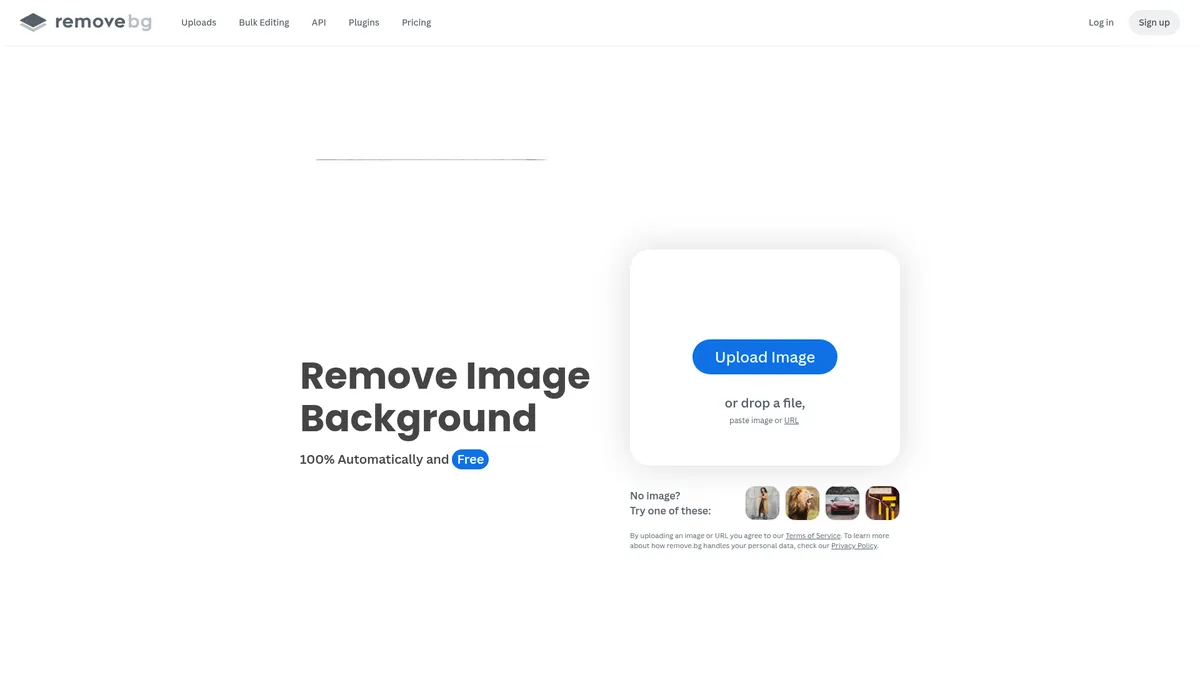
Go to remove.bg and click the 'Upload Image' button. You can also drag and drop an image directly onto the page. Remove.bg supports PNG, JPEG, and JPG formats. For best results, use images with clear contrast between the subject and background.
Let AI Process the Background Removal
Once uploaded, the AI automatically detects the subject and removes the background within seconds. No manual selection or masking is required. The tool handles complex edges like hair and fur with impressive accuracy.
Fine-Tune with Erase and Restore Tools
Use the Erase tool to remove any leftover background artifacts, or the Restore tool to bring back parts of the subject that were accidentally removed. This step is optional but useful for perfecting challenging images.
Add a New Background or Download
You can either download the image with a transparent background (PNG) or use the background generator to add a custom backdrop, solid color, or upload your own background image. Click 'Download' to save the final result to your device.
Remove.bg Core Features
Remove.bg Use Cases
- 1E-commerce product photography: Cleanly remove backgrounds from product images to create consistent, professional-looking listings across marketplaces like Amazon, eBay, and Shopify without manual editing or expensive photo shoots.
- 2Professional headshots and portraits: Instantly replace distracting backgrounds in profile photos, LinkedIn pictures, and team headshots with clean white or custom backdrops for a polished corporate look.
- 3Car and vehicle listings: Remove cluttered backgrounds from vehicle photos for dealership websites and online marketplaces, helping cars stand out and sell faster to potential buyers.
- 4Graphic design and marketing materials: Quickly isolate subjects from images to create social media posts, banner ads, flyers, and promotional content without launching complex design software like Photoshop.
- 5Logo creation and branding assets: Extract logo elements from existing images to repurpose them across different marketing channels, websites, and print materials with transparent backgrounds.
Pros and Cons of Remove.bg
Pros
- Lightning-fast processing: Remove.bg delivers background removal results in seconds, making it one of the fastest tools available for both individual images and high-volume batch processing.
- High-quality AI output: The AI engine handles complex edges like hair, fur, and transparent objects with impressive accuracy, significantly reducing the need for manual touch-ups.
- Flexible integration options: With a full API, browser extensions, and plugins for design tools like Photoshop and Figma, Remove.bg fits seamlessly into existing creative workflows and automation pipelines.
- Scalable pricing for businesses: From pay-as-you-go credits starting at $3 to enterprise volume plans, the pricing structure accommodates everyone from casual users to large-scale commercial operations.
✕ Cons
- Limited free trial credits: New users only get a handful of free credits, which is insufficient to fully evaluate the tool for large projects or high-volume needs without purchasing.
- No permanent free plan: Unlike some competitors like Canva, Remove.bg doesn't offer a free tier, so all users must eventually pay to continue using the service beyond the trial.
- Confusing multi-tier pricing: The credit-based system with multiple subscription plans (Lite, Pro, Volume+) and pay-as-you-go options can be confusing compared to simple flat-rate monthly subscriptions.
Remove.bg vs Top Alternatives
| Feature | Adobe Photoshop | Canva | Clipping Magic |
|---|---|---|---|
| Background Removal Accuracy | Excellent with advanced masking and selection tools | Good one-click removal for simple backgrounds | Excellent specialized AI for hair and complex edges |
| Batch Processing Speed | Limited to manual batch processing via actions | Single image processing only, no bulk mode | Moderate batch processing support |
| API & Tool Integrations | Extensive plugin ecosystem and full API | Limited API; no dedicated background removal API | API available for developers |
| Starting Price | From $22/mo (Photography plan) | Free tier available; Pro at $12.99/mo | From $3.99/credit (pay-as-you-go) |
Remove.bg Pricing
Pay-as-you-go
- 3 credits
- No expiration on credits
- Standard quality exports
- API access
Lite
- 40 credits per month
- API access included
- Standard quality exports
- For occasional users
Pro
- 200 credits per month
- API access included
- Max quality exports
- Priority processing
Volume+
- 500 credits per month
- API access included
- Max quality exports
- Priority support
- Bulk processing up to 500 images/min
Enterprise
- Custom credit volume
- Dedicated support
- SLA guarantees
- Custom integrations
- Team management
Remove.bg FAQ
Is Remove.bg really free?+
How accurate is Remove.bg at removing backgrounds?+
Can I use Remove.bg for bulk image processing?+
Does Remove.bg have an API for developers?+
What image formats does Remove.bg support?+
Is Remove.bg safe and GDPR compliant?+
How much does Remove.bg cost and which plan should I choose?+
Remove.bg Review — Editor's Score
Who Should Use Remove.bg?
Remove.bg is ideal for e-commerce sellers, graphic designers, real estate agents, marketers, and content creators who regularly need to remove backgrounds from images without spending hours in complex editing software.
Remove.bg is hands-down one of the easiest and fastest background removal tools available. Its AI handles complex edges remarkably well, and the bulk processing capabilities make it a no-brainer for e-commerce sellers and designers. While the lack of a free tier and confusing credit system might put off casual users, professionals who need reliable, high-volume background removal will find it an indispensable addition to their toolkit.
- One-click AI background removal with impressive edge detection
- Bulk processing up to 500 images per minute for high-volume workflows
- Seamless API integrations with Figma, Photoshop, and Zapier
- GDPR-compliant and secure image processing for professional use
📺 Remove.bg Tutorials & Introduction
How to Remove the Background of a Picture for Free with AI in 2026
Best 2025 FREE Background Remover! Top 12 Compared - YouTube
4 FREE Ai Background Removers Comparison - YouTube
Keywords: