

Reducto
Deep document extraction with near-human accuracy
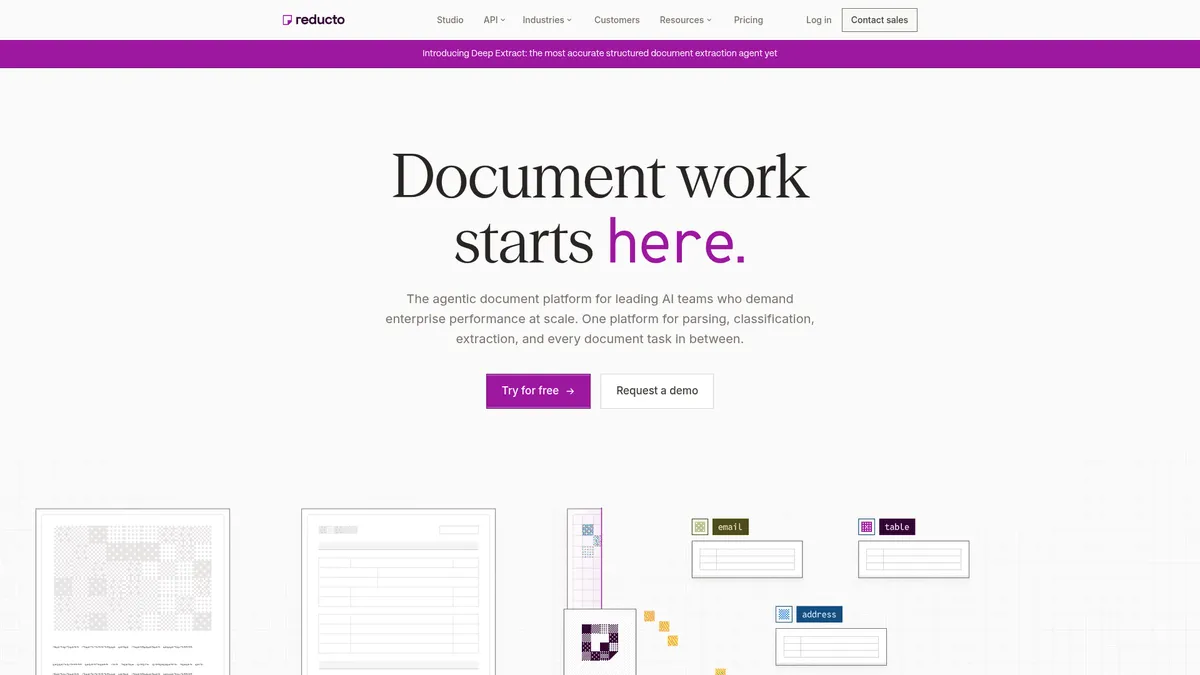
What is Reducto?
How to Use Reducto
Getting started with Reducto's document extraction is straightforward. Whether you use the Reducto Studio UI or the API, you can go from raw document to structured data in minutes. Here's a step-by-step guide to extract your first document.
Create your account and get your API key
Sign up for a free Reducto account at reducto.ai. No credit card is required for the free tier. Once registered, navigate to the API settings to generate your unique API key, which you'll use to authenticate all API requests.
Upload a document via API or Studio UI
Use the Reducto Studio UI to drag and drop documents directly, or send a POST request to the Parse API with your document file. Reducto supports over 30 file types including PDF, images, spreadsheets, and presentations—just point it at your document and let the AI analyze the layout.
Configure your extraction schema
Define the data fields you want to extract using Reducto's schema configuration. You can specify key-value pairs, tables, checkboxes, or custom fields. The Extract API uses this schema to pull structured data with bounding-box coordinates for each extracted element.
Run extraction and review results
Execute the extraction job and review the output in the Studio UI or via the API response. The VLM review layer automatically corrects OCR mistakes in real time. You can verify extracted data against the original document using bounding-box citations.
Integrate with downstream systems via webhooks
Set up custom webhooks to push extracted data directly to your databases, CRM, or workflow automation tools. Reducto sends structured JSON payloads in real time, enabling seamless integration with your existing data pipeline without manual intervention.
Reducto Core Features
Reducto Use Cases
- 1Finance teams parse complex tables in financial disclosures, invoices, and hedge-fund data pipelines, extracting structured data that traditional OCR consistently fails on.
- 2Healthcare organizations digitize patient intake forms, lab results, and medical records with HIPAA-compliant extraction and zero-data-retention policies.
- 3Insurance companies process policy documents, claim forms, and risk-assessment tables at scale, reducing manual data entry and processing time.
- 4Legal departments extract clauses, obligations, and key terms from contracts, NDAs, and court filings with clause-level precision and citation support.
- 5Enterprise HR and compliance teams automate onboarding workflows by extracting data from employee forms, compliance questionnaires, and identity documents.
Pros and Cons of Reducto
Pros
- Dual-stage vision plus VLM correction delivers near-human accuracy that outperforms traditional OCR on complex layouts and low-quality scans
- End-to-end pipeline from parsing to editing removes the need for custom pre-processing or stitching together multiple third-party tools
- Broad file-type support with 30+ formats and unlimited page handling for enterprise-scale document workloads without artificial limits
- Enterprise-grade security with HIPAA-ready BAA, zero-data-retention policies, and VPC or on-premises deployment options for regulated industries
✕ Cons
- Usage-based credit pricing can become expensive for high-volume workloads, and enterprise tier requires custom negotiation with no flat-rate option
- Free tier limits Reducto Studio to 5 seats, which may restrict larger pilot teams or departmental rollouts during evaluation
- Handwriting recognition and non-English language support are buried in FAQs rather than promoted as core capabilities, limiting discoverability
Reducto vs Top Alternatives
| Feature | Amazon Textract | Google Document AI | Nanonets |
|---|---|---|---|
| Accuracy & OCR Technology | Standard ML-based OCR without VLM correction; struggles with complex layouts and low-quality scans | Custom processors with ML training; no agentic error correction for missed OCR mistakes | Deep learning OCR with zero-shot learning capabilities; decent accuracy but no VLM review layer |
| Schema-Level Data Extraction | Key-value pairs and table detection; limited schema customization without custom code | Custom extractors via processor training; requires labeled data and upfront training time | Schema-based extraction with training wizard; good for structured forms but less flexible for complex tables |
| Page & File Handling | Page limits vary by AWS region and API; supports PDF, TIFF, JPEG, PNG formats | Varies by processor type; supports PDF, TIFF, and image formats with page limits | Page limits on lower-tier plans; supports PDF, images, and scanned documents |
| Security & Compliance | AWS compliance suite with HIPAA eligibility through BAA; regional data controls | Google Cloud compliance framework; HIPAA available on enterprise tier with BAA | SOC 2 Type II certified; HIPAA compliance available on enterprise plans |
Reducto Pricing
Core (Free)
- 15,000 free credits (no credit card required)
- Up to 5 seats in Reducto Studio
- All APIs: Parse, Extract, Edit, Split
- 30+ supported file types
- 1 API call per second rate limit
- Community support
Standard
- Volume discounts on credit bundles
- Unlimited Studio seats
- Zero-data-retention policy
- Business Associate Agreement (BAA) available
- 10 API calls per second rate limit
- EU and Australia data residency options
- Priority Slack and email support
Enterprise
- Custom credit bundles and negotiated pricing
- VPC and on-premises deployment options
- Custom MSA and SLA agreements
- 100+ API calls per second rate limit
- Dedicated on-call support
- RBAC, SSO/SAML authentication
- Custom rate limits and configurations
Reducto FAQ
What is Reducto and what does it do?+
What file types does Reducto support?+
How does Reducto's credit-based pricing work?+
Is there a free tier or free trial available?+
Does Reducto support handwriting and non-English languages?+
How does Reducto differ from traditional OCR services?+
What security and compliance certifications does Reducto offer?+
Reducto Review — Editor's Score
Who Should Use Reducto?
Finance teams processing complex disclosures, legal departments reviewing contracts, healthcare organizations digitizing patient records, and any enterprise drowning in document-heavy workflows that traditional OCR consistently fails on.
Reducto is a standout in the crowded document extraction space. Its dual-stage OCR pipeline—combining layout-aware vision models with an agentic VLM correction layer—delivers accuracy that genuinely rivals human reviewers. While pricing can climb for high-volume use and the free tier's seat limit may frustrate larger teams, the sheer capability and enterprise-grade security make it a top contender for finance, legal, and healthcare workflows.
- Dual-stage vision plus VLM accuracy correction delivers near-human results on complex documents
- End-to-end pipeline from parsing to editing without custom pre-processing or multiple tools
- Unlimited page handling with 30+ file type support for enterprise-scale workloads
- Enterprise-grade security with HIPAA BAA, zero-retention, and VPC deployment options
📺 Reducto Tutorials & Introduction
Lessons From Processing a Billion Pages with Reducto - YouTube
reducto.ai - Review - YouTube
The Most Powerful Structured Extraction Agent Yet - YouTube
Keywords: