

Presentations.AI
AI-powered presentations, minus the busywork
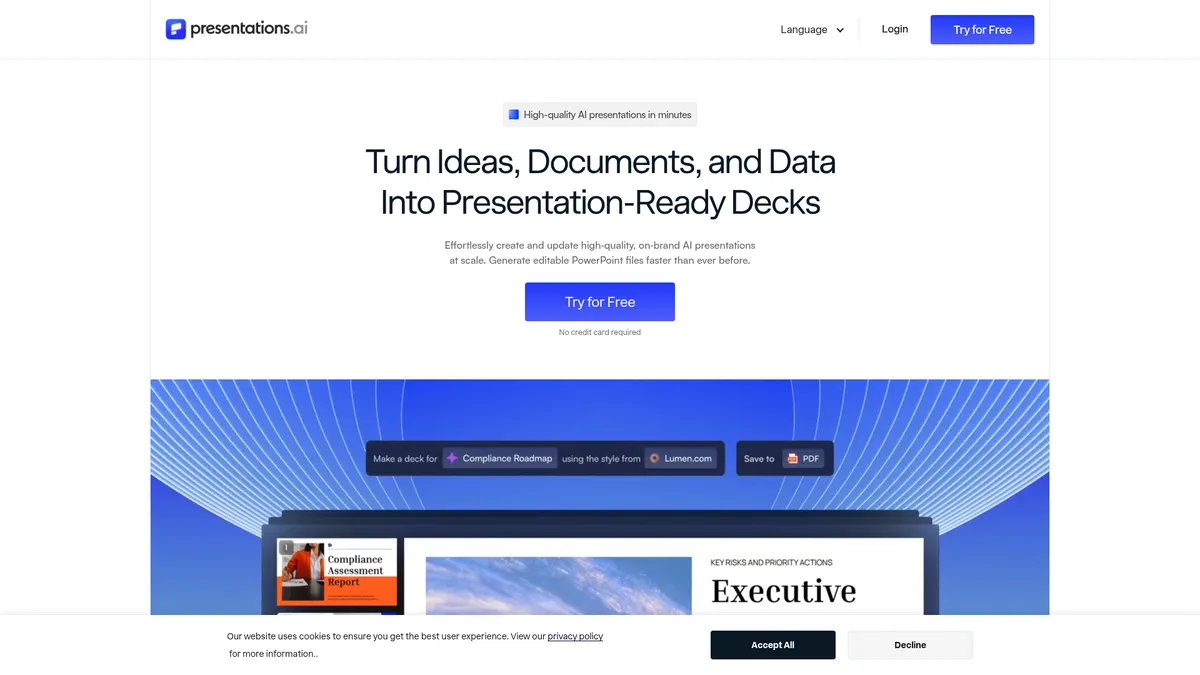
What is Presentations.AI?
How to Use Presentations.AI
Presentations.AI makes it dead simple to go from a rough idea or legacy document to a polished, on-brand deck. Follow these steps to create your first presentation in minutes.
Choose Your Source Material
Start by uploading a PDF, Word document, or pasting a URL, or simply describe your presentation topic with a text prompt. The AI will extract the key information, structure the content, and build a draft deck around your input.
Review and Apply Branding
The platform automatically detects your brand's logo, fonts, and colors from your source material or account settings. Review the detected brand assets and make manual adjustments if needed to ensure perfect alignment with your brand guidelines.
Customize Slides and Content
Use the built-in editor to tweak messaging, swap visuals, adjust layouts, and refine the AI-generated content. The structured building approach helps maintain a clear narrative flow and strong framing for each section.
Refresh with Live Data (Optional)
Connect data sources like Google Sheets, Salesforce, or HubSpot to automatically populate charts and figures. The Refresh agent can pull the latest numbers whenever you need an update, saving you from manual data entry.
Export and Share Your Deck
Download your finished presentation as a native PowerPoint file, preserving all formatting and design. You can also share a link with stakeholders for real-time collaboration and track engagement through built-in analytics.
Presentations.AI Core Features
Presentations.AI Use Cases
- 1Sales teams can generate weekly pitch decks and product demos in minutes, ensuring every rep has up-to-date, on-brand collateral without manual formatting or chasing latest data.
- 2Marketing professionals can automate monthly performance report presentations by connecting Google Sheets or HubSpot, letting the AI refresh charts and figures automatically before each review.
- 3Startup founders and executives can create investor-ready materials from a rough outline or existing document, complete with polished design and consistent branding throughout.
- 4Internal teams can maintain a shared knowledge base of approved messaging and data points, ensuring every presentation aligns with the latest company narrative and compliance requirements.
- 5Agencies and consultants can personalize presentations at scale for different clients, using advanced customization to tailor content, design, and tone for each specific audience.
Pros and Cons of Presentations.AI
Pros
- Dramatically reduces time spent on slide formatting and data updates, letting you focus on narrative and strategy rather than pixel-pushing and manual alignment.
- Ensures brand consistency across all presentations with automatic detection of logos, fonts, and colors, eliminating the common errors of manual design work.
- Offers advanced frontier AI models that generate sharper visuals and more nuanced content, elevating deck quality well beyond basic template-based tools.
- The Refresh feature and CR M integrations with Salesforce, HubSpot, and Google Sheets enable real-time data updates, keeping decks current without rebuilding from scratch.
✕ Cons
- Free plan is severely limited with only 100 credits and 20 slides per presentation, making it impractical for serious business use beyond initial experimentation.
- Heavy reliance on AI can produce content that feels generic or misaligned with your specific voice, requiring careful human review for every critical presentation.
- Credit-based system and tiered pricing can be confusing to manage across a team, and power users may find costs escalate quickly when generating large or frequent decks.
Presentations.AI vs Top Alternatives
| Feature | Gamma | Beautiful.ai | Tome | Decktopus |
|---|---|---|---|---|
| AI Generation | Text, PDF, and URL input | Template-guided AI design | Narrative-first AI storytelling | AI-assisted with forms and surveys |
| Brand Customization | Basic theme customization | Full brand kit control | Custom themes and branding | Brand kit with templates |
| Data Integrations | Limited integrations | No native data connections | No native data integrations | Forms, surveys, and analytics |
| PPT Export | Native PPT export | Native PPT export | Web-only export | Native PPT export |
Presentations.AI Pricing
Starter
- 100 credits per month
- Basic AI model
- Up to 20 slides per presentation
Pro
- 5,000 credits per month
- Advanced AI features
- High-quality PowerPoint export
- Presentation tracking and analytics
Gold
- 50,000 credits per month
- Frontier AI models
- Advanced brand customization
- Shared knowledge base
Presentations.AI FAQ
What is Presentations.AI?+
How does the credit system work?+
Can I export presentations to PowerPoint?+
Does Presentations.AI integrate with other business tools?+
Is there a free version of Presentations.AI?+
How does the Refresh feature work?+
Who is Presentations.AI best suited for?+
Presentations.AI Review — Editor's Score
Who Should Use Presentations.AI?
Sales and marketing teams creating frequent pitch decks and reports, startup founders preparing investor materials, and agencies building client presentations at scale who want to minimize time spent on formatting and data updates.
Presentations.AI delivers on its core promise: speed and consistency for branded presentations. Its automatic brand detection, Refresh feature, and data integrations are genuine time-savers for teams that regularly create decks. While the free tier is too limited for serious use and AI-generated content still needs human oversight, the platform offers solid value for sales and marketing teams. If you're tired of manual slide formatting and need to produce on-brand decks at scale, it's a worthwhile investment.
- Automatic brand detection and application across all slides
- Refresh feature for one-click data updates from live sources
- Native PowerPoint export with full formatting preservation
- Integration with Salesforce, HubSpot, and Google Sheets
- Tiered AI models from basic to frontier for varied quality needs
📺 Presentations.AI Tutorials & Introduction
Presentations.ai Tutorial and Review - YouTube
I Tested Every AI Presentation Tool — There's One Clear Winner
Edit and Customize Your Slides with Presentations.AI! - YouTube
Keywords: