

Pitch
AI-powered presentations for winning teams
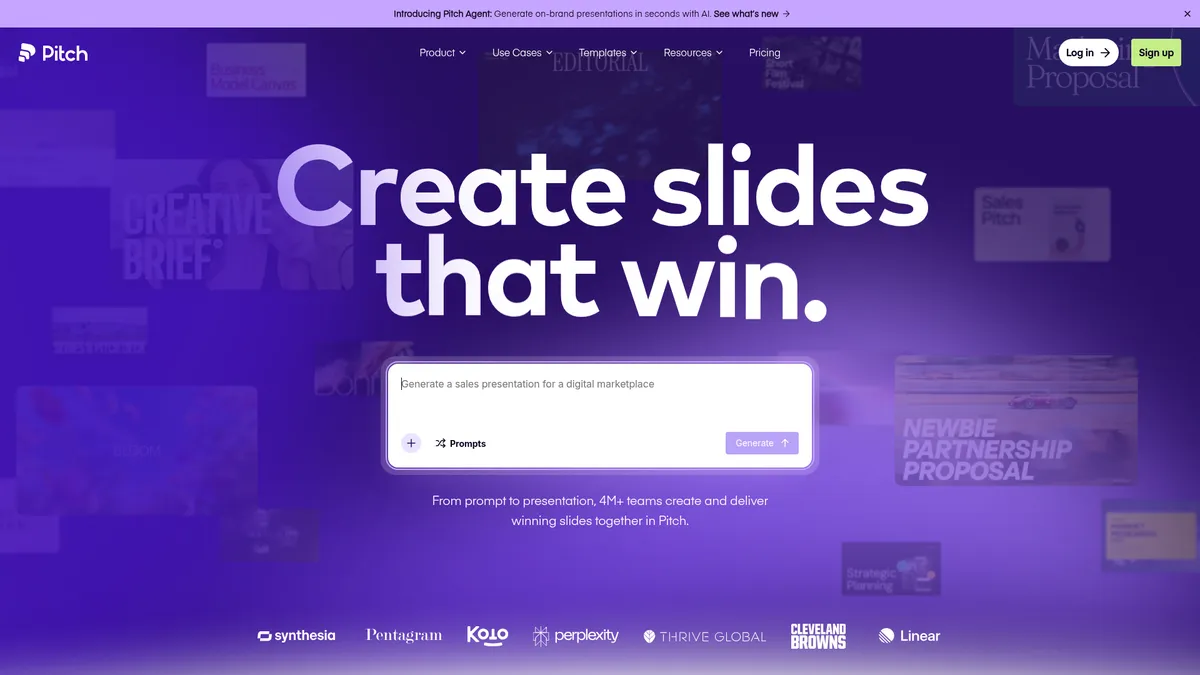
What is Pitch?
How to Use Pitch
Getting started with Pitch is straightforward. Follow these steps to create your first AI-powered presentation and collaborate with your team in real-time.
Sign Up and Set Up Your Workspace
Create a free account on pitch.com and set up your workspace. Invite team members, upload your company logo and brand assets, and configure custom templates to maintain brand consistency from day one.
Create a Presentation with AI
Click 'New Presentation' and choose the AI slide generator option. Describe your topic, target audience, and key points. The AI will generate a complete draft with professionally designed slides in seconds.
Collaborate in Real-Time
Share your presentation with team members by inviting them to your workspace. Enable live co-editing so everyone can work simultaneously. Use inline comments to gather feedback and suggestions directly on each slide.
Customize and Refine Your Design
Apply your team's custom templates, adjust fonts and colors to match brand guidelines, and enhance slides with videos, animations, and interactive embeds to make your presentation more engaging.
Share, Present, and Track Engagement
Generate a shareable link or export your presentation as PDF or PowerPoint. For sales decks, create a custom deal room to share with prospects and use the analytics dashboard to track who viewed each slide and for how long.
Pitch Core Features
Pitch Use Cases
- 1Sales teams can create compelling pitch decks with AI assistance, build custom deal rooms to share with prospects, and use engagement analytics to identify which slides resonate most and follow up at the perfect moment.
- 2Marketing teams can build brand-consistent presentations for webinars, product launches, and conferences using customizable templates, custom fonts, and real-time collaboration with designers and copywriters.
- 3Design teams can collaborate on creative presentations with version control, inline commenting, and the flexibility to embed videos, animations, and interactive elements without leaving the editor.
- 4Agencies can manage multiple client presentations from a single workspace with branded templates, guest access for external reviews, and professional PDF exports for polished final deliverables.
- 5Startups can rapidly prototype investor decks using AI-powered slide generation, iterate based on feedback from advisors and co-founders, and track investor engagement through detailed analytics.
Pros and Cons of Pitch
Pros
- Intuitive drag-and-drop interface makes creating polished presentations fast and accessible for users of all skill levels, from beginners to design pros.
- Real-time collaboration with live co-editing and inline commenting streamlines team workflows and completely eliminates version control headaches.
- AI-powered slide generation dramatically reduces the time needed to create professional decks from scratch, turning rough ideas into polished slides in minutes.
- Custom branding controls and template management ensure every presentation stays on-message and on-brand across the entire organization.
✕ Cons
- Free plan is quite limited with support for only 1-5 members and restricted features, making it difficult for larger teams to fully evaluate the platform before committing.
- Advanced features like custom analytics and deal rooms come with a learning curve that may require dedicated onboarding and training time for new users.
- Integration ecosystem is still growing, with fewer native third-party connections compared to established competitors like Microsoft PowerPoint and Google Slides.
Pitch vs Top Alternatives
| Feature | Google Slides | Microsoft PowerPoint | Canva | Prezi |
|---|---|---|---|---|
| AI-Powered Creation | Limited (Explore tool with basic AI suggestions) | Copilot AI integration for slide generation | Magic Design AI tools for rapid creation | No dedicated AI slide generation |
| Real-Time Collaboration | Excellent native real-time collaboration | Good collaboration via cloud version | Good real-time collaboration features | Limited real-time co-editing capabilities |
| Template Library | Basic template library with limited customization | Extensive template and theme library | Massive template library with millions of options | Unique zoom-based presentation templates |
| Engagement Analytics | No built-in engagement analytics | Basic usage analytics available | No presentation-specific engagement tracking | Basic viewer analytics available |
Pitch Pricing
Free
- Up to 5 members
- Basic templates
- Standard sharing options
- Community support
Plus
- 1 member
- Advanced templates
- Custom branding
- AI credits included
- Priority support
Team
- Up to 25 members
- All templates
- Custom analytics
- Deal rooms
- Advanced permissions
- Priority support
Pitch FAQ
What is Pitch and who is it for?+
Is Pitch free to use?+
Can I import PowerPoint files into Pitch?+
How does Pitch's AI-powered slide creation work?+
Does Pitch support real-time collaboration?+
Can I track who views my presentations?+
What integrations does Pitch support?+
Pitch Review — Editor's Score
Who Should Use Pitch?
Pitch is ideal for sales teams building client-facing decks, marketing teams creating brand-consistent presentations, startups crafting investor pitches, and any organization that values collaborative workflows and data-driven insights over traditional presentation tools.
Pitch is a standout presentation tool that successfully modernizes the slide deck experience with AI, collaboration, and analytics at its core. While it's still maturing in terms of integrations and enterprise features, its intuitive design and innovative approach make it a compelling choice for forward-thinking teams looking to elevate their presentation game.
- AI-powered slide generation saves hours of design work and accelerates ideation
- Real-time co-editing eliminates version control chaos across teams
- Deal rooms with engagement analytics provide actionable sales intelligence
- 100+ customizable templates maintain brand consistency at scale
📺 Pitch Tutorials & Introduction
This AI Made a Pitch Deck Better Than I Could in PowerPoint
How to Use Pitch com AI to Create Slide Decks in Minutes - YouTube
Build a Pitch Deck from text prompt | Chronicle AI Demo & Review
Keywords: