

Pipedream
Build AI agents and workflow automations in seconds
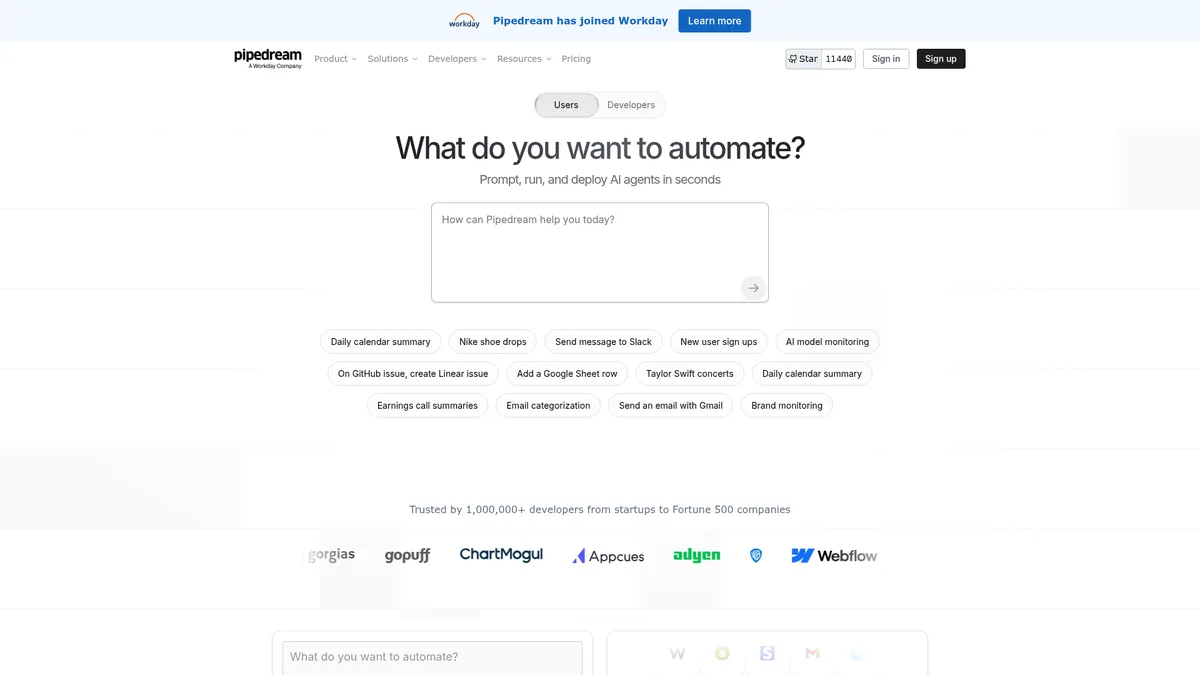
What is Pipedream?
How to Use Pipedream
Pipedream makes it simple to build automated workflows in minutes. Follow this step-by-step guide to create your first workflow that sends a Slack notification whenever a new row is added to a Google Sheets spreadsheet.
Sign up and create a new workflow
Create a free Pipedream account at pipedream.com, then click 'New Workflow' from the dashboard. You can start from scratch, use a template, or import an existing workflow from GitHub to speed things up.
Add a Google Sheets trigger
Search for Google Sheets in the trigger menu and select 'New Row Added' as your event source. Click 'Connect Google Sheets' to authorize your Google account and grant Pipedream access to your spreadsheets.
Configure your spreadsheet and filters
Specify the spreadsheet ID and worksheet name you want to monitor. You can add optional filters to only trigger on specific conditions, such as rows containing certain keywords or values in specific columns.
Add a Slack action
Click the '+' button below your trigger, search for Slack, and select 'Send Message.' Connect your Slack workspace, choose the channel, and build your message template using dynamic data from the Google Sheets trigger event.
Deploy and test your workflow
Click 'Deploy' to activate your workflow, then add a test row to your monitored Google Sheet. Within seconds, you should see the automated Slack message appear in your chosen channel confirming everything works.
Pipedream Core Features
Pipedream Use Cases
- 1Automate daily meeting summaries – Set up a workflow that checks your calendar each morning, joins virtual meetings, generates AI-powered transcripts and summaries, then delivers them to Slack or email before you start your day.
- 2Real-time brand monitoring – Build an AI agent that continuously scans social media, news sites, and RSS feeds for specific keywords like product launches or competitor announcements, sending instant alerts to your team via Slack or email.
- 3Customer support ticket routing – Automatically categorize incoming support emails by intent and urgency using AI, create structured tickets in Linear or Jira, and assign them to the right team members based on workload and expertise.
- 4Marketing campaign triggers – Connect CRM updates from HubSpot or Salesforce to trigger personalized email sequences via Mailchimp, post Slack notifications to campaign channels, and log conversions in Google Sheets in real time.
- 5Data pipeline ingestion – Ingest events from webhooks and HTTP endpoints, transform payloads with custom Node.js or Python code, and stream results to Supabase, Snowflake, or any cloud database for analytics and reporting.
Pros and Cons of Pipedream
Pros
- Massive integration library – With 3,000+ pre-built app integrations and 10,000+ reusable tools, you can connect virtually any SaaS service without writing custom integration code from scratch.
- AI-powered development speed – The built-in AI agent builder and code generation tools let both developers and technical knowledge workers create complex automations in minutes instead of hours.
- Generous free tier – The Free plan includes 100 credits, 1 million AI tokens, and full access to the entire app catalog and tool library for experimentation and small-scale production use.
- Enterprise-ready compliance – SOC 2 Type II, HIPAA, and GDPR certifications combined with private networking and managed authentication make it suitable for heavily regulated industries.
✕ Cons
- Pricing scales steeply – High-volume usage quickly requires Advanced or Business plans, and the credits-plus-tokens billing model can be confusing and expensive for heavy workloads or large teams.
- Developer-centric learning curve – The UI and documentation are built for engineers; non-technical business users may find the interface overwhelming compared to pure no-code alternatives like Zapier or Make.
- Best features behind paywalls – Premium apps, control-flow operators, GitHub sync, and dedicated enterprise support are locked behind Advanced, Connect, or Business plans, limiting the free experience.
Pipedream vs Top Alternatives
| Feature | Zapier | Make | n8n |
|---|---|---|---|
| Integration Library Size | 6,000+ apps | 2,000+ apps | 400+ integrations (open-source) |
| AI Agent Builder | Limited AI, no native agent builder | No built-in AI agent builder | Community-driven AI nodes |
| Starting Price | $19.99/month (Starter) | $9/month (Core) | Free (self-hosted) |
| Best For | Non-technical users and small teams | Visual automation enthusiasts | Developers and technical teams |
Pipedream Pricing
Free
- 100 credits per month
- 1 million AI tokens
- 3 active workflows
- 3 connected accounts
- Full app catalog access
- 10,000+ pre-built tools
- Community support
Basic
- 2,000 credits per month
- 20 million AI tokens
- 10 active workflows
- 5 connected accounts
- No usage cap beyond credits
- Full app catalog access
- Email support
Advanced
- 2,000 credits per month
- 50 million AI tokens
- Unlimited active workflows
- Unlimited connected accounts
- Premium apps access
- GitHub sync
- Control-flow operators
- Priority support
Connect
- 10,000 credits per month
- 50 million AI tokens
- Unlimited active workflows
- Unlimited connected accounts
- Production-grade Connect SDK
- Auth for 100 external users
- All Advanced features
Business
- Custom credits
- Custom AI tokens
- Unlimited active workflows
- Unlimited connected accounts
- Volume pricing
- Dedicated Slack channel
- SLAs
- Priority integration development
- HIPAA workloads
Pipedream FAQ
What is Pipedream used for?+
Is Pipedream free to use?+
What integrations does Pipedream support?+
Is Pipedream SOC 2 compliant?+
Can non-developers use Pipedream?+
How does Pipedream pricing work?+
What happened with the Workday acquisition?+
Pipedream Review — Editor's Score
Who Should Use Pipedream?
Developers, technical product managers, and engineering teams who need to build custom workflow automations and AI agents with minimal boilerplate code. Also suited for technical knowledge workers comfortable with APIs and event-driven architectures.
Pipedream is a powerhouse for developers who need to build complex, AI-powered automations without reinventing the wheel. Its massive integration library and AI agent builder make it one of the most versatile platforms on the market, though the developer-centric learning curve means non-technical users may struggle. If you're an engineer looking for an integration platform that can scale with your ambitions, Pipedream is hard to beat.
- Massive library of 3,000+ integrations and 10,000+ pre-built tools
- Built-in AI agent builder with natural language code generation
- SOC 2, HIPAA, and GDPR compliant for regulated enterprise use
- Generous free tier with 1 million AI tokens for experimentation
📺 Pipedream Tutorials & Introduction
Building AI Agents and Automations 10x Faster with this AI Tool…
Pipedream Beginner's Guide: Connect Gmail to Slack in Minutes
Still using n8n? This New Tool Builds AI Workflows 10x Quicker in ...
Keywords: