
Paperpal
AI academic writing assistant for students & researchers
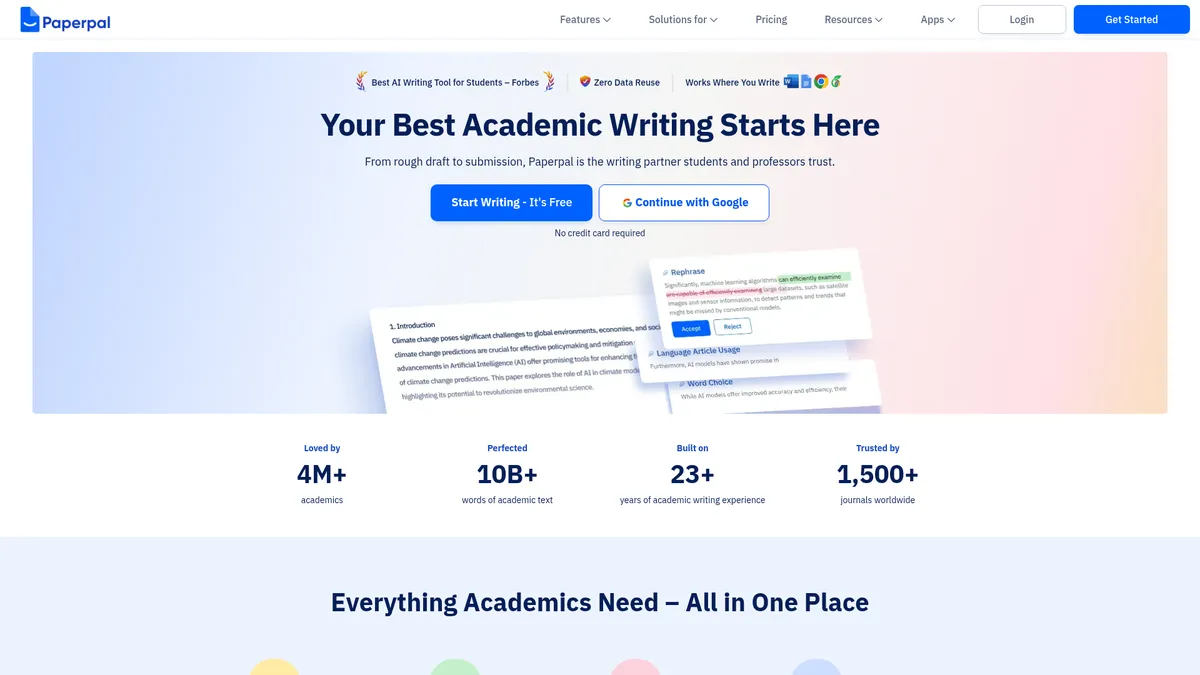
What is Paperpal?
How to Use Paperpal
Getting started with Paperpal takes less than five minutes. The tool integrates directly into the platforms you already use, so there's no need to learn a new interface or copy-paste your work. Here's how to start writing with AI-powered academic assistance.
Sign up for a free account
Visit paperpal.com and click 'Start Writing.' Create an account using your email or Google sign-in. No credit card is required for the free tier, so you can begin immediately without any financial commitment.
Install the plugin for your writing platform
Choose your preferred writing environment—Microsoft Word, Google Docs, Overleaf, or the Chrome extension. Download and install the corresponding plugin following the on-screen instructions. Paperpal will appear as a sidebar or toolbar within your editor.
Enable real-time writing suggestions
Open a document in your chosen platform. Paperpal will automatically activate and begin highlighting grammar issues, style improvements, and vocabulary suggestions. Click on any highlighted text to see suggestions and apply changes with one click.
Use advanced features as needed
Access the Paperpal sidebar to use the AI writing tool, search for research articles, generate citations, or chat with uploaded PDFs. For journal-bound manuscripts, run the Submission Check to ensure compliance with target journal requirements.
Review and refine with AI detection and plagiarism checks
Before final submission, use the AI Detector to verify your text reads as human-authored, and run the Plagiarism Checker against scholarly databases. Make any necessary revisions based on the reports, then export or submit your document.
Paperpal Core Features
Paperpal Use Cases
- 1Drafting and polishing student assignments - Students can write essays, reports, and term papers with real-time grammar suggestions and citation support. The AI writing tool helps overcome writer's block by generating draft paragraphs from simple outlines.
- 2Preparing research manuscripts for journal submission - Researchers can run comprehensive language and technical checks aligned with specific journal requirements. The plagiarism checker and AI detector ensure the manuscript meets publication standards before submission.
- 3Conducting literature reviews - Scholars can search over 250 million articles directly within their writing environment. The PDF chat feature allows uploading multiple papers and extracting key findings, summaries, and comparisons without manual note-taking.
- 4Managing citations and references - Academics can search for sources, extract relevant insights, and insert formatted citations in any required style including APA, MLA, and Chicago. This eliminates tedious back-and-forth between writing and reference management tools.
- 5Verifying AI-generated content in academic work - Faculty and reviewers can use the AI detector to identify AI-written passages in student submissions. This ensures academic integrity while allowing transparent use of AI tools under institutional guidelines.
Pros and Cons of Paperpal
Pros
- Comprehensive academic workflow coverage from drafting to journal submission, reducing the need for multiple separate tools and platforms.
- Native integrations with Microsoft Word, Google Docs, and Overleaf eliminate context switching and copy-pasting between applications.
- Strong privacy guarantees with zero data reuse policy, critical for protecting sensitive academic and research content.
- Trusted by over 1,500 journals and 4 million academics, signaling established industry credibility and reliability.
✕ Cons
- Pricing details are not transparent; users must explore the tool to understand feature limitations and paid tier costs.
- Feature depth varies significantly between free and paid tiers, with advanced features like unlimited PDF chat locked behind paywalls.
- Requires internet connectivity for all AI processing, limiting offline use in low-connectivity environments.
Paperpal vs Top Alternatives
| Feature | Grammarly | QuillBot | Turnitin |
|---|---|---|---|
| Academic Writing Focus | General grammar & style, limited academic specificity | Strong paraphrasing, weaker grammar correction | Not a writing assistant; originality-focused only |
| Journal Submission Checks | No journal-specific compliance checks | No journal submission features | No writing or journal compliance checks |
| Citation Management | Basic citation suggestions in Premium tier | No built-in citation management | No citation generation capability |
| Plagiarism & AI Detection | Plagiarism checker in Premium; no AI detection | No plagiarism or AI detection tools | Industry-standard plagiarism & AI detection |
Paperpal Pricing
Free (Start Writing)
- Grammar & spelling checks
- Basic paraphrasing
- Limited AI writing suggestions
- Standard citation search
- 5 PDF chats per month
Prime
- Unlimited grammar & style checks
- Advanced paraphrasing & vocabulary optimization
- Unlimited AI writing generation
- Unlimited PDF chat
- Plagiarism checker
- Journal submission checks
- Priority customer support
Enterprise
- All Prime features
- Team management dashboard
- Custom integration support
- Dedicated account manager
- Usage analytics & reporting
- SLA guarantees
Paperpal FAQ
Is Paperpal free?+
How does Paperpal differ from Grammarly?+
Does Paperpal check for plagiarism?+
Can Paperpal generate citations?+
Is Paperpal safe for confidential research?+
Does Paperpal work with Overleaf and LaTeX?+
What is the Paperpal AI Detector?+
Paperpal Review — Editor's Score
Who Should Use Paperpal?
Graduate students, PhD candidates, postdoctoral researchers, professors, and academic publishers who need a writing assistant that understands scholarly conventions and journal submission requirements.
Paperpal is the most comprehensive AI writing assistant for academia we've tested. Unlike general-purpose tools that stumble on technical terminology and citation formatting, Paperpal understands the scholarly workflow from first draft to journal submission. It's not perfect—pricing transparency could be better, and the feature depth varies by tier—but for students and researchers who write regularly, it's easily one of the best investments you can make.
- Native integrations with Word, Google Docs, and Overleaf
- Zero data reuse privacy guarantee
- Journal-specific submission compliance checks
- Built-in AI detection and plagiarism screening
📺 Paperpal Tutorials & Introduction
From Draft to Submission - Paperpal Complete Tutorial - YouTube
Unleash Hidden Powers of Paperpal AI for ... - YouTube
How to write a review paper using AI tool quickly and easily | Paperpal
Keywords: