

Navattic
Interactive product demos powered by AI
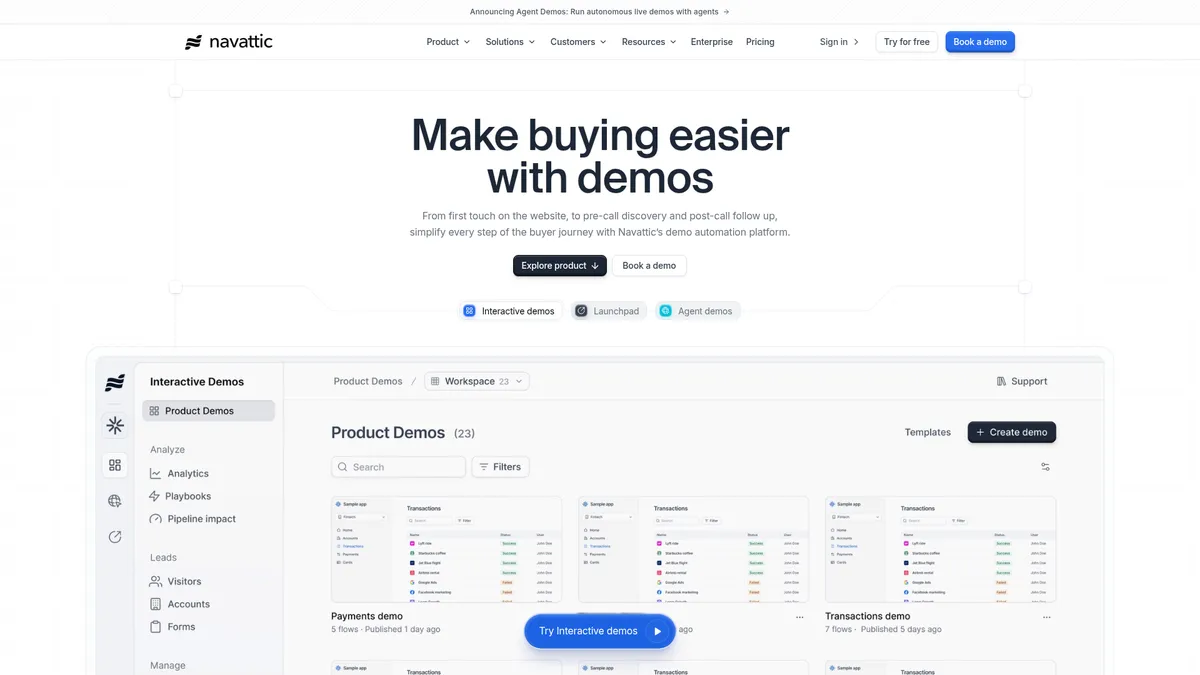
What is Navattic?
How to Use Navattic
Creating an interactive product demo with Navattic takes just minutes using the AI Copilot and no-code editor. Follow these steps to turn your product URL into a polished, trackable demo that drives leads and conversions.
Generate your demo with AI Copilot
Start by entering your product URL into the AI Copilot. It will automatically generate a first-draft demo complete with screenshots, copy, tooltips, and a storyboard. Review the automatically generated content and make initial adjustments to align with your messaging and brand voice before moving to customization.
Customize and brand your demo
Use the no-code editor to refine each step, add or remove screens, and adjust the flow to match your desired narrative. Apply your brand colors, logo, and typography using the auto-theme feature that pulls from your website, or customize every element manually. Add branching paths to create personalized experiences for different viewer segments or buyer personas.
Enhance with voice-over and lead capture
Elevate your demo by adding AI voice-over narration or a custom avatar to guide viewers through the product experience. Embed lead capture forms directly inside the demo to collect prospect information at the moment of highest engagement, and set up data masking to protect sensitive information visible in screenshots.
Publish, embed, and track performance
Publish your demo with one click and embed it on your website, landing page, blog, or in-app using a simple code snippet. Share tracked links via email, Slack, or LinkedIn, and monitor real-time analytics on views, engagement, and conversions. Use the built-in A/B testing tools to experiment with different versions and optimize your demo for maximum impact.
Navattic Core Features
Navattic Use Cases
- 1Marketing teams can rapidly build interactive product-launch demos using the AI Copilot, embed them on landing pages and ads, and run A/B tests on copy and length to maximize conversion. The built-in analytics track which demo elements drive the most engagement, helping marketers iterate fast without developer resources.
- 2Sales reps can create personalized demo playlists from the Launchpad library for each prospect, track exactly which features they engage with before a call, and surface stakeholder interests directly in their CRM. This pre-qualification helps reps prioritize high-intent leads and tailor their pitch to what matters most to each buyer.
- 3Growth teams can embed interactive demos on their website or inside the product to boost activation and feature adoption. By routing visitors based on their interests and offering mobile-friendly swipe demos, they can convert anonymous traffic into qualified leads without requiring a live sales call.
- 4Customer success teams can repurpose marketing demos for onboarding new users, create sandbox environments for self-serve training, and track which features users explore most. The branching flows let different user segments follow personalized learning paths, reducing support tickets and time-to-value.
- 5Marketers can embed lead capture forms directly inside interactive demos, collecting prospect information at the moment of highest engagement. The Chrome extension tracks prospect activity from the browser, while playbooks automatically trigger follow-up emails or Slack notifications based on demo completion and scoring.
Pros and Cons of Navattic
Pros
- Truly no-code and built for go-to-market teams — Non-technical teams can create, edit, and deploy professional interactive demos without any engineering support. The AI Copilot handles the heavy lifting of generating drafts and maintaining brand consistency, while the intuitive editor makes it easy to customize every detail.
- Rich integration ecosystem connects demo data to your workflow — Navattic syncs seamlessly with major CRMs (Salesforce, HubSpot, Marketo), Slack, and other sales tools, so demo engagement data flows directly into your existing pipelines. This eliminates manual data entry and enables automated follow-up sequences based on prospect behavior.
- Built-in A/B testing and analytics for continuous optimization — Unlike basic demo tools, Navattic includes robust analytics and A/B testing capabilities out of the box. Teams can experiment with different demo lengths, copy variations, and visual styles to see what actually drives conversions, then iterate based on real data.
- Scalable from a single free demo to enterprise-wide deployment — The free Starter plan lets individuals test the platform with zero commitment, while the tiered pricing structure scales up to unlimited seats, offline hosting, audit logs, and dedicated support for large organizations. This makes it viable for everything from a startup's first demo to a global enterprise's sales enablement stack.
✕ Cons
- Pricing transparency is poor for paid plans — While the free Starter tier is clearly defined, the actual costs for Base, Growth, and Enterprise plans are not publicly disclosed. Prospects must contact sales for a quote, which can be a barrier for small teams trying to budget and compare tools without a sales call.
- Advanced AI features are locked behind higher-tier plans — Key differentiators like AI voice-over, custom avatars, avatar cloning, and advanced analytics are only available on Base and above. This means the full AI promise isn't accessible on the free plan, which may disappoint users expecting a more complete experience at no cost.
- Learning curve for advanced workflows and automations — While basic demo creation is straightforward, mastering branching flows, playbook automation rules, and the Launchpad library requires dedicated time and experimentation. Teams without a dedicated tool administrator may struggle to fully leverage the platform's more sophisticated capabilities.
Navattic vs Top Alternatives
| Feature | Walnut | Storylane | Demostack |
|---|---|---|---|
| AI Demo Generation | AI-powered demo creation with template-based workflows | AI-assisted demo creation with basic automation features | Focuses on demo environment cloning rather than AI generation |
| No-Code Editor | Full no-code editor with point-and-click customization | No-code editor with interactive hotspot and tooltip creation | No-code editor for customizing cloned environments and data |
| CRM Integrations | Integrates with Salesforce, HubSpot, and major CRMs | Connects with Salesforce, HubSpot, and other sales tools | Integrates with Salesforce, HubSpot, and CRM platforms |
| Free Plan Available | No free plan; paid plans start at custom pricing only | Offers a limited free plan with basic demo capabilities | No free tier available; custom enterprise pricing only |
Navattic Pricing
Starter
- 1 interactive demo (HTML or media)
- Basic AI Copilot
- Unlimited views
- Basic analytics
- Default theme
- 1 seat
Base
- Unlimited HTML demos
- Full AI Copilot with media & chart edits
- AI voice-over & avatars
- 25+ integrations (Salesforce, HubSpot, Marketo)
- A/B testing & personalization
- Embedded lead capture forms
- Dedicated Customer Success Manager
- 5 seats
Growth
- All Base features
- AI avatar cloning
- Launchpad demo library
- Sandbox & interest-level demos
- Playbook automation (email/Slack alerts)
- Custom domains
- SSO & team collaboration
- 10 seats
Enterprise
- All Growth features
- Unlimited seats
- Offline demo hosting
- HTML capture translation
- Audit logs & custom permissions
- Professional services & demo consulting
- Priority support
Navattic FAQ
What is Navattic and who is it for?+
How does the AI Copilot work in Navattic?+
Is there a free plan available?+
What CRM and marketing tools does Navattic integrate with?+
Can I embed Navattic demos on my website or in emails?+
How does Navattic's A/B testing work?+
What are branching flows and how do I use them?+
Navattic Review — Editor's Score
Who Should Use Navattic?
Navattic is ideal for marketing, sales, and growth teams at B2B SaaS companies who need to create, personalize, and track interactive product demos at scale without relying on engineering resources. It's equally valuable for product-led growth teams embedding demos for activation and customer success teams building onboarding experiences.
Navattic delivers a powerful, no-code demo automation experience that's hard to beat for go-to-market teams. The AI Copilot accelerates creation dramatically, and the branching flows, analytics, and CRM integrations make it a complete sales enablement platform. While pricing opacity and tier-gated AI features are drawbacks, the free Starter plan lets you test the core functionality without risk. For any team regularly producing product demos, Navattic is a top contender that earns its place in your tech stack.
- AI Copilot generates complete demos from a URL in seconds
- No-code editor with branching flows for personalized experiences
- Deep CRM integrations with automated playbook triggers
- Built-in A/B testing and real-time analytics dashboard
📺 Navattic Tutorials & Introduction
Navattic Tutorial | How to Create Interactive Product Demos - YouTube
How To Get Picture Perfect Product Screenshots with Navattic
Navattic's interactive product demo | #GoodUX ft. Natalie Marcotullio
Keywords: