

Nanonets
AI agents that automate document workflows end-to-end
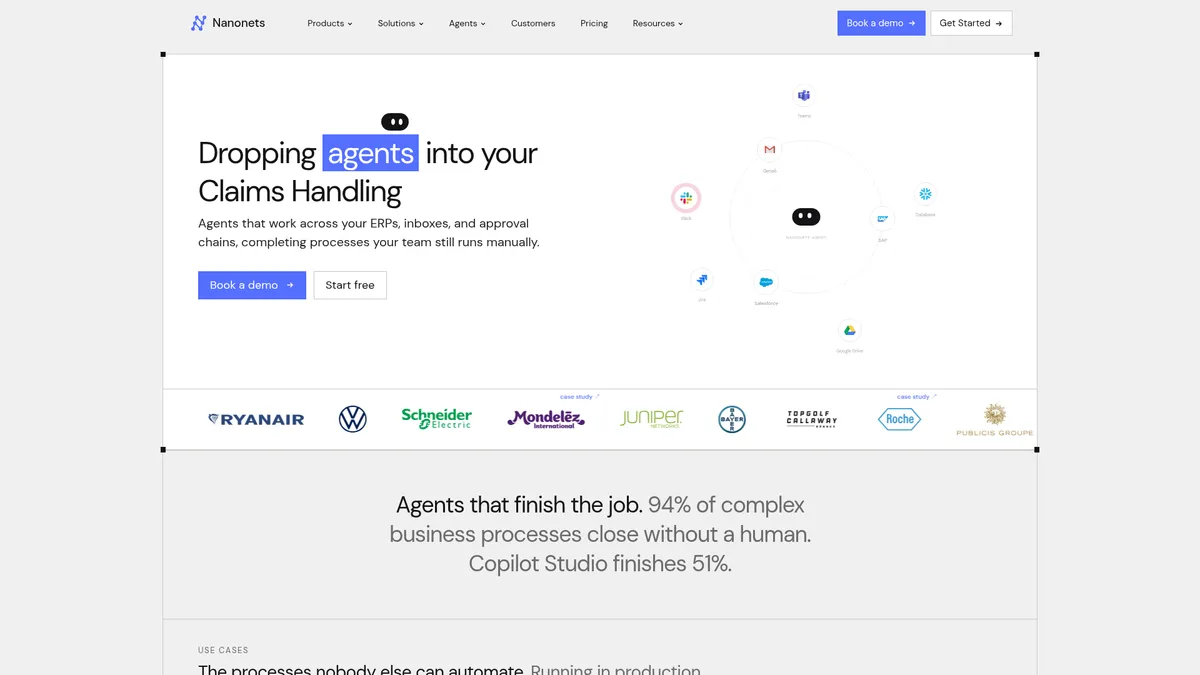
What is Nanonets?
How to Use Nanonets
Nanonets makes it easy to automate document processing with AI agents. Follow these steps to set up your first workflow and start eliminating manual data entry.
Sign up and claim your free credits
Create a Nanonets account to receive $200 in free credits. No credit card is required for the Starter plan, and you can start building workflows immediately after activation.
Set up document intake channels
Configure how documents enter your workflow—via email forwarding, API uploads, cloud storage connections like Google Drive or Dropbox, or direct file upload. Nanonets automatically queues and classifies incoming documents for processing.
Design your processing workflow
Use the visual workflow builder to chain AI blocks together—start with OCR extraction, add document classification, validation rules against master data, and finish with generative AI enrichment or custom Python logic to handle edge cases.
Connect your business tools
Map extracted data fields to your ERP, CRM, or collaboration tools using pre-built connectors for SAP, Salesforce, QuickBooks, Slack, Teams, and more. Set up human-in-the-loop approval gates where manual review is needed before data is posted.
Monitor and optimize performance
Track workflow performance with real-time dashboards, review exception reports to identify bottlenecks, and refine your blocks to improve accuracy over time. Scale usage up or down as needed with pay-as-you-go pricing.
Nanonets Core Features
Nanonets Use Cases
- 1Accounts Payable Automation: Auto-extract line items from invoices, validate against purchase orders, and post directly to your ERP system—eliminating manual data entry and reducing processing time from days to minutes.
- 2Order Management: Ingest purchase orders from any channel including email and EDI, validate product codes and pricing against your catalog, and automatically create sales orders in your CRM or ERP.
- 3Logistics & Supply Chain: Classify shipping documents like bills of lading and packing slips, extract tracking numbers and shipment details, and update fulfillment systems in real-time.
- 4Healthcare Revenue Cycle: Process insurance claims and Explanation of Benefits documents, verify patient insurance IDs, and route exceptions to the appropriate team for manual review.
- 5Contract & Legal Document Automation: Extract key clauses from contracts and NDAs, trigger approval workflows based on contract value or risk level, and store structured data in your document management system.
Pros and Cons of Nanonets
Pros
- Exceptional OCR accuracy with top-ranked IDP Leaderboard performance drastically reduces downstream data errors and manual correction work.
- End-to-end workflow automation across a wide ecosystem of SaaS and on-premise tools means data flows seamlessly from document to destination.
- Modular no-code block architecture empowers non-technical teams to build sophisticated document processing workflows without writing code.
- Transparent usage-based pricing with no seat fees or platform charges makes costs predictable and scalable for organizations of any size.
✕ Cons
- Enterprise-tier pricing requires a sales consultation with no public pricing page, which can slow down procurement for organizations needing quick budget approval.
- Advanced features like custom Python blocks and private cloud deployment are locked behind higher-tier plans, potentially increasing total cost for power users.
- Designing multi-block workflows has a learning curve for non-technical users who may need training before they can build complex automations independently.
Nanonets vs Top Alternatives
| Feature | Rossum | Abbyy | Docsumo | Kofax |
|---|---|---|---|---|
| OCR Accuracy | Self-learning AI with high accuracy | Mature OCR with decades of R&D | Good document parsing accuracy | Enterprise-grade capture engine |
| ERP Integrations | Limited native ERP connectors | Broad library of system connectors | Basic integration options available | Deep ERP system integration |
| Pricing Model | Per-document pricing model | License-based enterprise pricing | Per-page consumption pricing | Enterprise licensing model |
| Deployment Flexibility | Cloud-only deployment | Cloud and on-premise deployment | Cloud-only deployment | Cloud and on-premise deployment |
Nanonets Pricing
Starter (Free)
- $200 free credits on sign-up
- Extraction AI
- API access
- Email & cloud connectors
- Up to 3 users
- Community support
Growth
- Everything in Starter
- Classification AI
- Barcode/signature detection
- Generative AI blocks
- Custom Python blocks
- ERP/database integrations
- Analytics dashboard
- Up to 40% volume discount
Enterprise
- Everything in Growth
- SAML SSO/SCIM provisioning
- Role-based access control
- HIPAA & SOC 2 compliance
- Private cloud/on-prem deployment
- Data residency controls
- Dedicated support with SLAs
- Audit logs & SIEM integration
- White-label UI
Nanonets FAQ
What is Nanonets?+
How does Nanonets work?+
What types of documents can Nanonets process?+
Does Nanonets integrate with my existing software?+
Is Nanonets secure and compliant?+
How much does Nanonets cost?+
Can Nanonets be deployed on-premise?+
Nanonets Review — Editor's Score
Who Should Use Nanonets?
Finance teams automating accounts payable, operations teams managing purchase orders and logistics documents, healthcare organizations processing claims, and legal departments handling contracts and compliance documents.
Nanonets delivers on its promise of AI-powered document automation with impressive accuracy and deep integration capabilities. Its modular block architecture offers flexibility that few competitors match, while usage-based pricing keeps costs transparent. For any organization processing high volumes of documents, Nanonets is a powerful, enterprise-ready solution that delivers real ROI.
- OCR-3 engine ranked #1 on IDP Leaderboard
- 100+ pre-built integrations with business tools
- No-code modular workflow builder
- Usage-based pricing with no seat fees
📺 Nanonets Tutorials & Introduction
Nanonets AI Tutorial | Convert PDF to Structured Data Automatically
Nanonets Zero Training Document AI - YouTube
Best AI Document Automation Software for Business [2025] - YouTube
Keywords: