
MyFitnessPal
Your all-in-one nutrition and fitness tracker
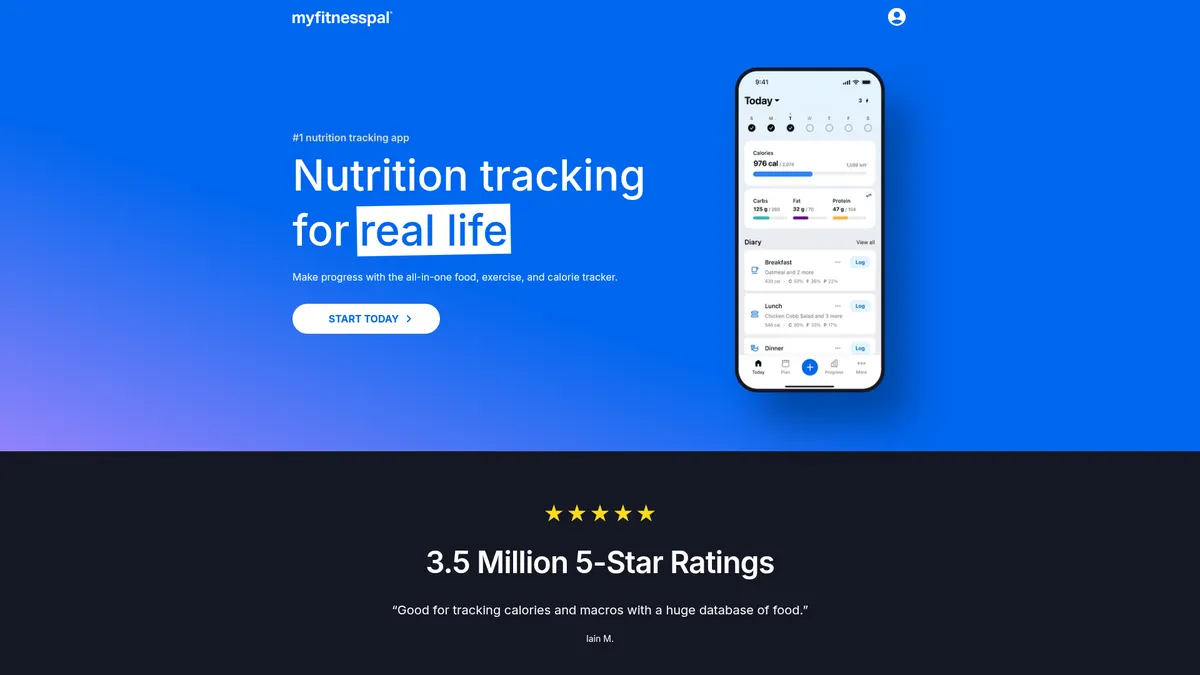
What is MyFitnessPal?
How to Use MyFitnessPal
Getting started with MyFitnessPal is quick and straightforward. Follow these steps to set up your profile, log your first meal, and start making data-driven decisions about your nutrition and fitness.
Create Your Account and Set Your Goals
Download the app or visit the website and sign up with your email or Apple/Google account. Enter your current weight, height, age, and activity level. Select your primary goal—lose weight, gain weight, or maintain—and choose how aggressive you want your pace to be. MyFitnessPal will automatically calculate your daily calorie target.
Log Your First Meal Using the Food Database
Tap the 'Diary' tab and press the '+' button next to a meal slot. Search for a food in the database, scan a barcode with your camera (Premium feature), or use voice logging. Adjust the serving size to match what you ate, and the nutrition info will auto-populate. Repeat for each meal throughout the day.
Track Your Exercise and Activity
Go to the 'Cardio' or 'Strength' section under the Diary tab to add workouts. You can search for hundreds of exercises by type and duration, and the app will estimate calories burned. For more accurate tracking, connect a wearable like Fitbit or Apple Watch to sync exercises automatically.
Connect Your Favorite Apps and Devices
Navigate to 'Apps & Devices' under the Menu to link your fitness trackers, smart scales, and health apps. MyFitnessPal supports over 35 integrations including Apple Health, Google Fit, Garmin, Fitbit, Samsung Health, and Withings. Once connected, steps, workouts, and weight measurements sync automatically.
Review Your Progress and Adjust as Needed
Use the 'Progress' tab to view your weight trend chart, check your weekly nutrition averages, and see how often you're hitting your macro targets. Based on the data, adjust your calorie goals or macro splits to stay on track. Consistency is key—check your diary daily to build lasting habits.
MyFitnessPal Core Features
MyFitnessPal Use Cases
- 1Weight Loss - Track daily calorie deficit with precision using the extensive food database, barcode scanner, and exercise logging to ensure you're consistently burning more than you consume. Set personalized targets and watch your trend line move in the right direction.
- 2Muscle Building - Optimize your macro split with custom protein, carb, and fat goals, ensuring you hit the right nutritional targets to support muscle growth and recovery. Sync with strength training apps to balance intake with exertion.
- 3Improved Nutritional Awareness - Gain deep insights into your eating habits by tracking micronutrients, fiber, and vitamins, helping you make healthier food choices over time. Identify patterns and deficiencies you never noticed before.
- 4Intermittent Fasting - Use the built-in fasting timer to track your eating windows and fasts, syncing seamlessly with your daily food log for a complete picture of your nutritional intake during feeding periods.
- 5General Health & Wellness - Monitor overall wellness trends including weight fluctuations, water intake, and exercise patterns to maintain a balanced, healthy lifestyle. The dashboard gives you a bird's-eye view of your health habits.
Pros and Cons of MyFitnessPal
Pros
- Massive Food Database - With over 20 million foods in its library and instant barcode scanning, logging meals is incredibly fast and accurate compared to manual entry or smaller apps.
- Extensive Integrations - Syncs with 35+ popular apps and devices like Apple Watch, Fitbit, Garmin, and Samsung Health, making it a central data hub for all your health and fitness metrics.
- Customizable Goal Setting - Whether you're keto, vegan, paleo, or counting macros, the flexible goal system adapts to virtually any diet or fitness plan with precision targeting.
- Strong Community Support - Access to active forums, friend networks, and social accountability features keeps users motivated and engaged on their long-term fitness journey.
✕ Cons
- Premium Paywall - Key features like barcode scanning, custom macro goals, and ad-free experience are locked behind the paid subscription, which limits the free version significantly.
- Cluttered Interface - With so many features, data fields, and advertisements in the free tier, the dashboard can feel overwhelming for new users trying to navigate the app.
- International Food Gaps - Despite a massive database, users outside the United States may find limited options for local cuisines, regional restaurants, and non-US packaged foods.
MyFitnessPal vs Top Alternatives
| Feature | Lose It! | Cronometer | Noom |
|---|---|---|---|
| Food Database Size | ~10M+ foods in database vs MyFitnessPal's 20M+ | ~1M+ verified foods, smaller but more accurate entries | Smaller database; focused on color-coded food categories |
| Barcode Scanning | Available with Premium subscription similar to MyFitnessPal | Free barcode scanning vs MyFitnessPal's Premium-only scanning | No barcode scanning feature available |
| Exercise Tracking | Basic exercise logging with fewer activity options | No native exercise tracking; relies on integrations | No dedicated exercise tracking; focuses on psychology and habits |
| Premium Price | Starts at $19.99/month, comparable to MyFitnessPal Premium | Starts at $9.99/month, cheaper than MyFitnessPal Premium | Starts at $60/month, significantly more expensive |
MyFitnessPal Pricing
Free
- Calorie tracking
- Macro tracking
- Food database access
- Exercise logging
- Weight tracking
- Community forums
- Water tracking
Premium Monthly
- Everything in Free
- Barcode scanning
- Custom macro goals
- Intermittent fasting tracking
- Ad-free experience
- Food analysis insights
- Priority support
- Meal plans
Premium Annual
- Everything in Premium Monthly
- Best value pricing at $6.67/month
- Quarterly check-in reports
- All premium features unlocked
MyFitnessPal FAQ
How does MyFitnessPal calculate my daily calorie goals?+
Is MyFitnessPal free to use?+
Can I sync MyFitnessPal with my Apple Watch or Fitbit?+
What is the difference between MyFitnessPal Free and Premium?+
How accurate is the MyFitnessPal food database?+
Can I use MyFitnessPal for muscle gain or just weight loss?+
How do I reset or change my goals in MyFitnessPal?+
MyFitnessPal Review — Editor's Score
Who Should Use MyFitnessPal?
Anyone serious about understanding their nutritional intake and tracking fitness progress. Ideal for weight loss seekers, macro counters, athletes, and health-conscious individuals who want a single hub for their diet and exercise data. Also great for beginners who want a guided calorie-counting experience.
MyFitnessPal remains the undisputed king of nutrition tracking for good reason. Its massive food database, deep device integrations, and flexible goal system make it the most complete food diary app available. The free tier is generous enough for casual users, while Premium unlocks serious tracking power for nutrition enthusiasts. It is not perfect—the interface can feel busy, and the international food library has gaps—but for sheer tracking capability and ecosystem reach, nothing else comes close.
- Over 20 million foods in searchable database with barcode scanning
- Syncs with 35+ apps and devices for automated health tracking
- Customizable macro, micro, and calorie goals for any diet or fitness plan
- Active community forums and friend features for accountability
📺 MyFitnessPal Tutorials & Introduction
Testing MyFitnessPal Meal Scan Accuracy (2026) - YouTube
MyFitnessPal Meal Scan Tutorial (NEW FEATURE!) - YouTube
Building a MyFitnessPal Clone: React Native Tutorial for Beginners
Keywords: