

Motion
Creative analytics that prove which ads actually work
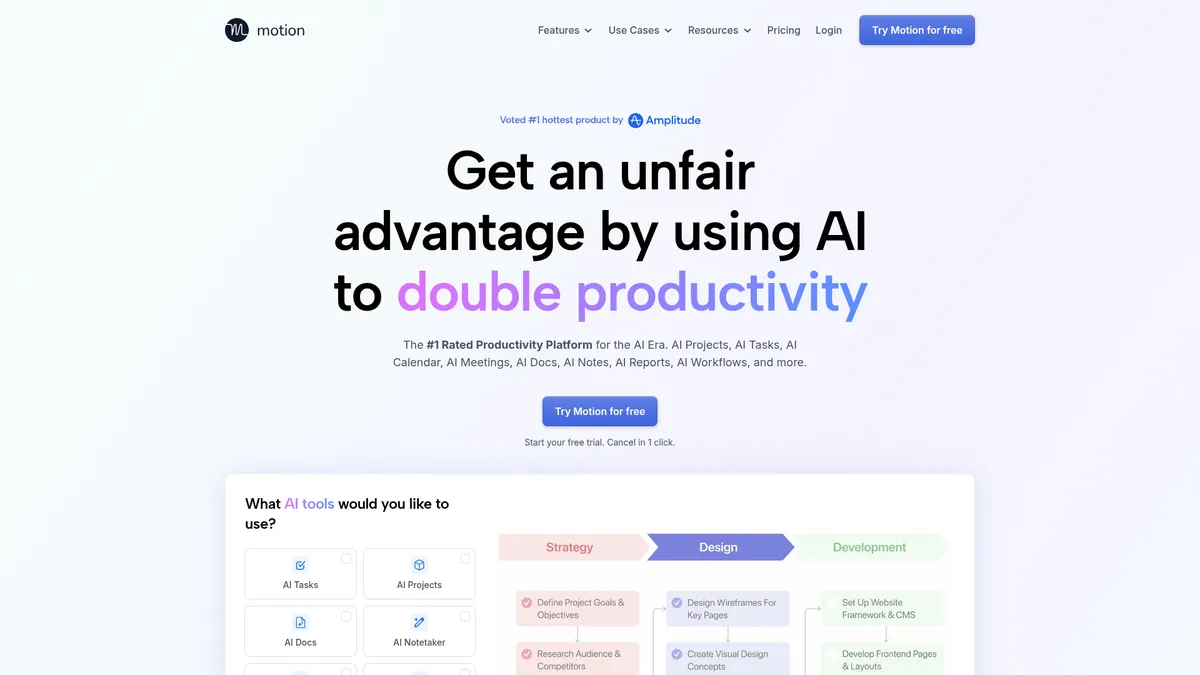
What is Motion?
How to Use Motion
Setting up Motion is straightforward. Follow these steps to connect your ad accounts, build a custom creative performance dashboard, and start getting AI-powered recommendations that help you optimize your ad creative for better results.
Connect Your Ad Platforms
Navigate to the integrations section in Motion and connect your ad accounts from Meta, Google Ads, TikTok, or other supported platforms. Motion will begin syncing your creative performance data in real-time, giving you immediate visibility into how your assets are performing.
Build Your First Dashboard
Use the drag-and-drop widget builder to create a visual dashboard that maps your key creative metrics. Choose from pre-built templates or start from scratch with brand-specific KPIs, then arrange charts and tables to tell the story of your creative performance at a glance.
Configure AI Insights and Alerts
Enable Motion's AI-powered recommendations and set up threshold alerts so you're automatically notified when creative performance deviates from expected ranges. The AI engine will analyze patterns and suggest optimization opportunities across your entire creative portfolio.
Invite Your Team and Collaborate
Share your dashboard with team members, assign roles and permissions, and start collaborating with comments and annotations directly on the reports. Designers, analysts, and marketers can all work from the same source of truth, aligning creative strategy with data-driven insights.
Motion Core Features
Motion Use Cases
- 1Creative teams use Motion to gain visibility into which ad assets actually drive results, linking creative files directly to performance metrics through intuitive visual dashboards that anyone can understand.
- 2Performance marketers prove the ROI of their creative spend using resource allocation visualizers and AI-driven budget recommendations that eliminate guesswork from media buying decisions.
- 3Ad agencies deliver consistent, customized reports to multiple clients with brand-specific KPIs, white-labeled exports, and industry benchmark comparisons that demonstrate measurable value.
- 4E-commerce brands scale their creative production efficiently using the strategy flywheel and health scorecards to prioritize high-impact assets and retire underperformers faster.
- 5Product leaders align creative strategy with broader business goals through integrated KPI tracking and executive-ready PDF reports that connect creative output to revenue outcomes.
Pros and Cons of Motion
Pros
- Visual focus makes complex performance data digestible and actionable for non-technical creative team members who don't have data analysis backgrounds.
- Enterprise-grade integrations and security features including SSO, SAML/Okta, and role-based access control meet the requirements of large organizations.
- AI-driven recommendations significantly reduce the time spent on manual data analysis and routine optimization decisions across ad campaigns.
- Rich educational resources including a Help Centre, webinars, tutorials, and a weekly newsletter support continuous learning and platform mastery.
✕ Cons
- No transparent self-serve pricing means potential customers face longer sales cycles and must go through a consultative process before deployment.
- Limited public information on company background, founding date, and funding could be a trust signal concern for buyers evaluating new vendors.
- Primarily positioned for enterprise teams, making the platform potentially over-engineered or cost-prohibitive for smaller businesses and startups.
Motion vs Top Alternatives
| Feature | Supermetrics | Whatagraph | Google Analytics |
|---|---|---|---|
| Ad Platform Integrations | 100+ data source integrations across marketing platforms | 40+ marketing integrations with major ad platforms | Limited to Google ecosystem integrations |
| AI-Powered Insights | Basic data transformation with no AI-powered insights | Automated reporting but no AI recommendations | Advanced AI capabilities via Google's machine learning |
| Customizable Reporting | Templates with limited creative performance focus | Drag-and-drop reports with brand customization options | Custom reports available but complex setup required |
| Industry Benchmarks | No industry benchmark data for creative comparison | Basic benchmark comparisons with limited scope | Benchmarking limited to Google network data only |
Motion Pricing
Free Trial
- 14-day free trial access to full platform features
- Integration with major ad platforms including Meta and Google
- AI-powered insights and automated recommendations
- Customizable dashboards with drag-and-drop widgets
- Real-time data sync and performance alerts
Enterprise
- Custom pricing tailored to your organization's needs
- Dedicated customer success specialist for onboarding and strategy
- Enterprise-grade security with SSO, SAML, and role-based access
- Full API access for custom integrations and data export
- Advanced integrations marketplace and data warehouse connectors
- Priority support and custom reporting templates
Motion FAQ
What is Motion and who is it for?+
How does Motion integrate with ad platforms?+
Does Motion offer a free trial?+
What kind of reports can I create with Motion?+
How does Motion use AI to improve ad performance?+
Can multiple team members collaborate on Motion?+
Is Motion secure for enterprise use?+
Motion Review — Editor's Score
Who Should Use Motion?
Creative teams, performance marketers, and ad agencies who need to prove the ROI of their creative assets and make data-informed decisions about ad spend, budget allocation, and asset optimization across multiple campaigns.
Motion delivers a powerful specialized solution for teams that live and breathe ad creative performance. Its visual dashboards and AI-driven insights bridge the gap between creative intuition and data-driven decision-making. While the lack of transparent pricing and enterprise focus may limit its appeal for smaller teams, those who need deep creative analytics will find immense value in this platform.
- Visual dashboards make creative performance data accessible to non-technical team members
- AI-powered insights reduce manual analysis and optimization time significantly
- Enterprise-grade security and integrations suitable for large organizations
- Industry benchmark library provides critical context beyond raw performance metrics
📺 Motion Tutorials & Introduction
Motion AI Tutorial 2026: How to Use Motion Step by Step - YouTube
Motion App Review: Is it worth $19 per month? - YouTube
MOTION AI review: Does this productivity tool REALLY WORK?
Keywords: