

Mailmodo
AI-powered interactive email marketing platform
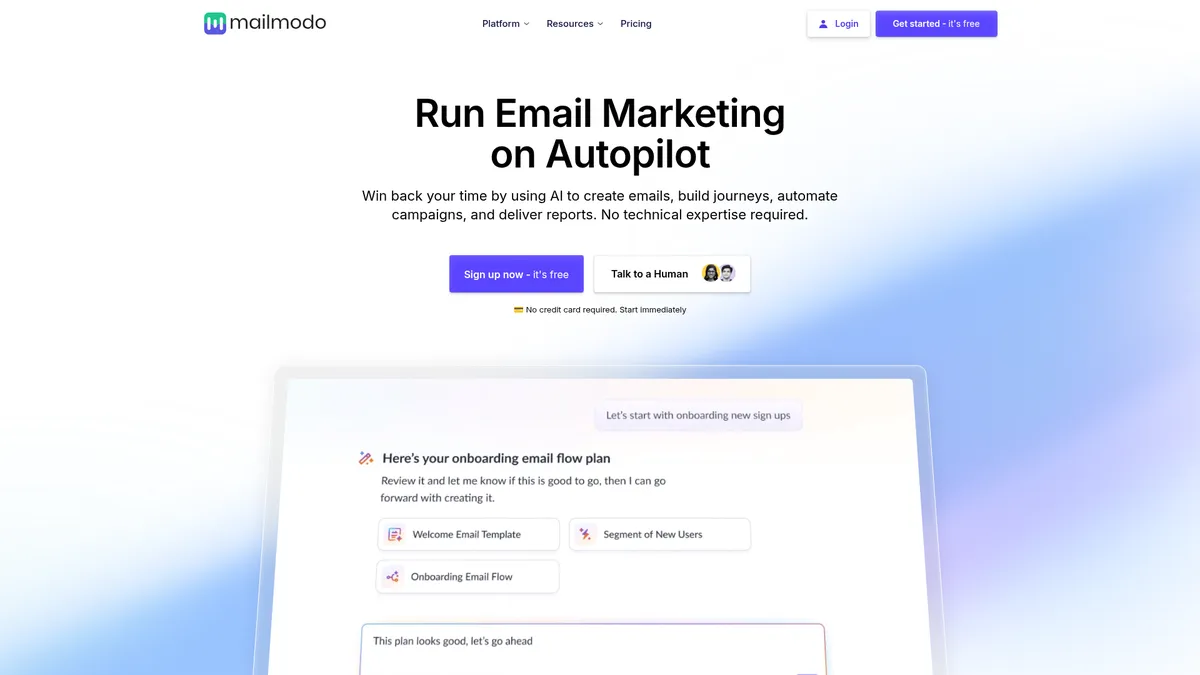
What is Mailmodo?
How to Use Mailmodo
Getting started with Mailmodo takes just a few minutes. Sign up for a free trial (no credit card required), and you'll be walked through a simple onboarding flow that connects your email list, sets brand preferences, and introduces the AI chat interface. Here's how to launch your first AI-powered email campaign.
Sign up and connect your audience
Create a free Mailmodo account at mailmodo.com — no credit card needed. Once inside, import your contact list via CSV, connect a native integration like Shopify or Mailchimp, or use the AI Segment Generator to build a targeted audience from scratch based on behavior and attributes.
Generate your email with AI
Open the AI Email Template Generator and describe your campaign goal — for example, 'a product launch email for a new organic skincare line.' The AI will instantly produce a on-brand design with headlines, body copy, images, and a call-to-action. You can refine everything through the chat interface or drag-and-drop editor.
Add interactive elements
Enhance your email with interactive AMP or Apple Mail components. Use the block editor to embed a booking calendar, a poll, a product carousel with buy buttons, or an RSVP form. These elements work directly inside the inbox, so recipients can engage without clicking through to a landing page.
Set up automation and send
Use the AI Automation Builder to define triggers (e.g., new subscriber, abandoned cart, post-purchase follow-up), map out email sequences, and let the AI suggest optimal send times. Preview, test, and schedule your campaign — or set it live as an automated journey that runs in the background.
Mailmodo Core Features
Mailmodo Use Cases
- 1E-commerce product launches: Build segmented, interactive email campaigns with embedded checkout forms and product carousels that let customers purchase directly from the inbox, reducing friction and boosting conversion rates.
- 2Lead nurturing for SaaS: Auto-generate multi-step drip sequences with AI-crafted copy and timing tailored to trial sign-ups, feature adoption milestones, and upgrade prompts — no manual journey mapping required.
- 3Event registration campaigns: Embed RSVP forms and calendar booking widgets directly inside emails, track responses in real time, and trigger automated follow-up sequences based on attendee behavior.
- 4Customer re-engagement win-backs: Use AI to analyze past behavior and craft personalized offers, subject lines, and send times that maximize the chance of reactivating dormant subscribers.
- 5Content newsletter production: Quickly produce on-brand newsletters with AI-suggested headlines, image layouts, and section structures, then fine-tune everything through the chat interface before scheduling.
Pros and Cons of Mailmodo
Pros
- Powerful AI engine that handles copywriting, template design, automation mapping, and performance analysis in one unified interface, dramatically reducing campaign creation time.
- Interactive email capabilities (AMP & Apple Mail) are genuinely innovative — embedding forms, polls, and checkout flows directly in the inbox drives higher engagement without requiring users to click through to a landing page.
- No coding or design skills needed: the drag-and-drop editor combined with prompt-based AI generation makes professional email marketing accessible to non-technical team members.
- Generous integration ecosystem with native connectors for Shopify, Mailchimp, Segment, Intercom, Zendesk, plus Zapier and Make for virtually unlimited workflow automation.
✕ Cons
- Lower-tier plans are capped at 500 contacts, which can be restrictive for growing email lists or businesses with high-volume sending needs that aren't ready for custom enterprise pricing.
- No permanently free tier — only a time-limited free trial, which may deter small businesses or solopreneurs who want to test the platform thoroughly before committing.
- AI-generated copy and design suggestions sometimes miss brand-specific tone and require manual refinement to match established voice guidelines or visual identity standards.
Mailmodo vs Top Alternatives
| Feature | Mailchimp | ActiveCampaign | Klaviyo | Brevo |
|---|---|---|---|---|
| AI content generation | AI-powered template & copy generation | AI-powered template & copy generation | AI-powered template & copy generation | AI-powered template & copy generation |
| Interactive/AMP email support | Native interactive AMP email support | Native interactive AMP email support | Native interactive AMP email support | Native interactive AMP email support |
| Automation builder approach | AI-driven automation builder with chat interface | AI-driven automation builder with chat interface | AI-driven automation builder with chat interface | AI-driven automation builder with chat interface |
| Starting price & contact cap | Starts at $27/mo with 500 contacts | Starts at $27/mo with 500 contacts | Starts at $27/mo with 500 contacts | Starts at $27/mo with 500 contacts |
Mailmodo Pricing
Lite
- 500 contacts included
- Interactive email support (AMP & Apple Mail)
- Drag-and-drop editor
- AI email template generator
- Basic analytics
- Email support
Pro
- 500 contacts included
- All Lite features
- Advanced AI automation builder
- AI performance analyzer
- AI contact segment generator
- Multi-step journey builder
- Priority support
Max (Enterprise)
- Unlimited contacts
- All Pro features
- Custom SLA
- Dedicated account manager
- Custom integrations
- Advanced reporting & export
- Multi-user team access
Mailmodo FAQ
What is Mailmodo and how does it work?+
Does Mailmodo support AMP emails?+
Is there a free plan or free trial?+
What kind of integrations does Mailmodo offer?+
Can I use Mailmodo without any technical skills?+
What happens if I exceed my contact limit on a paid plan?+
Who is Mailmodo best suited for?+
Mailmodo Review — Editor's Score
Who Should Use Mailmodo?
Marketing teams, e-commerce brands, and SaaS companies that want to create high-engagement interactive email campaigns without relying on developers. It's also great for content teams that produce regular newsletters and want AI assistance with copy and layout.
Mailmodo is a breath of fresh air in a category that's often stuck in the early 2010s. Its AI engine genuinely accelerates campaign creation — from copy and design to audience segmentation and automation mapping — and the interactive email capabilities are best-in-class for teams that want to push beyond static blasts. The contact cap on lower-tier plans and the lack of a permanent free tier hold it back from being a universal recommendation, but for growing businesses that prioritize engagement and speed, Mailmodo is a strong contender.
- Industry-leading AMP and Apple Mail interactive email support
- AI chat interface handles copy, design, and automation in one workflow
- Y Combinator and Sequoia Capital backing adds credibility and resources
- Strong integration ecosystem with 15+ native connectors plus Zapier/Make
📺 Mailmodo Tutorials & Introduction
Mailmodo AI Email Automation Review 2026 - YouTube
Introducing Mailmodo AI - YouTube
Mailmodo Review: Complete Step By Step Guide (Best Automated ...
Keywords: