
Lose It!
Calorie tracking, simplified. Lose weight the smart way.
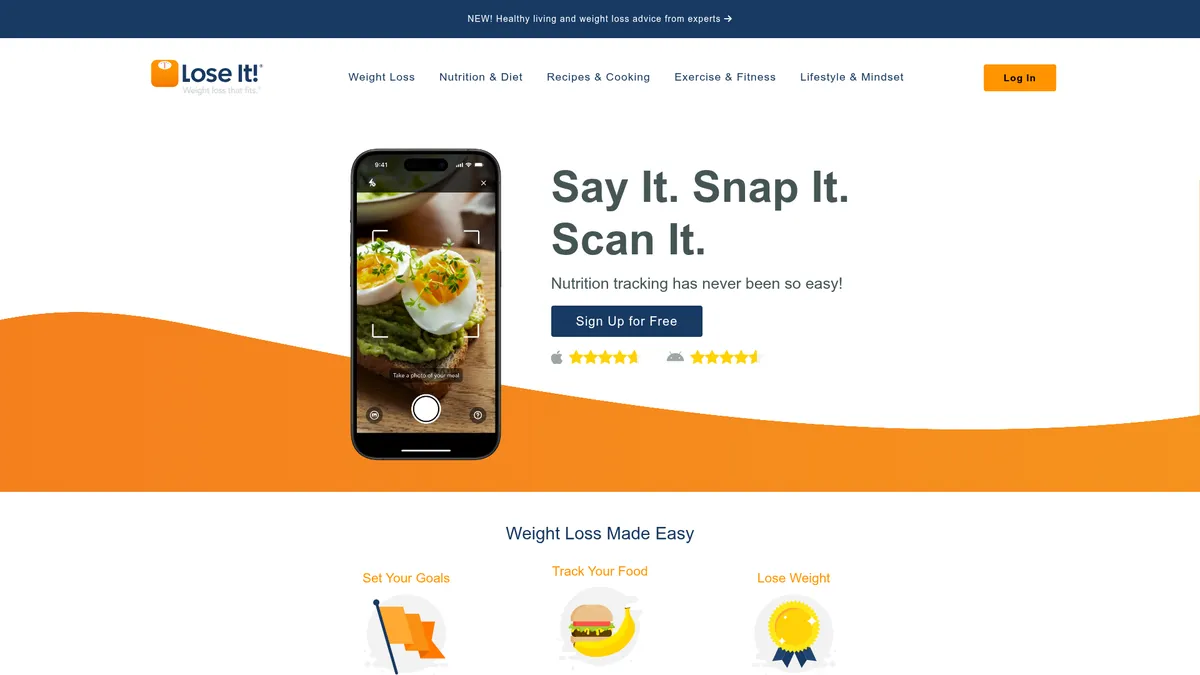
What is Lose It!?
How to Use Lose It!
Getting started with Lose It! takes just a few minutes. Set your weight loss goals, start logging meals with AI-powered tools, and sync your devices to build a complete picture of your daily nutrition. Here's how to hit the ground running.
Create Your Profile and Set a Goal
Download the app and answer a few questions about your current weight, target weight, age, and activity level. Lose It! automatically calculates your personalized daily calorie budget to help you reach your goal at a healthy pace.
Log Your First Meal
Use the barcode scanner to instantly pull up packaged food data, snap a photo with Smart Camera for AI-powered recognition, or search the 32-million-item database manually. The app logs calories and macros in real time.
Sync Your Devices and Wearables
Connect Apple Health, Google Fit, Fitbit, or other supported devices to automatically import exercise data, steps, and sleep information. Your daily calorie adjustment updates dynamically based on activity.
Review Progress and Stay Motivated
Check your dashboard throughout the day to see remaining calories, macro breakdowns, and water intake. Enable weekly Patterns & Reports emails for deeper habit insights, and join community challenges to stay accountable.
Lose It! Core Features
Lose It! Use Cases
- 1Individual weight loss journeys: Set a personalized calorie deficit goal and track every meal, snack, and drink to stay accountable and shed pounds steadily over time. The dashboard shows your remaining calories at a glance.
- 2Macro-focused dieting (keto, paleo, high-protein): Log precise macro-nutrient ratios and monitor your daily intake of protein, carbs, and fats to stay within strict dietary parameters. Premium users can set custom macro goals.
- 3Intermittent fasting schedules: Use the built-in fasting timer to track your eating windows, log fasts, and monitor adherence to popular protocols like 16:8 or 5:2 alongside your calorie intake.
- 4Hydration monitoring: Track daily water intake alongside calories with visual progress bars and reminders. Staying hydrated becomes a simple checkbox in your daily routine.
- 5Fitness enthusiasts syncing workouts: Connect wearables like Fitbit or Apple Watch to automatically import exercise data and adjust your calorie budget based on real activity levels throughout the day.
Pros and Cons of Lose It!
Pros
- Massive food database and smart barcode/camera scanning make logging meals incredibly fast compared to manual entry or competing apps.
- Free tier offers robust core functionality including calorie tracking, barcode scanning, and device syncing without spending a dime.
- Strong device ecosystem integration with Apple Health, Google Fit, and popular wearables ensures seamless activity and health data syncing.
- Weekly Patterns & Reports provide actionable insights into eating habits, helping users identify trends and make data-driven adjustments.
✕ Cons
- Many advanced features including detailed macro tracking, meal planning, and custom reports are locked behind a paid Premium subscription.
- Barcode and Smart Camera recognition occasionally misreads items, requiring manual corrections that can interrupt the logging flow.
- Free version includes ads and limited reporting capabilities, which may frustrate users looking for a distraction-free experience.
Lose It! vs Top Alternatives
| Feature | MyFitnessPal | Noom |
|---|---|---|
| Food Database Size | 18M+ items | Curated database with psychology coaching |
| AI Camera Logging | Photo logging (Premium only) | No camera logging |
| Free Tier Features | Basic free tier with ads | Very limited free tier; mostly paid program |
| Device & Wearable Sync | Apple Health, Google Fit, wearables | Basic device sync |
Lose It! Pricing
Free (Basic)
- Core food logging from 32M+ item database
- Barcode scanner for packaged foods
- Water intake tracking
- Community access with groups and challenges
- Limited device sync
- Basic weekly reports
- Ad-supported experience
Premium Monthly
- Everything in Free
- Ad-free experience
- Detailed macro tracking with custom goals
- Meal planning and pre-logging
- Exercise planning and logging
- Health metrics tracking (blood pressure, measurements)
- Detailed Patterns & Reports
- Priority customer support
- Data export
Premium Annual
- Same as Premium Monthly at a discounted annual rate
- Ad-free experience
- Detailed macro tracking with custom goals
- Meal planning and pre-logging
- Exercise planning and logging
- Health metrics tracking (blood pressure, measurements)
- Detailed Patterns & Reports
- Priority customer support
- Data export
Lose It! FAQ
Is Lose It! free to use?+
How does the Smart Camera feature work?+
Can I track macros like protein, carbs, and fats?+
Does Lose It! work with Apple Health and Google Fit?+
Can I use Lose It! for intermittent fasting?+
How much does Premium cost?+
Is my data secure and private?+
Lose It! Review — Editor's Score
Who Should Use Lose It!?
Anyone looking for a straightforward, feature-rich calorie counter—from weight loss beginners who want guided goal-setting to fitness enthusiasts who need detailed macro tracking and device integration. Also ideal for dietitians and trainers recommending a structured logging tool to clients.
Lose It! combines an enormous food database, AI-powered scanning, and thoughtful gamification into one of the most polished calorie tracking experiences available. While the best features require a Premium subscription, the free tier is generous enough for most casual users. It's a solid choice for anyone committed to weight loss or macro tracking.
- 32M+ item food database with barcode and AI camera scanning
- Personalized goal-setting and daily calorie budget calculation
- Intermittent fasting timer and macro tracking for flexible diets
- Strong community features with challenges, streaks, and social support
📺 Lose It! Tutorials & Introduction
Lose It! App Review & Tutorial: The Best Calorie Tracker in 2025?
Lose It App Review and Tutorial (EVERYTHING YOU NEED TO ...
I Tested AI Calorie Scanners… Most Were WRONG - YouTube
Keywords: