

Litmaps
Visual citation maps for smarter research
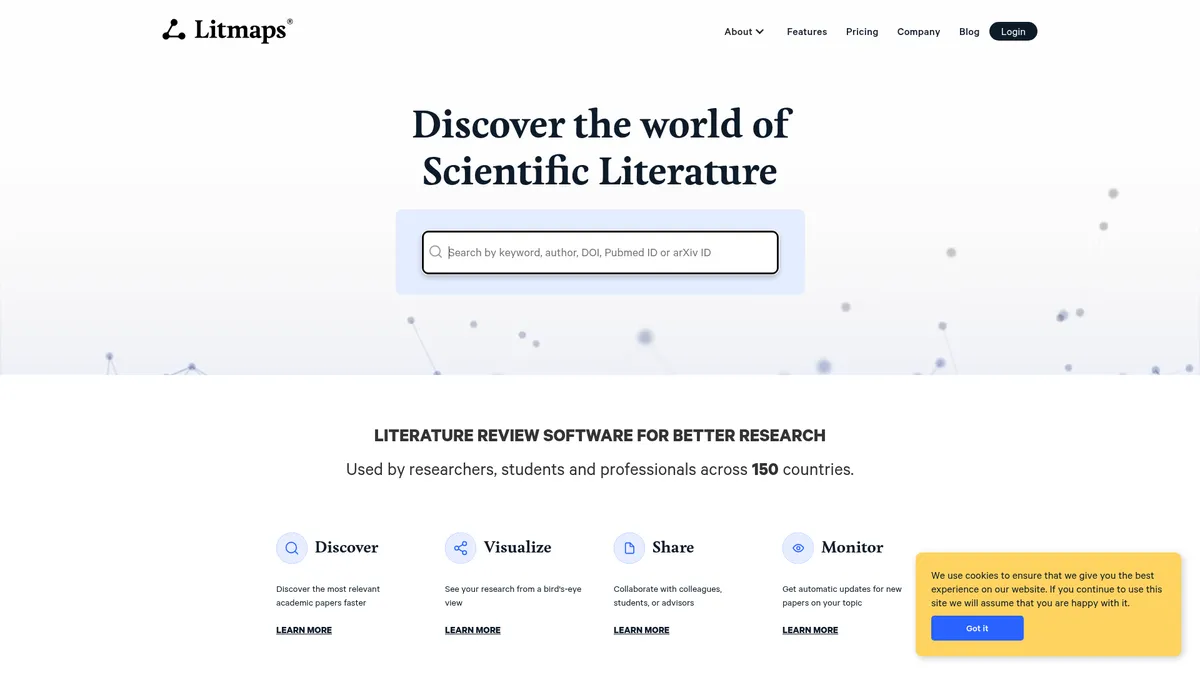
What is Litmaps?
How to Use Litmaps
Getting started with Litmaps takes just a few minutes. Follow these steps to build your first citation map, discover relevant papers, and set up literature alerts for your research topic.
Create Your Account and Find Seed Papers
Sign up for a free Litmaps account using your email or institutional credentials. Once logged in, start by searching for 3-5 relevant seed papers using the basic search bar. These can be papers you already know are important in your field or ones you discover through keyword searches.
Generate Your First Citation Map
After entering your seed papers, click Generate Map to create an interactive citation network. The map displays papers as nodes connected by citation lines, with size indicating citation count and color showing publication date. You can drag, zoom, and click on any node to explore its details.
Explore and Filter the Network
Use the filtering panel to narrow down results by publication year, citation count, author, or relevance score. The AI-powered ranking highlights the most impactful papers connected to your seeds. Click any paper to see its abstract, citation metrics, and direct link to the full text.
Set Up Literature Alerts
Save your search or map as a monitoring feed and configure alert frequency—daily for Pro users or monthly for free users. Litmaps will automatically notify you via email when new relevant papers are published, keeping you current without manual searching.
Share and Collaborate with Your Team
On the Team plan, invite collaborators to your workspace by sharing a map link. Members can add comments, annotations, and contribute their own seed papers. Use the dashboard to track team activity and monitor new findings collectively.
Litmaps Core Features
Litmaps Use Cases
- 1Academic Literature Reviews - Build comprehensive citation maps to identify seminal works and recent advances in any field. Researchers can visually trace how ideas evolved and discover critical papers they might have missed in traditional database searches. This turns weeks of manual searching into hours of interactive exploration.
- 2Graduate Student Thesis Research - Quickly locate related papers for your dissertation by starting with just a few seed articles. Generate BibTeX citations automatically and set up daily alerts to stay current with new publications in your niche. Litmaps helps you build a thorough, well-structured bibliography without the overwhelm of endless scrolling.
- 3Research Group Collaboration - Share citation maps with your entire lab or department and collectively annotate findings in real time. Team workspaces enable synchronous or asynchronous review of literature, keeping everyone aligned on the research frontier. It's like a shared whiteboard for academic discovery, minus the sticky notes.
- 4Grant Proposal Gap Analysis - Visualize under-cited clusters within a research field to pinpoint novel opportunities for funding proposals. Reviewers look for originality, and Litmaps makes it easy to demonstrate where your research fills a genuine gap. This strengthens the impact and novelty sections of any grant application.
- 5Industry R&D Scouting - Track emerging scientific trends and competitor publications without manual database crawling. Set up automated monitoring feeds for specific research topics and receive weekly digests of new relevant papers. Stay ahead of innovation curves in pharmaceuticals, engineering, or any research-intensive sector.
Pros and Cons of Litmaps
Pros
- Intuitive visual citation maps make complex literature structures easy to grasp at a glance, cutting literature review time significantly compared to linear reference lists.
- Automated literature alerts keep researchers continuously updated on new publications without repetitive manual searches across multiple databases.
- Collaborative workspaces with commenting and map sharing enhance team-based literature reviews and departmental research alignment.
- Unlimited searches, inputs, and citation maps on paid plans remove typical SaaS content caps, supporting large-scale systematic reviews.
✕ Cons
- Free tier is heavily limited with only 20 seed inputs, 100 articles per map, and a single map, making it impractical for serious research projects.
- Full map interaction requires a larger desktop screen; the mobile and tablet experience is significantly diminished with limited visualization capabilities.
- No native full-text PDF hosting means users still rely on external publisher access or institutional subscriptions to read complete papers.
Litmaps vs Top Alternatives
| Feature | ResearchRabbit | Connected Papers | Scite.ai |
|---|---|---|---|
| Citation Network Visualization | Interactive graph with author and publication nodes | Static graph view showing related papers in a field | Smart Citation context showing supporting and contrasting claims |
| Literature Monitoring & Alerts | Weekly email alerts for new matching papers | No monitoring or alert functionality available | Weekly alerts for new citations on saved searches |
| Team Collaboration Features | Shared collections with collaborative annotation | Basic sharing via link with no collaboration tools | No real-time team collaboration features |
| Free Tier Limitations | Completely free with no paid tiers or limits | Free with no paid plans and limited features | Freemium with limited free tier and $20/mo Pro plan |
Litmaps Pricing
Free
- Monthly summary literature alerts
- Basic keyword and author search
- Up to 20 seed inputs
- 100 articles per map
- 1 citation map
- No collaboration features
Pro
- Daily configurable literature alerts
- Basic + Advanced search with boolean operators
- Unlimited seed inputs
- Unlimited articles per map
- Unlimited citation maps
- Solo use (no collaboration)
Team
- Daily configurable literature alerts
- Basic + Advanced search with boolean operators
- Unlimited seed inputs
- Unlimited articles per map
- Unlimited citation maps
- Team-wide collaboration with unlimited workspaces
- Custom licensing and dedicated support
Litmaps FAQ
What is Litmaps and how does citation mapping work?+
Is Litmaps free to use?+
How do Litmaps' literature alerts work?+
Can I collaborate with my research team on Litmaps?+
What search options does Litmaps provide?+
How does Litmaps identify important papers from seed articles?+
Can I export citations from Litmaps to use in my manuscript?+
Litmaps Review — Editor's Score
Who Should Use Litmaps?
Litmaps is ideal for graduate students writing theses, academic researchers conducting systematic literature reviews, research labs collaborating on shared bibliographies, and industry R&D teams monitoring scientific trends. It's less suitable for casual readers or those who need a mobile-first experience.
Litmaps delivers on its promise of visual literature discovery. The interactive citation maps genuinely accelerate research by showing you the landscape at a glance, not paper by paper. While the free tier is too restrictive for serious work, the Pro plan at $10/month is reasonably priced for the value. It's not a replacement for deep reading, but it is an indispensable tool for finding what to read in the first place.
- Interactive citation network maps visualize paper relationships at a glance
- AI-powered relevance ranking surfaces the most important papers from seed articles
- Automated literature alerts keep researchers current without manual database searches
📺 Litmaps Tutorials & Introduction
How to do a literature review: 5 minute guide with Litmaps - YouTube
Top 5 Ways to Use Litmaps - YouTube
How to Search for Articles With Litmaps - YouTube
Keywords: