

Leena AI
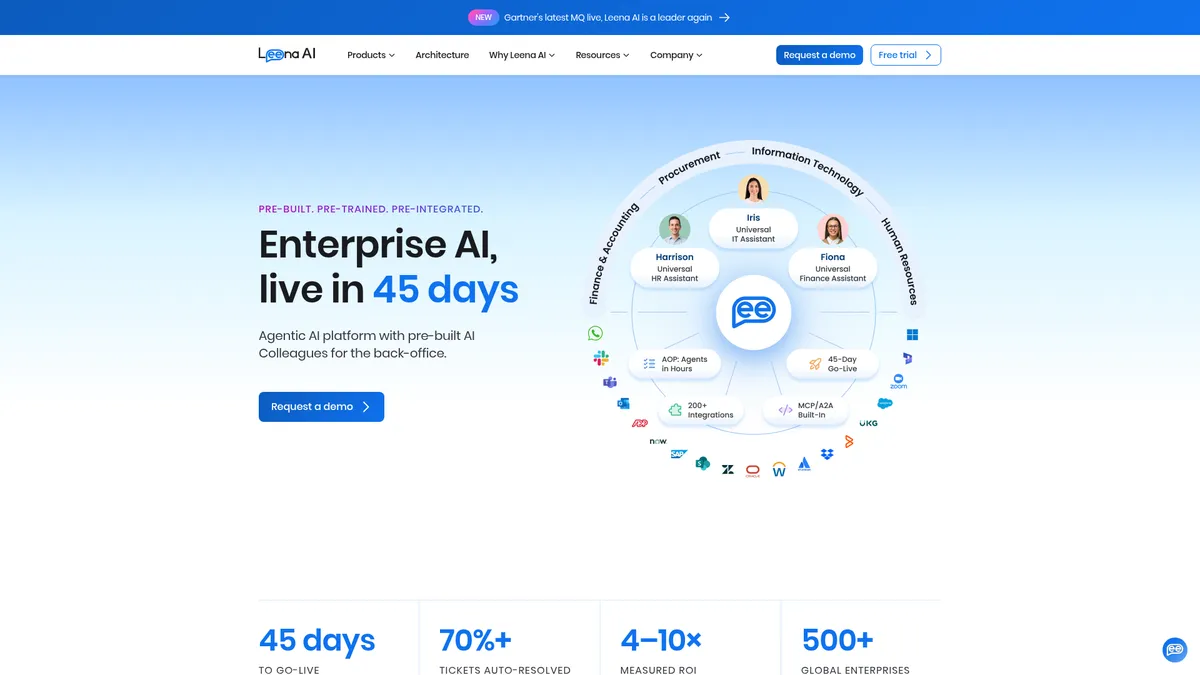
Agentic AI Colleagues for enterprise back-office automation
What is Leena AI?
How to Use Leena AI
Getting started with Leena AI is designed to be fast—45 days from kickoff to go-live. Here's how to deploy your first AI Colleagues and start automating back-office tasks across HR, IT, and Finance.
Define your automation scope
Identify which departments and workflows you want to automate first—whether it's HR onboarding, IT ticket resolution, or Finance query handling. Leena AI provides pre-built AI Colleagues for each domain, so you don't need to start from scratch.
Connect your enterprise systems
Use Leena AI's 200+ pre-built integrations to connect your existing HCM, ITSM, and ERP systems. The platform handles authentication and data mapping, so your AI Colleagues can access the information they need to resolve employee requests.
Configure your Knowledge Studio
Upload your company policies, procedures, and documentation to Knowledge Studio. This creates a centralized knowledge base that your AI Colleagues will use to answer employee questions accurately and consistently.
Design workflows in Workflow Studio
Use the visual Workflow Studio to design automation sequences. For example, you can create a workflow that automatically provisions IT access when HR completes an onboarding record, or triggers payroll updates when an employee changes roles.
Deploy, monitor, and optimize
Launch your AI Colleagues across your chosen channels (web, Slack, Teams). Use the observability dashboard to monitor performance, track resolution rates, and identify areas for improvement. The governance tools help ensure compliance with your enterprise policies.
Leena AI Core Features
Leena AI Use Cases
- 1HR service delivery automation: Automate employee onboarding, offboarding, leave requests, payroll inquiries, and benefits administration. The AI Colleague handles tier-1 HR questions instantly, reducing the burden on HR teams and improving response times for employees across the organization.
- 2IT support and ticket resolution: Deploy a Universal IT Assistant that resolves common IT issues like password resets, software access requests, and hardware provisioning. The assistant integrates directly with ITSM tools to create tickets, track SLAs, and escalate complex issues to human agents when needed.
- 3Finance query handling: Let the Finance Assistant manage routine financial queries such as invoice status, expense report submissions, and accounting policy questions. This reduces the workload on finance teams and provides employees with 24/7 access to financial information.
- 4Enterprise knowledge management: Use Knowledge Studio to centralize corporate policies, procedures, and documentation. Employees can ask natural language questions and get accurate answers drawn from approved knowledge sources, reducing information silos and improving compliance.
- 5Cross-departmental process automation: Orchestrate complex workflows that span HR, IT, and Finance. For example, when an employee leaves the company, a single trigger can automatically initiate offboarding in HR, revoke system access in IT, and process final payroll in Finance.
Pros and Cons of Leena AI
Pros
- Rapid 45-day go-live with pre-built AI Colleagues means enterprises see ROI faster compared to building custom AI solutions from scratch or implementing traditional chatbots that require months of training.
- Extensive out-of-the-box integrations with 200+ enterprise systems eliminate the need for custom API work, allowing the platform to slot into existing tech stacks without ripping and replacing legacy infrastructure.
- Architecture designed to avoid vendor lock-in with A2A and MCP protocols built-in, giving enterprises flexibility to switch components or add new AI models without rebuilding their entire automation ecosystem.
- Comprehensive governance and observability tools provide enterprise-grade security, compliance monitoring, and audit trails—critical for regulated industries that need to track AI decision-making and ensure data privacy.
✕ Cons
- Pricing is not publicly disclosed and requires a sales consultation, which can be a barrier for smaller organizations looking to evaluate the platform without committing to a lengthy sales process.
- Customization depth may be limited compared to building a bespoke AI solution; while the pre-built Colleagues cover standard workflows, highly unique or niche business processes might require additional configuration work.
- As an enterprise-focused platform, the feature set and infrastructure requirements may be overkill for small to medium businesses that need simpler automation tools without the full governance and integration complexity.
Leena AI vs Top Alternatives
| Feature | ServiceNow AI | Moveworks | Yellow.ai |
|---|---|---|---|
| AI Capabilities | Pre-built AI Colleagues for HR, IT, and Finance | Pre-built AI Colleagues for HR, IT, and Finance | Pre-built AI Colleagues for HR, IT, and Finance |
| Enterprise Integrations | 200+ enterprise integrations pre-built | 200+ enterprise integrations pre-built | 200+ enterprise integrations pre-built |
| Deployment Speed | 45-Day Go-Live deployment guarantee | 45-Day Go-Live deployment guarantee | 45-Day Go-Live deployment guarantee |
| Vendor Lock-In Prevention | A2A and MCP protocols for avoiding vendor lock-in | A2A and MCP protocols for avoiding vendor lock-in | A2A and MCP protocols for avoiding vendor lock-in |
Leena AI Pricing
Enterprise
- Pre-built AI Colleagues for HR, IT, and Finance
- 200+ pre-built enterprise integrations
- Knowledge Studio, AOP Studio, Workflow Studio
- Context Graph with memory
- Observability and governance tools
- Permissions and access control
- 45-Day Go-Live deployment
- A2A and MCP interoperability
- Dedicated account management
- Enterprise-grade security and compliance
Leena AI FAQ
What is Leena AI and how does it work?+
How long does it take to deploy Leena AI?+
What systems does Leena AI integrate with?+
Is Leena AI secure for enterprise use?+
Does Leena AI offer customization options?+
What departments can use Leena AI?+
How much does Leena AI cost?+
Leena AI Review — Editor's Score
Who Should Use Leena AI?
Leena AI is best suited for large enterprises and organizations with complex back-office operations spanning HR, IT, and Finance. It's ideal for CIOs, CHROs, and IT leaders who want to automate employee services at scale without building custom AI solutions. It may not be the right fit for small businesses or teams looking for a simple, low-cost chatbot.
Leena AI stands out as a pragmatic enterprise AI automation platform that delivers on its promise of rapid deployment. The pre-built AI Colleagues for HR, IT, and Finance cover the most common back-office pain points, and the 200+ integrations mean it can slot into almost any enterprise tech stack. It's not the cheapest option—and pricing opacity is frustrating—but for large organizations looking to scale employee services automation without a multi-year build project, Leena AI is a compelling choice.
- 45-Day Go-Live is a genuine differentiator for enterprise AI deployments
- 200+ pre-built integrations reduce implementation friction significantly
- Context Graph with memory enables smarter, context-aware AI responses
- Architecture designed to prevent vendor lock-in with A2A and MCP protocols
📺 Leena AI Tutorials & Introduction
Introducing AI Colleagues Studio by Leena AI - YouTube
Introducing Leena AI's Gen 1 Autonomous Agent - YouTube
Time and Attendance Analyst | HR AI Colleagues by Leena AI
Keywords: