
Landing AI
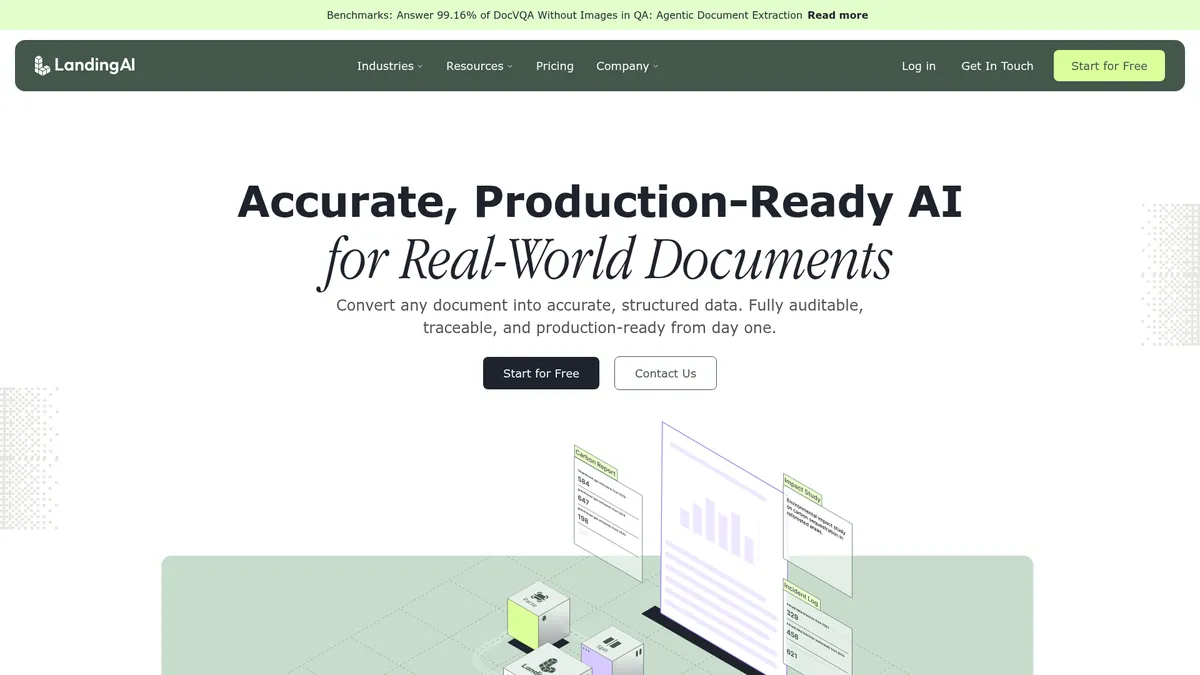
Turn any document into structured, auditable data
What is Landing AI?
How to Use Landing AI
Getting started with Landing AI's Agentic Document Extraction is straightforward. With a REST API and developer-friendly Python and TypeScript SDKs, you can go from zero to extracting structured data in minutes. Here's how to set up your first extraction pipeline.
Create an account and get your API key
Sign up at landing.ai to receive your free 1,000 credits. Navigate to the API Keys section in your dashboard and generate a new API key. You'll use this key to authenticate all requests to the ADE API endpoints.
Upload and parse a document
Use the POST /parse endpoint to upload your document (PDF, image, or scan). ADE will convert it into LLM-ready Markdown while preserving the document's logical hierarchy, including headings, tables, and lists. You'll receive the parsed output along with page-level metadata.
Define your extraction schema
Create a JSON schema that defines the fields you want to extract. ADE supports flat fields, nested objects, arrays, and multi-table extractions. For example, an invoice schema might include fields like invoice_number, vendor_name, line_items (array), and total_amount.
Run field extraction and review results
Send your schema along with the parsed document to the POST /extract endpoint. ADE returns structured JSON with your requested fields, each annotated with a confidence score, page number, and bounding-box coordinates. Review the output to verify accuracy.
Implement confidence-based review workflows
Use the per-field confidence scores to build automated review workflows. Fields with scores below your threshold (e.g., below 0.85) can be flagged for human review. This hybrid approach maximizes automation while maintaining accuracy for mission-critical data.
Landing AI Core Features
Landing AI Use Cases
- 1Invoice & Receivable Automation – Extract line-items, totals, dates, and vendor IDs from heterogeneous invoices. The platform handles variable layouts and multi-page documents, returning structured JSON with confidence scores that makes accounts payable automation truly hands-off.
- 2Contract & Legal Document Review – Pull clauses, parties, dates, and obligations with precise page and coordinate citations. Legal teams can review thousands of contracts in minutes, with every extracted value grounded in the source document for audit readiness.
- 3Medical Record Digitization – Capture patient data, lab results, and imaging reports while maintaining HIPAA compliance. ADE's zero-data-retention and VPC deployment options ensure sensitive health information never leaves your infrastructure.
- 4Regulatory Filings & Financial Statements – Parse complex tables and figures from SEC filings, annual reports, and financial statements. The output includes bounding-box coordinates and confidence scores for every data point, making it audit-ready from day one.
- 5RAG-Enabled Knowledge Bases – Feed structured document extracts into LLMs for accurate retrieval-augmented generation. ADE converts messy PDFs into clean Markdown that vector databases can index, dramatically improving the accuracy of AI chat and Q&A applications.
Pros and Cons of Landing AI
Pros
- Production-ready API with strong auditability – Every extracted value comes with page numbers, bounding-box coordinates, and confidence scores, making it ideal for regulated industries that need complete traceability.
- High accuracy on complex document layouts – ADE handles tables with thousands of rows, multi-page reports, and mixed-format PDFs better than traditional OCR tools, validated by real-world deployments at Fortune 500 companies.
- Scalable throughput and flexible pricing – Processes thousands of pages per minute with a credit-based system that scales from free credits to enterprise custom bundles, so you only pay for what you use.
- Robust enterprise security and compliance – HIPAA, SOC 2 Type II, zero-data-retention, and VPC/on-premises deployment options mean sensitive data stays secure and compliant with industry regulations.
✕ Cons
- Pricing can become opaque at high volumes – While the credit system is transparent for small to medium usage, enterprise quotes are required for large deployments, making cost estimation challenging at scale.
- Limited free tier for extensive testing – The 1,000 free credits may not be enough for thorough evaluation of complex document processing workflows before committing to a paid plan.
- No built-in UI for manual corrections – The platform is API-first with no graphical interface for reviewing and correcting extracted data, which may require building custom review tools or workflows.
Landing AI vs Top Alternatives
| Feature | Amazon Textract | Google Document AI | Azure AI Document Intelligence |
|---|---|---|---|
| Audit-ready traceability | Table and form key-value pair locations only | Page-level references, less granular coordinate data | Bounding boxes and confidence scores for extracted fields |
| Schema-first field extraction | Key-value pair and table extraction, no custom schema | Processor-based extraction with custom schema via processors | Custom extraction models with schema definition support |
| Enterprise security compliance | SOC 2, HIPAA eligible, data encryption at rest/transit | SOC 2, HIPAA compliant, regional data processing options | SOC 2, HIPAA, ISO 27001 certified, Azure ecosystem integration |
| Pricing model | Pay-per-page starting at $1.50 per 1,000 pages | Pay-per-page from $65 per 1,000 pages (varies by processor) | Pay-per-page starting at $1.50 per 1,000 pages |
Landing AI Pricing
Explore
- 1,000 free credits on sign-up
- Document parsing & field extraction
- Visual grounding & document splitting
- Multilingual document support
- Pay-as-you-go credit pricing ($1 = 100 credits)
Team
- 27,500 credits per month
- All Explore features included
- Team management & role-based access control
- Email support with faster response times
- Zero-data-retention enabled
- Optional HIPAA/BAA add-on
Enterprise
- Custom credit bundle tailored to your volume
- SaaS, VPC, or on-premises deployment
- Custom processing pipelines
- Priority rate limits & dedicated throughput
- Snowflake native connector
- Formal SLA & uptime guarantees
- Dedicated customer success manager
Landing AI FAQ
What is Landing AI's Agentic Document Extraction?+
How does ADE differ from traditional OCR?+
What types of documents can ADE process?+
Is Landing AI ADE HIPAA compliant?+
How does the pricing and credit system work?+
Can ADE process documents in multiple languages?+
What programming languages and frameworks does ADE support?+
Landing AI Review — Editor's Score
Who Should Use Landing AI?
Data engineering teams at mid-to-large enterprises handling high volumes of invoices, contracts, medical records, or regulatory filings who need accurate, traceable, and compliant document extraction at scale.
Landing AI's Agentic Document Extraction is a powerhouse for enterprises that need to turn messy documents into structured, auditable data at scale. Its combination of schema-first extraction, visual grounding, and enterprise-grade security makes it a top contender in the intelligent document processing space. While the API-first approach may not suit teams looking for a drag-and-drop solution, developers will appreciate the clean SDKs and comprehensive documentation that make integration straightforward.
- Founded by AI pioneer Andrew Ng with deep expertise in machine learning
- Trusted by Fortune 500 companies including Barclays, Morgan Stanley, and Intel
- HIPAA and SOC 2 Type II compliant with VPC and on-premises deployment options
- Processes thousands of pages per minute with per-field confidence scoring and coordinate citations
📺 Landing AI Tutorials & Introduction
Intro to Agentic Document Extraction (March 25, 2026) - YouTube
Agentic Document Extraction: Live Demo & the Steps You Need to ...
LandingLens Walkthrough with Andrew Ng - YouTube
Keywords: