

Labelbox
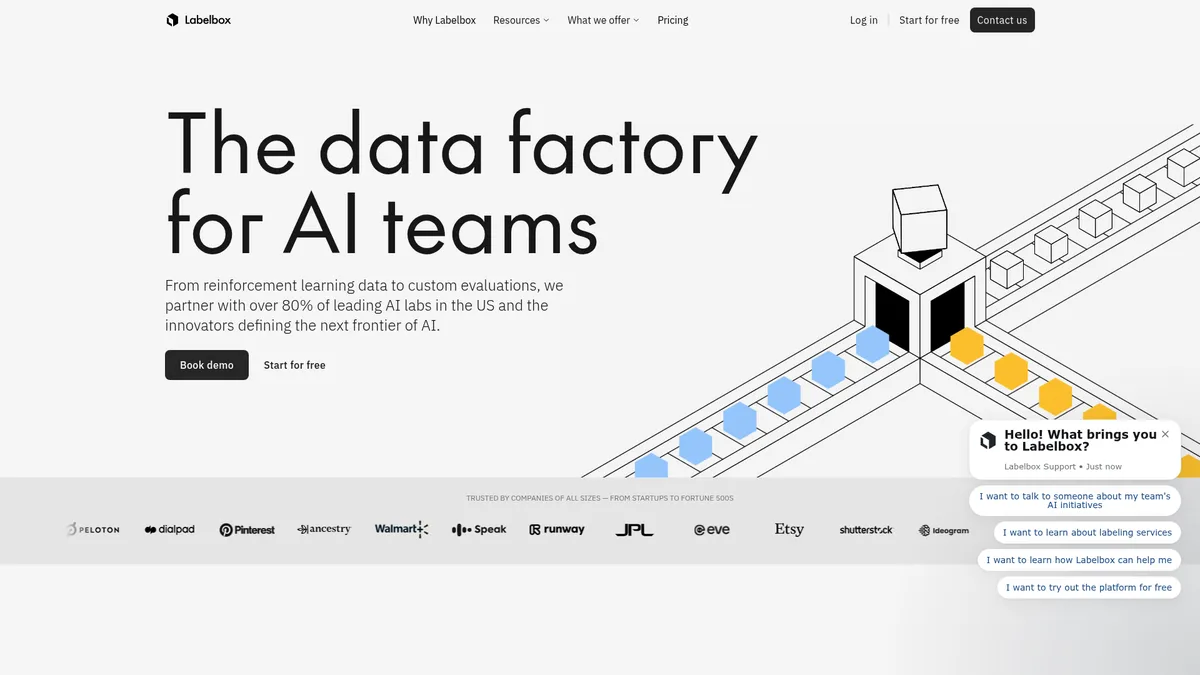
The data factory for high-performance AI teams
What is Labelbox?
How to Use Labelbox
Labelbox makes it easy to create high-quality training data for your AI models. Follow this step-by-step guide to set up your first annotation project and start generating reliable labeled datasets for your machine learning pipeline.
Create Your Account and Workspace
Sign up for Labelbox's free tier at labelbox.com and set up your workspace. Configure your team members, data storage preferences, and project settings to establish your annotation environment. The workspace serves as the central hub for managing all your labeling projects.
Import Your Dataset
Upload your raw data files—images, videos, text, or multimodal content—into Labelbox's data catalog. Use the natural language search and curation tools to organize, filter, and preview your dataset before creating labeling tasks. This step ensures your data is properly structured for efficient annotation.
Configure Your Labeling Ontology
Define the classes, attributes, and relationships your annotators will use. Set up classification categories, bounding boxes, polygons, semantic segmentation masks, or custom annotation schemas depending on your AI model's specific requirements. A well-designed ontology is critical for consistent, high-quality labels.
Launch Annotation with Model Assistance
Enable model-assisted labeling to generate pre-annotations automatically using AI. Your labeling team can then review, refine, and validate these suggestions, dramatically reducing the time needed to annotate large datasets while maintaining quality through human-in-the-loop oversight.
Review Quality and Export Your Dataset
Use the AI critic and quality review dashboards to validate annotations, flag inconsistencies, and track labeling metrics across your team. Once approved, export your labeled dataset in the format required by your ML pipeline, whether COCO, Pascal VOC, or a custom schema.
Labelbox Core Features
Labelbox Use Cases
- 1Train and fine-tune AI models with high-quality labeled datasets, ensuring your algorithms learn from accurate, expert-validated data for superior real-world performance across vision, language, and multimodal tasks.
- 2Evaluate model performance with custom evaluation frameworks and multimodal assessments, identifying weaknesses, tracking improvements, and validating readiness for production deployment through rigorous benchmarking.
- 3Build computer vision systems for autonomous vehicles, medical imaging, and industrial inspection using specialized bounding box, segmentation, and classification annotation tools with built-in quality controls.
- 4Develop natural language processing models with curated text corpora, expert sentiment annotations, and entity labeling that captures nuanced language understanding for chatbots, search, and content analysis.
- 5Implement reinforcement learning pipelines with specialized data preparation, reward modeling, and custom evaluation workflows that train AI agents to make better decisions in complex environments.
Pros and Cons of Labelbox
Pros
- Expert-in-the-loop quality assurance through the Alignerr network ensures your training data meets the highest accuracy standards, reducing model errors and improving deployment confidence.
- Flexible pricing model with a free tier, subscription plans, and custom enterprise options makes the platform accessible to teams of all sizes and budgets.
- Comprehensive end-to-end platform combining annotation, evaluation, and curation tools streamlines the entire AI development lifecycle in one integrated workspace.
- Enterprise-grade security with HIPAA compliance, dedicated support, and proactive platform alerts makes it suitable for regulated industries and sensitive data workloads.
✕ Cons
- Free tier has significant limitations on features and usage volume, requiring paid upgrades for any substantial project work beyond initial evaluation.
- Platform complexity and extensive feature set can be overwhelming for smaller teams or individual developers who need simple, straightforward annotation tools.
- Substantial investment required in both time and financial resources to fully integrate and leverage the platform's advanced capabilities for large-scale projects.
Labelbox vs Top Alternatives
| Feature | Scale AI | Appen |
|---|---|---|
| Annotation Quality Guarantee | Guaranteed quality reviews and workflows | Quality control workflows available |
| AI-Assisted Labeling | Model-assisted and auto-labeling available | Limited AI-assisted labeling features |
| Expert Network Access | Scale Marketplace expert network | Appen crowd of over 1M contributors |
| Enterprise Security | SOC 2 and HIPAA compliant | Enterprise security and compliance options |
Labelbox Pricing
Free
- Limited annotations and projects
- Basic labeling tools
- Community support
- Single workspace
Software Subscription
- Multimodal evaluations
- Model-assisted labeling
- API access and integrations
- Priority technical support
- Advanced labeling tools
Labelbox Services
- Fully managed evaluations and data creation
- Dedicated Alignerr expert team
- Custom workflow configuration
- HIPAA compliance and security add-ons
- Dedicated account manager and support
Labelbox FAQ
What is Labelbox and who is it designed for?+
How does model-assisted labeling work on Labelbox?+
What types of data can I annotate with Labelbox?+
Does Labelbox offer a free tier or trial?+
What is the Alignerr expert network?+
How does Labelbox ensure the quality of annotations?+
Is Labelbox suitable for regulated industries like healthcare and finance?+
Labelbox Review — Editor's Score
Who Should Use Labelbox?
Labelbox is ideal for AI teams at mid-to-large enterprises, AI labs, and startups that are building production-grade models and need reliable training data with quality guarantees. It's particularly well-suited for teams working on computer vision, NLP, and multimodal AI applications who require end-to-end data pipeline management.
Labelbox is a powerhouse for AI teams that need reliable, high-quality training data at scale. Its combination of annotation tools, model evaluation capabilities, and expert network access makes it a one-stop shop for serious AI development. While the platform complexity and cost may not suit every team, those with dedicated ML resources will find it invaluable for building production-grade models.
- Expert-validated annotations through the Alignerr expert network
- End-to-end platform combining labeling, evaluation, and curation
- Model-assisted and auto-labeling for accelerated annotation workflows
- Enterprise-grade security with HIPAA compliance and dedicated support
📺 Labelbox Tutorials & Introduction
Labelbox Annotation Tutorial for Beginners (2025) - YouTube
How to train and evaluate AI models with Labelbox - YouTube
How to Use Labelbox Image Annotation (2026) Labelbox ... - YouTube
Keywords: