

Krishna AI Studio
Ultra-premium Agentic AI Orchestration Design System
What is Krishna AI Studio?
How to Use Krishna AI Studio
Download and Explore the Figma Files
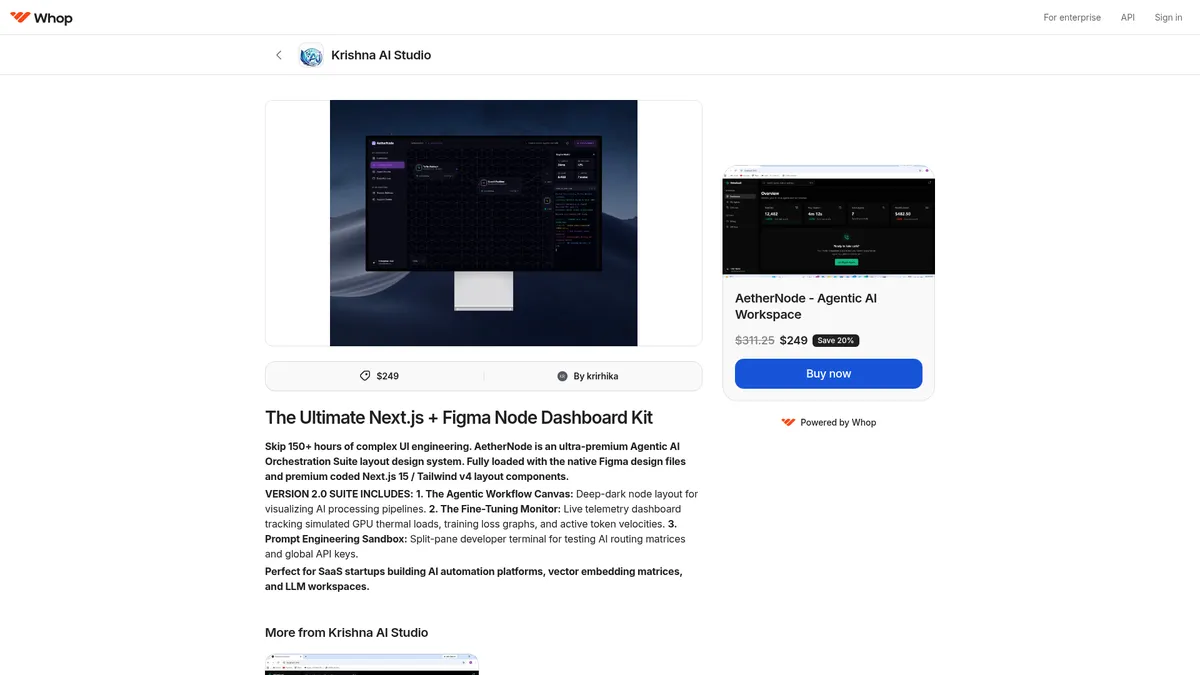
Start by downloading your AetherNode package which includes native Figma files. Open them in Figma to explore the deep-dark node layout, workflow canvas, and all pre-designed components. Familiarize yourself with the layer structure, component organization, and typography system before making any customizations.
Set Up Your Next.js 15 Project
Install Next.js 15 and Tailwind v4 in your development environment. Import the AetherNode coded components into your project structure following the provided documentation. Ensure your Tailwind configuration matches the recommended settings for optimal rendering of the design system's dark theme and layout components.
Customize the Workflow Canvas
Use the Agentic Workflow Canvas components to map out your AI processing pipelines. Adjust the nodes, connection lines, and data visualization elements to match your specific AI agent orchestration requirements. The modular architecture makes it easy to add or remove components as needed.
Implement Monitoring and Testing Features
Integrate the Fine-Tuning Monitor for live telemetry dashboards and the Prompt Engineering Sandbox for testing AI routing matrices. Configure the API key management system, set up the split-pane developer terminal, and enable training loss graphs and token velocity tracking to complete your AI workspace interface.
Krishna AI Studio Core Features
Krishna AI Studio Use Cases
- 1SaaS startups building AI automation platforms can use AetherNode to rapidly prototype and deploy agentic workflow interfaces without starting from scratch, leveraging pre-built workflow canvases and monitoring dashboards.
- 2AI research teams designing LLM workspaces can utilize the deep-dark node layout and training loss graphs to create intuitive interfaces for model experimentation and fine-tuning oversight.
- 3Product teams developing vector embedding visualization tools can leverage AetherNode's specialized components to display complex matrix data in a clear, interactive format for data scientists and researchers.
- 4Developers creating prompt engineering sandboxes can implement the built-in routing matrix tester and global API key manager to accelerate their tool-building process significantly.
- 5Designers working on AI agent dashboards can use the native Figma files to quickly iterate on layouts, maintain design consistency, and hand off production-ready assets to developers.
Pros and Cons of Krishna AI Studio
Pros
- Ultra-premium design quality that ships with both native Figma files and production-ready Next.js 15/Tailwind v4 code, ensuring design consistency from mockup to deployment without translation loss.
- Specialized for AI agent interfaces with purpose-built components like workflow canvases, fine-tuning monitors, and prompt engineering sandboxes that generic UI kits simply don't offer.
- Comprehensive one-time purchase model at $249 (down from $311.25) provides full access to the entire design system without recurring subscription fees or hidden costs.
- Modular and deeply customizable architecture allows teams to pick and choose components, easily adapting the system to their specific AI product needs and branding requirements.
✕ Cons
- Premium $249 price point may be prohibitive for solo developers, freelancers, or early-stage startups with limited budgets who are still validating their product.
- As a relatively new product with limited community feedback and reviews, there is less social proof and fewer real-world implementation examples to reference before purchasing.
- Requires proficiency in Figma for design work and Next.js/Tailwind for development, creating a steeper learning curve for teams not already invested in these specific technologies.
Krishna AI Studio vs Top Alternatives
| Feature | shadcn/ui | Tailwind UI | Flowbite |
|---|---|---|---|
| AI-Specific Components | Limited AI-specific components (general purpose library) | No AI-specific components (general business templates) | No AI-specific components (general UI library) |
| Figma Design Files Included | No Figma files included (code-first approach) | No Figma design files included | Has Figma design files available |
| Next.js / Tailwind Support | Yes, works with Next.js and Tailwind CSS | Yes, built exclusively for Tailwind CSS | Yes, supports Tailwind and React |
| Pricing Model | Free (open-source with MIT license) | $299/year subscription model | Free (open-source) with premium tier at $49 |
Krishna AI Studio Pricing
Full Access
- Native Figma design files with full layer customization
- Premium Next.js 15 components production-ready
- Tailwind v4 layout system with deep-dark theme
- Agentic Workflow Canvas for pipeline visualization
- Fine-Tuning Monitor with live telemetry dashboards
- Prompt Engineering Sandbox for routing matrix testing
- Split-pane developer terminal for integrated workflows
- Training loss graphs for model performance tracking
- Active token velocity tracking and analytics
- Vector embedding matrices visualization support
Krishna AI Studio FAQ
What is AetherNode and who is it for?+
Does AetherNode include both Figma files and code?+
What kind of AI-specific components does AetherNode offer?+
How much does AetherNode cost and is there a free trial?+
What technologies does AetherNode support?+
Is AetherNode suitable for beginners?+
Can I use AetherNode for commercial projects?+
Krishna AI Studio Review — Editor's Score
Who Should Use Krishna AI Studio?
AetherNode is ideal for SaaS startups, AI automation platforms, and development teams that are building AI agent interfaces, LLM workspaces, or vector embedding dashboards. It is best suited for designers and developers already familiar with Figma, Next.js, and Tailwind CSS who want to accelerate their AI product development without sacrificing quality.
AetherNode by Krishna AI Studio fills a genuine gap in the market for AI-specific design systems. Its combination of native Figma files and production-ready Next.js 15/Tailwind v4 components makes it a compelling choice for teams building agentic AI interfaces. While the $249 price tag and limited community feedback give some pause, the sheer quality and specialization of the components justify the investment for serious AI product teams.
- Specialized AI agent interface components unavailable in general UI kits
- Dual delivery with both Figma design files and Next.js/Tailwind code
- Comprehensive monitoring, testing, and visualization dashboards included
- One-time purchase model with full access versus subscription pricing
📺 Krishna AI Studio Tutorials & Introduction
How to Make Perfect HULK AI Shorts Like @HulkBadmash (Full ...
Marriage AI Photo Editing | Bing Image Creator 2025 - YouTube
Keywords: