

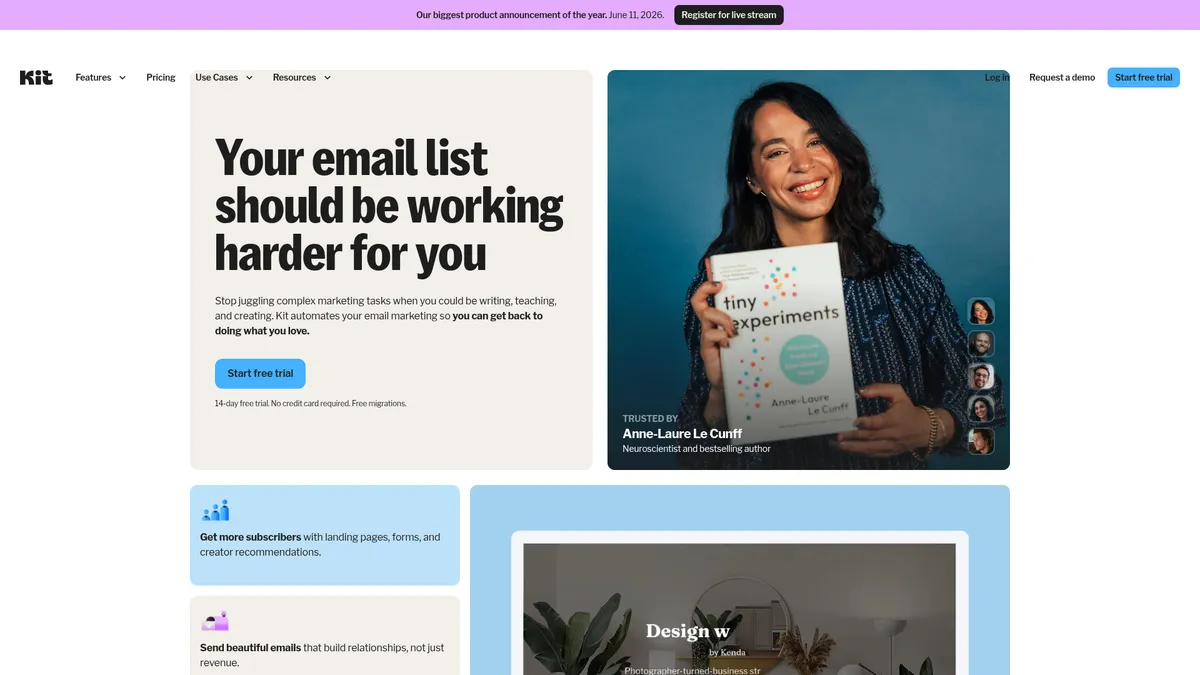
What is Kit?
How to Use Kit
Setting up your first email sequence in Kit is straightforward thanks to the visual automation builder. This guide walks you through creating a welcome sequence for new subscribers, from trigger setup to email content.
Create a new automation
From your Kit dashboard, go to the Automations tab and click 'New Automation'. Choose the 'Start from Scratch' option to build a custom workflow. Give your automation a descriptive name like 'Welcome Sequence' so you can identify it later in your list.
Set the trigger condition
Drag a 'Trigger' block onto the automation canvas. Select 'Subscribes to a form' or 'Tag added' as the trigger event. For a welcome sequence, choose the specific sign-up form you want to activate this automation whenever someone subscribes.
Add email actions to the sequence
Drag an 'Email' block onto the canvas and connect it below the trigger. Click the block to open the email editor. Choose a pre-built template or write from scratch. Set a delay (e.g., 'Wait 1 day') before each email sends. Add more email blocks to create a multi-step sequence.
Configure conditions and tags
Use 'Condition' blocks to branch your automation based on subscriber behavior. For example, if a subscriber clicks a link in email one, send them down a different path. Add 'Tag' actions to label subscribers as they progress through the sequence for further segmentation and targeting.
Activate and test your automation
Review your automation flow visually on the canvas. Use the 'Test' button to send a preview to yourself and verify all links render correctly. When ready, toggle the automation status to 'Active'. New subscribers meeting the trigger condition will now automatically enter the sequence.
Kit Core Features
Kit Use Cases
- 1Authors and podcasters can build and nurture a newsletter audience with automated welcome sequences and content drip campaigns to keep subscribers engaged.
- 2Online educators can sell digital courses and manage subscriptions directly from the email platform, automating delivery and follow-ups.
- 3Creators running webinars or community sign-ups can capture leads with unlimited landing pages and forms, then automate follow-up emails.
- 4Digital product sellers can manage product launches with automated email sequences, segment buyers from prospects, and track sales performance.
- 5Content creators can syndicate blog posts and RSS feeds into automated email campaigns, ensuring consistent content delivery to subscribers.
Pros and Cons of Kit
Pros
- Visual automation builder is intuitive and requires no coding knowledge, making complex sequences accessible to non-technical creators.
- Built-in monetization features (digital products, subscriptions, sponsorships) eliminate the need for separate e-commerce tools.
- Free tier supports up to 1,000 subscribers with unlimited landing pages and broadcasts, ideal for testing and early-stage growth.
- 14-day free trial with no credit card required and free migrations reduce switching risk for new users.
✕ Cons
- All paid tiers are capped at 1,000 subscribers; larger lists require custom enterprise pricing which is not transparently listed.
- Free Newsletter plan restricts automations to a single basic visual automation, limiting growth workflows for free users.
- Advanced analytics and team collaboration features are locked behind the most expensive Pro plan, which may be costly for small teams.
Kit vs Top Alternatives
| Feature | Mailchimp | ActiveCampaign | Substack | MailerLite |
|---|---|---|---|---|
| Ease of Use | Good but cluttered UI; moderate learning curve for beginners | Powerful but steep learning curve; best for experienced marketers | Very simple setup; minimal design control and customization | Clean, intuitive interface; excellent for beginners |
| Automation Capabilities | Advanced automation suite but complex to configure | Best-in-class conditional automation with deep CRM integration | No visual automation builder; basic scheduled sends only | Good visual builder with basic conditional logic and triggers |
| Monetization Features | Standard e-commerce integrations via third-party apps | Strong email + CRM, but no native content monetization | Paid newsletters with 10% revenue share on subscriptions | Basic e-commerce features; limited digital product support |
| Pricing for 1K Subscribers | $13/mo for 500 contacts; pricing scales with list size | $15/mo for 1,000 contacts (automation included) | Free to start; 10% platform fee on paid subscriptions | $10/mo for 1,000 subscribers; affordable as you scale |
Kit Pricing
Newsletter
- Up to 1,000 subscribers
- Unlimited landing pages and sign-up forms
- Email broadcasts
- Basic visual automation (single workflow)
- Audience tagging and segmentation
Creator
- Up to 1,000 subscribers
- Unlimited automations and email sequences
- A/B subject line testing
- Remove Kit branding from emails
- Polls and surveys
- Integrations and apps
- RSS-to-email campaigns
- 24/7 email and chat support
Pro
- Up to 1,000 subscribers
- All Creator features
- Unlimited users for team collaboration
- Insights dashboard with deliverability reporting
- Subscriber engagement scoring
- A/B content testing
- Facebook custom audiences for retargeting
- Newsletter referral system
- Edit links in sent broadcasts
- Priority support
Kit FAQ
What is Kit and how does it differ from ConvertKit?+
Is there a free plan?+
What is the 14-day free trial?+
Can I sell digital products with Kit?+
How many subscribers can I have on paid plans?+
Does Kit integrate with my existing tools?+
What kind of support does Kit offer?+
Kit Review — Editor's Score
Who Should Use Kit?
Kit is ideal for independent creators — authors, podcasters, YouTubers, online educators, and newsletter writers — who want to grow their audience and monetize their work without dealing with complex enterprise marketing software. It is also great for creators who sell digital products or subscriptions directly from their email platform.
Kit is a standout email marketing platform for creators who want professional-grade tools without enterprise complexity. Its visual automation builder is genuinely intuitive, and the built-in monetization features are a game-changer for selling digital products and subscriptions directly from your inbox. While the pricing feels steep compared to general-purpose tools like MailerLite, the creator-specific features justify the cost for those serious about audience growth. Kit's biggest limitation is the 1,000-subscriber cap on stated pricing — larger creators will need to negotiate custom plans. Overall, if you are a creator looking for an all-in-one email and monetization platform, Kit is a top contender.
- Visual automation builder is best-in-class for non-technical creators
- Built-in monetization eliminates need for separate e-commerce tools
- Free tier with 1,000 subscribers is generous for testing and early growth
- Strong integration ecosystem for popular creator tools
📺 Kit Tutorials & Introduction
Spec Kit: Github's NEW tool That FINALLY Fixes AI Coding - YouTube
Github's NEW tool Spec Kit FINALLY Fixes AI Vibe Coding - YouTube
AI Copy Kit Review - Legit App? - YouTube
Keywords: