

Kagi
Privacy-first search, browser, and AI ecosystem
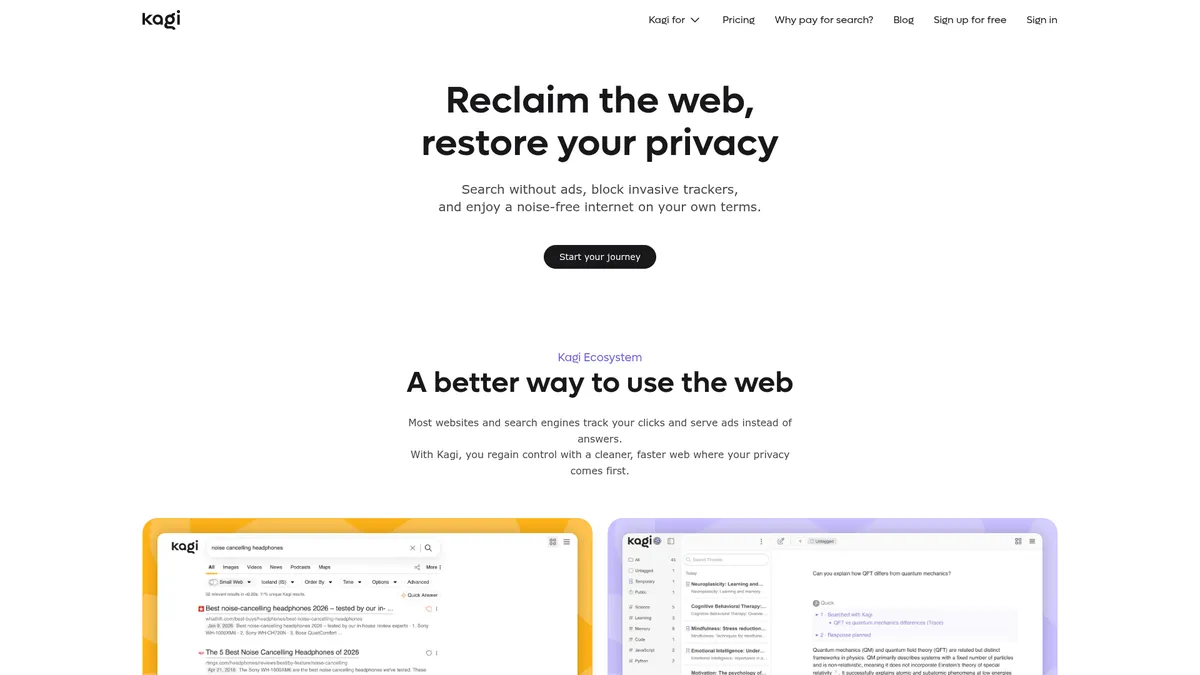
What is Kagi?
How to Use Kagi
Getting started with Kagi's privacy-first ecosystem takes just a few minutes. Follow these steps to set up ad-free search, install the Orion browser, and start using the AI assistant across all your devices.
Create Your Kagi Account
Visit kagi.com and sign up for a free trial account. You'll instantly get 100 searches and 100 AI interactions to test the platform without entering any payment information.
Set Kagi as Your Default Search Engine
Follow Kagi's browser-specific setup guides to set it as your default search engine in Chrome, Firefox, Safari, or Edge. Kagi provides step-by-step instructions for each browser to make the switch seamless.
Install the Orion Browser
Download Orion Browser from Kagi's website for a fully integrated experience. Orion comes with native ad-blocking, anti-tracking, and supports Safari, Chrome, and Firefox extensions for maximum flexibility.
Explore Kagi Assistant and AI Tools
Start using Kagi Assistant for AI-powered queries powered by multiple LLMs. Try Kagi Summarize for quick article summaries, enable Kagi Translate for multilingual browsing, and check Kagi News for privacy-focused news.
Choose Your Plan and Customize
Select a paid plan that fits your needs—Starter ($5/mo), Professional ($10/mo), or Ultimate ($25/mo). Customize your search preferences, set up family sharing if needed, and sync your settings across all devices.
Kagi Core Features
Kagi Use Cases
- 1Privacy-conscious individuals can replace Google and Chrome with Kagi's ad-free search and Orion browser, eliminating tracking and data collection from their daily browsing routine without sacrificing quality.
- 2Families can share a single subscription across all household devices, ensuring every member gets private search and AI assistance without managing multiple accounts or exposing browsing data.
- 3Researchers and journalists can leverage Kagi Summarize and Translate to quickly process large volumes of information from multiple sources and languages without algorithmic distractions or data mining.
- 4Teams and businesses can provide employees with private, fast search and AI assistance that prevents corporate surveillance and ensures sensitive internal queries stay confidential.
- 5Multilingual travelers can use Kagi Translate for on-the-fly communication across 240+ languages while relying on Kagi Search for ad-free local information discovery anywhere in the world.
Pros and Cons of Kagi
Pros
- Strong privacy commitment with zero ads, no tracking, and a strict policy against selling user data or using it for AI training, backed by transparent business practices.
- Integrated ecosystem combining search, AI assistant, browser, translation, news, and summarization under a single subscription for a seamless, cohesive user experience.
- Fair pricing model with credits for unused monthly allowances, flexible plan changes that pro-rate upgrades and downgrades, and family/team sharing options.
- Multi-LLM AI assistant allows users to choose between different language models and interaction modes depending on task complexity, all without training on user data.
✕ Cons
- Full feature set requires a paid subscription as the free trial is limited to only 100 searches and 100 AI interactions, which may not be enough for heavy users.
- Premium AI Research mode is locked behind the most expensive Ultimate tier at $25/month, which may be costly for users who primarily want advanced AI capabilities.
- Limited public information about company history and leadership, and the service may lack some niche search features like mature image or video search found in larger engines.
Kagi vs Top Alternatives
| Feature | Google Search | DuckDuckGo | Brave Search |
|---|---|---|---|
| Privacy & Data Protection | Tracks users extensively for ad targeting and data profiling across services | No user tracking with anonymous search and strict privacy policies | Independent search index with no tracking and strong privacy focus |
| Search Results Quality | Comprehensive search index with ads mixed into organic results | Aggregated results from Bing and own crawler with community-driven enhancements | Independent index with AI-powered summarization and optional ad support |
| AI Assistant | Gemini AI integrated but user data may be used for model training | AI Chat with anonymous access but limited model selection | Leo AI assistant with privacy-first design and anonymous access |
| Pricing Model | Free with ads; no paid option for privacy or ad-free experience | Free with privacy-respecting non-tracking ads | Free tier with optional Brave Premium for ad-free experience |
Kagi Pricing
Trial
- 100 searches
- 100 AI interactions
- Ad-free search results
- Basic features
Starter
- 300 searches per month
- Kagi Assistant Quick mode
- Ad-free search results
- Cross-platform sync
Professional
- Unlimited searches
- Kagi Assistant Quick mode
- Ad-free search results
- Cross-platform sync
Ultimate
- Unlimited searches
- Kagi Assistant Research mode
- Premium AI models
- Priority support
Kagi FAQ
Is Kagi really private?+
How is Kagi different from Google?+
What is the Orion Browser?+
Can I try Kagi before paying?+
What happens to unused search credits?+
Does Kagi work on mobile devices?+
What AI models power Kagi Assistant?+
Kagi Review — Editor's Score
Who Should Use Kagi?
Kagi is ideal for privacy-conscious individuals, families wanting shared ad-free browsing, researchers needing distraction-free search and AI summarization, and professionals who want an AI assistant that won't train on their data.
Kagi delivers a genuinely refreshing alternative to ad-driven search and browsing. Its integrated ecosystem of search, browser, AI assistant, translation, and news tools creates a cohesive privacy-first experience that's hard to beat. While the free tier is limited and premium AI requires the top plan, the transparency and fair pricing make it a worthy investment for anyone serious about online privacy.
- Ad-free, tracking-free search experience that respects user privacy
- Integrated multi-LLM AI assistant with strict no-training-on-data guarantee
- Orion browser with native ad-blocking and cross-extension support
- Fair pricing model with unused credit rollover and family plans
📺 Kagi Tutorials & Introduction
Kagi Review: The Ad-Free Search Engine for Professionals - YouTube
What Is Kagi Search? - YouTube
Kagi Review A Better Alternative to Google? - YouTube
Keywords: