

Hexowatch
Website change detection and monitoring made simple
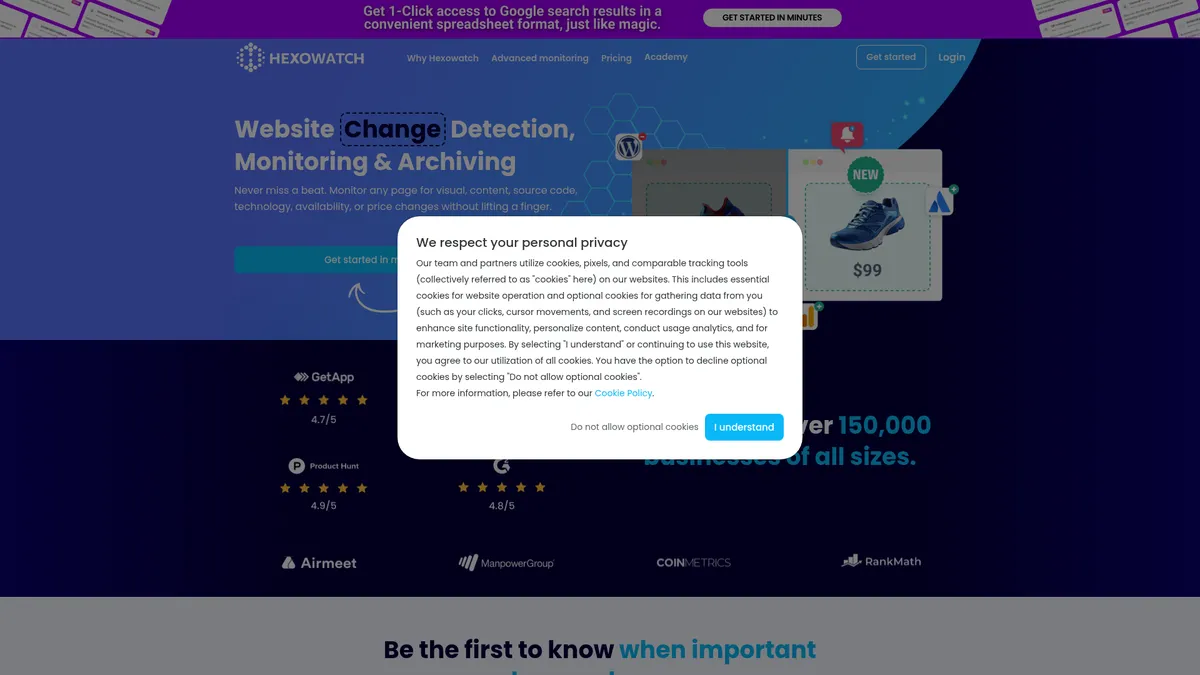
What is Hexowatch?
How to Use Hexowatch
Hexowatch makes it easy to start monitoring any website for changes in just a few minutes. Follow these steps to set up your first monitor and start receiving automated change alerts.
Create Your Account
Sign up for a Hexowatch account on their website and select a pricing plan that matches your monitoring needs. The Pro plan is a solid starting point for individual users and small teams requiring up to 4,500 checks per month.
Enter the URL to Monitor
Paste the full URL of the webpage you want to track into the dashboard. Hexowatch can monitor any publicly accessible web page, from competitor product pages to your own company website.
Choose Your Monitoring Type
Select from 13 monitoring types including visual, content, keyword, HTML element, source code, technology, availability, and more. Each monitoring type serves a different purpose, so choose based on what kind of changes you need to detect.
Configure Frequency and Alerts
Set how often Hexowatch should check for changes — the Pro plan offers 15-minute frequency, while Business plans can go as often as every 5 minutes. Configure your alert preferences to receive notifications via email, Slack, or webhooks.
Review Changes and Snapshots
When changes are detected, view the visual diff and change history in your dashboard. The snapshot comparison feature lets you see exactly what changed between checks, making it easy to analyze and act on the information.
Hexowatch Core Features
Hexowatch Use Cases
- 1Competitor Website Monitoring — Track changes on competitor websites to stay ahead of their product launches, pricing updates, content strategy shifts, and marketing campaigns. Hexowatch automatically captures visual and content changes so you never miss a competitive move.
- 2Price and Availability Tracking — Monitor e-commerce product pages for price drops, price increases, and stock availability changes. Get instant alerts when a product goes back in stock or when a competitor adjusts pricing, giving you a competitive edge in dynamic markets.
- 3SEO and Backlink Monitoring — Keep tabs on your backlink profile and monitor competitors' backlink strategies. Hexowatch alerts you when new backlinks are acquired or lost, and tracks search results changes on news sites and SERPs.
- 4Compliance and Legal Archiving — Automatically capture and archive web page snapshots for regulatory compliance, legal evidence, or audit trails. The cloud archiving feature creates immutable records that can be used for legal proceedings and compliance reporting.
- 5Defacement and Security Monitoring — Protect your own website from unauthorized changes, defacement attacks, or tampering. Hexowatch monitors your site's content and visual appearance, alerting you immediately if any unauthorized modifications are detected.
Pros and Cons of Hexowatch
Pros
- Comprehensive monitoring options — With 13 different monitoring types covering visual, content, keyword, source code, technology, and more, Hexowatch adapts to virtually any web monitoring need under one roof without requiring multiple tools.
- Easy setup and intuitive interface — Setting up a monitor takes just a few minutes with a straightforward URL input and monitoring type selection process. The dashboard is clean and uncluttered, making it accessible even for non-technical users.
- Reliable alerting with snapshot comparison — Get real-time alerts via email, Slack, or webhooks whenever changes are detected. The diff view and snapshot comparison features make it easy to see exactly what changed on a page at a glance.
- Cloud archiving for compliance — The ability to capture and store immutable snapshots of web pages makes Hexowatch a valuable tool for legal, compliance, and audit use cases where maintaining accurate records of web content is critical.
✕ Cons
- Pricing may be steep for small teams — The Pro plan starts at $24.17/month with only 4,500 checks, which can be restrictive for heavy monitoring needs. Small businesses and individual users may find the entry-level plans limiting compared to cheaper alternatives.
- Limited monthly checks on lower-tier plans — With only 4,500 checks per month on Pro and 10,000 on Business, users who need frequent monitoring of many pages will quickly need to upgrade to higher-tier or enterprise plans.
- No free trial for enterprise plan — While other plans may offer evaluation periods, the lack of an enterprise trial makes it difficult for larger organizations to thoroughly test the platform's suitability before committing to custom pricing.
Hexowatch vs Top Alternatives
| Feature | Visualping | Distill Web Monitor |
|---|---|---|
| Monitoring Types Covered | 7 types (visual, content, keyword, sitemap, text) | 5 types (visual, content, keyword, source code, text) |
| Visual Change Detection | Yes, with screenshot comparison | Yes, with screenshot comparison |
| Cloud Archiving | No dedicated cloud archiving | No cloud archiving |
| Starting Price | $19/month | Free (limited) / $7.50/month Pro |
Hexowatch Pricing
Pro
- 4,500 checks per month
- 15-minute monitoring frequency
- All 13 monitoring types
- Email and Slack alerts
- Snapshot comparison
Business
- 10,000 checks per month
- 5-minute monitoring frequency
- All 13 monitoring types
- Email, Slack, and webhook alerts
- Snapshot comparison
Business+
- 25,000 checks per month
- API access
- Webhook access
- All 13 monitoring types
- Priority support
Enterprise
- Custom checks per month
- Custom monitoring frequency
- Tailored solutions
- Dedicated support
- Premium credit add-ons available from $999/month
Hexowatch FAQ
What is Hexowatch used for?+
How does Hexowatch detect changes?+
What monitoring types does Hexowatch support?+
How much does Hexowatch cost?+
Can I monitor competitor websites with Hexowatch?+
Does Hexowatch offer cloud archiving?+
What kind of alerts does Hexowatch provide?+
Hexowatch Review — Editor's Score
Who Should Use Hexowatch?
Digital marketers, SEO specialists, e-commerce managers, compliance officers, and business owners who need reliable, automated web monitoring across multiple dimensions without building custom scraping or monitoring solutions.
Hexowatch is a powerful and versatile website change detection platform that stands out for its extensive 13 monitoring types and robust cloud archiving feature. While its pricing may be a barrier for smaller teams, the sheer breadth of monitoring capabilities makes it a strong contender for businesses that need comprehensive web monitoring. It is not the cheapest option on the market, but it is one of the most feature-complete tools available for automated web monitoring.
- 13 distinct monitoring types cover virtually every web monitoring need in one platform
- Cloud archiving creates immutable snapshots for legal, compliance, and audit requirements
- Easy setup with intuitive dashboard and multiple alert channels including email, Slack, and webhooks
- Covers both external competitor monitoring and internal website protection use cases
📺 Hexowatch Tutorials & Introduction
Hexowatch Review, Walkthrough, Pros Cons & Lifetime Deal Limits
Hexomatic Review: Simplify Data Collection with Automation
Turn Any Website into AI-Ready Using N8N for Free - YouTube
Keywords: