
Glide
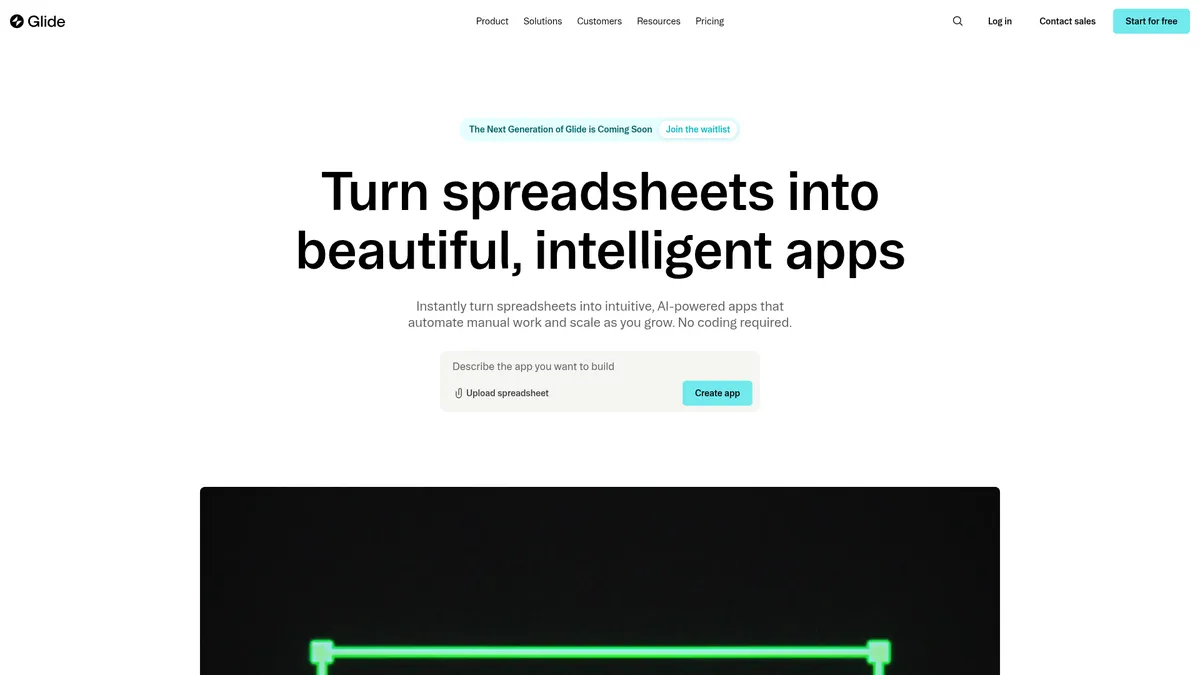
Turn spreadsheets into powerful apps, no code needed
What is Glide?
How to Use Glide
Getting started with Glide is straightforward. Follow these steps to turn your spreadsheet data into a functional app in under an hour, no coding required.
Connect Your Data Source
Start by connecting a Google Sheet, Excel file, Airtable base, or upload a CSV. Glide will automatically detect your columns and suggest a layout based on your data structure, saving you hours of manual setup.
Choose a Template or Start from Scratch
Browse Glide's template library for pre-built apps tailored to common use cases like inventory tracking, CRM, or project management. Alternatively, start from a blank canvas if you have a unique workflow in mind.
Design Your App Interface
Use Glide's 40+ UI components to add lists, forms, charts, and detail views. Customize colors, fonts, and layout to match your brand. The preview updates in real-time so you can see exactly how your app will look on desktop and mobile.
Add Automation with Workflows
Set up visual Workflows to automate actions like sending email notifications, updating records, or calling external APIs when users interact with your app. No coding required—just drag, configure, and activate.
Publish and Share
Once your app is ready, publish it instantly with a single click. Share a link with your team, set user permissions, and deploy it as a PWA on mobile devices. Updates to your spreadsheet sync automatically to the app in real-time.
Glide Core Features
Glide Use Cases
- 1Inventory & Warehouse Management: Track stock levels, manage reorder points, and monitor supplier deliveries across multiple locations. Glide syncs with your spreadsheet data to give you real-time inventory visibility from any device.
- 2CRM & Sales Pipelines: Build a custom CRM that fits your exact sales process. Manage leads, track deal stages, log interactions, and generate performance reports—all without buying expensive enterprise software.
- 3Project Management Dashboards: Centralize project tasks, deadlines, and team updates into a single app. Glide's data views let each team member see only what's relevant to them, reducing noise and improving focus.
- 4Vendor & Supplier Portals: Create a secure portal where vendors can submit quotes, update their profiles, and track order status. Automate approval workflows with Glide's visual triggers and notifications.
- 5Field Service & Work Order Management: Equip field teams with a mobile app to receive work orders, update job status, capture photos, and collect signatures. Data syncs back to your central spreadsheet in real-time.
Pros and Cons of Glide
Pros
- Blazing fast app creation: You can go from a spreadsheet to a functional app in under 30 minutes. Glide's template library and AI generation make it even faster for common use cases.
- True no-code accessibility: Non-technical team members can build and iterate on apps without involving developers. The visual editor is intuitive, and Glide University provides free training resources.
- Enterprise features at no-code prices: SSO, custom domains, data backups, and role-based permissions are available on the Business plan, making Glide viable for regulated industries and larger organizations.
- Flexible data source support: Connect to Google Sheets, Excel, Airtable, PostgreSQL, or use Glide's own tables. This flexibility means you can start with existing data and migrate as you scale.
✕ Cons
- Limited customization for complex logic: While Workflows cover many automation needs, deeply custom business logic may require learning Glide's specific workflow language or using the API.
- Pricing scales with usage: The Business plan's update limits and per-user costs can add up quickly for large teams or data-intensive apps. The free tier is generous but caps at 25,000 rows.
- Performance tied to data source: Large datasets or complex queries can slow down app performance, especially when syncing with external spreadsheets rather than Glide's native tables.
Glide vs Top Alternatives
| Feature | Bubble | Retool | AppSheet |
|---|---|---|---|
| Ease of Use for Non-Coders | Moderate - visual builder but requires logic understanding | Low - requires SQL and JavaScript knowledge | Good - no-code but steeper initial learning curve |
| Speed from Data to App | Hours to days - requires designing data structures first | Hours - requires data modeling and backend setup | Minutes to hours - auto-generates from data sources |
| Customization & Flexibility | Excellent - full control with visual programming language | Excellent - full control with custom code components | Good - expressions and automation features available |
| Team Pricing | Free plan available, paid from $29/mo | Free tier, paid from $10/user/mo | Starts at $5/user/mo |
Glide Pricing
Free
- Unlimited draft apps
- 1 editor and 1 personal user
- Up to 25,000 rows
- 40+ UI components
- Community support
Business
- Unlimited published apps
- Up to 100,000 rows
- 500 GB file storage
- 30 included users
- Workflows and API access
- SSO and data backups
- Enterprise integrations
Enterprise
- Unlimited apps, users, and rows
- Custom storage limits
- Dedicated account manager
- Priority support
- Custom terms and compliance
Glide FAQ
What is Glide and how does it work?+
Can I build a mobile app with Glide?+
Is Glide really free to use?+
What data sources does Glide support?+
Can I integrate Glide with other tools?+
Does Glide offer enterprise-grade security?+
How is Glide different from Bubble or Retool?+
Glide Review — Editor's Score
Who Should Use Glide?
Operations managers, supply chain leads, project managers, and small business owners who need custom tools for tracking, reporting, and process automation—without a developer budget.
Glide is one of the fastest ways to build custom business apps without writing code. Its AI features and visual Workflows make it accessible for non-technical users while still offering enough depth for real-world applications. The pricing can climb for larger deployments, but for small to medium teams, it's a compelling alternative to expensive enterprise software.
- AI-powered app generation from natural language prompts
- 40+ UI components and 90+ data column types
- Visual Workflows for no-code process automation
- Enterprise features including SSO and custom domains
- Syncs with Google Sheets, Excel, Airtable, and SQL databases
📺 Glide Tutorials & Introduction
How to build an AI agent without code in 5 minutes (using Glide)
How To Use Glide Apps in 2025 - YouTube
How to Create AI Apps With Glide AI (No Code) - YouTube
Keywords: