

Glasp
Social highlighter with AI chat for web, PDFs & YouTube
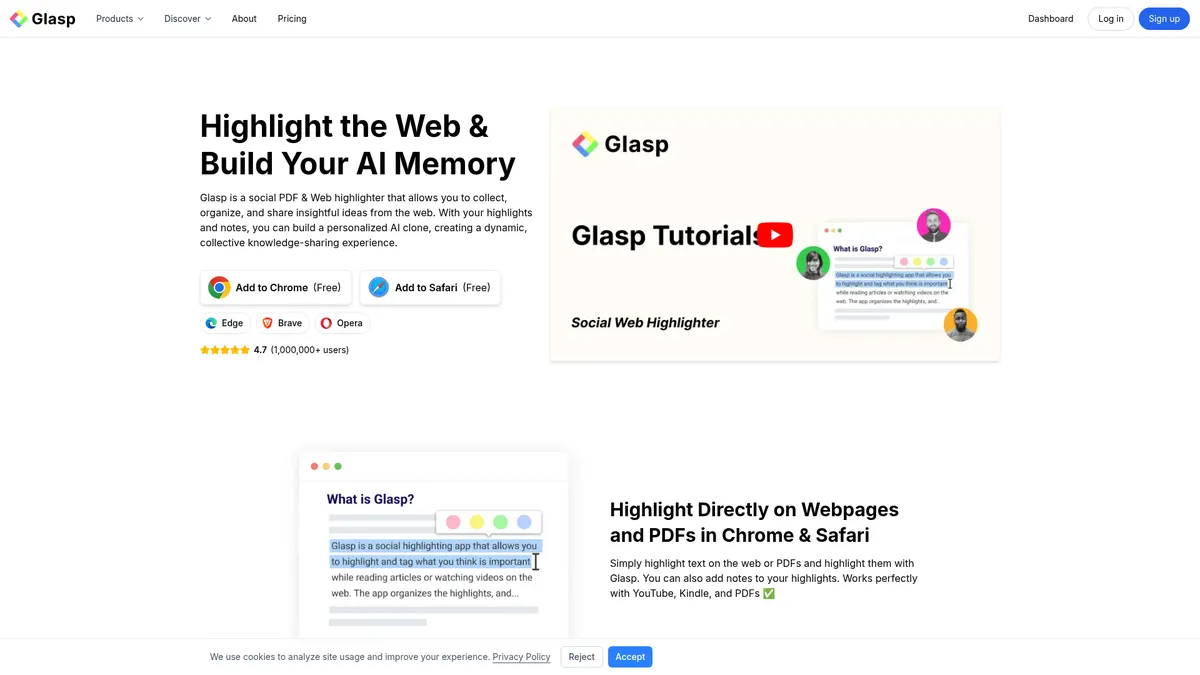
What is Glasp?
How to Use Glasp
Glasp makes it easy to save, organize, and interact with everything you read and watch online. Follow these steps to start building your AI-powered knowledge library.
Install the Glasp browser extension
Visit the Glasp website and add the extension to your preferred browser — Chrome, Safari, Edge, Brave, or Opera. Pin it to your toolbar for one-click access while browsing any webpage or video.
Create your account and start highlighting
Sign up for a free account directly from the extension. Navigate to any webpage, PDF, or YouTube video and select text to highlight. Add notes to your highlights for extra context and future reference.
Organize with tags and search
Apply tags to your highlights to categorize them by topic, project, or priority. Use the powerful search function to instantly find any saved highlight across your entire growing library.
Explore AI features
Open the AI chat to ask questions about your highlights, generate one-click summaries of webpages or videos, and start training your personal AI clone to act as your knowledge assistant.
Sync and export your knowledge
Connect Glasp to Notion, Roam Research, or Obsidian for automatic syncing on Pro and Unlimited plans. You can also export highlights in Markdown, HTML, CSV, or JSON formats as a backup.
Glasp Core Features
Glasp Use Cases
- 1Academic researchers can import references from Kindle and Pocket, highlight key passages in PDFs, and export structured notes to reference managers for literature reviews and paper writing.
- 2Students can highlight textbooks and lecture videos, generate AI summaries for quick revision, and build a searchable knowledge base to ace exams and assignments.
- 3Content creators and marketers can capture insights from articles and videos, create visual quoteshots, and share curated highlight collections with their audience on social media.
- 4Knowledge workers building a 'second brain' can sync highlights to Notion or Obsidian, query their entire knowledge base via AI chat, and never lose a good idea again.
- 5Lifelong learners can follow like-minded users, discover new articles through community highlights, and track their personal growth with the visual progress graph.
Pros and Cons of Glasp
Pros
- Generous free tier with unlimited public highlights, basic YouTube summaries, and PDF support — no credit card required to get started.
- Deep integration ecosystem supporting import from Kindle and Pocket plus export to Notion, Roam, and Obsidian for seamless workflows.
- Social learning layer lets you follow other users, discover public highlights, and tap into collective knowledge on any topic.
- Multi-format coverage spanning web pages, PDFs, YouTube videos, audio transcriptions, and images — one tool for all content types.
✕ Cons
- Advanced AI features like unlimited summarization, PDF chat, and audio transcription are locked behind paid tiers, which can frustrate heavy free users.
- Reliance on browser extensions can cause occasional compatibility issues with certain websites or complex web applications.
- All highlights are stored on Glasp's servers, raising potential privacy concerns for users dealing with sensitive or confidential content.
Glasp vs Top Alternatives
| Feature | Readwise | Hypothesis | Raindrop.io | Matter |
|---|---|---|---|---|
| Free tier highlights | Paid only from $4.99/mo | Free and open source | Free tier available | Free tier available |
| AI chat with highlights | No AI chat with highlights | No AI chat features | No AI chat capability | No AI chat with highlights |
| YouTube video support | No YouTube highlighting support | No YouTube video support | Bookmarking only, no highlights | Read-it-later for YouTube |
| Sync to Notion/Obsidian | Syncs to Notion, Obsidian, Roam | Limited export options only | Integrates with Notion | Syncs to Notion and Readwise |
Glasp Pricing
Free
- Unlimited public highlights
- 3 basic YouTube summaries per day
- 30 PDF uploads total
- 20 PDF-chat messages per month
- 30 minutes audio transcription per month
- 1 YouTube channel (up to 3 videos)
Pro
- Unlimited private highlights
- Unlimited basic YouTube summaries
- 1,000 advanced YouTube summaries per month
- 5 YouTube channels (30 videos each)
- 100 PDF uploads total
- 500 PDF-chat messages per month
- 300 minutes audio transcription per month
- Daily auto-sync to Notion
Unlimited
- Unlimited private highlights
- Unlimited basic YouTube summaries
- 5,000 advanced YouTube summaries per 30 days
- 25 YouTube channels (500 videos each)
- Unlimited PDF uploads
- 5,000 PDF-chat messages per month
- 1,500 minutes audio transcription per month
- Priority support
- Daily auto-sync and export
Glasp FAQ
Is Glasp completely free to use?+
How does the AI chat feature work?+
Can I import my existing highlights from other apps?+
Does Glasp work with YouTube videos?+
Is my data private and secure?+
Which note-taking apps does Glasp sync with?+
What browsers does Glasp support?+
Glasp Review — Editor's Score
Who Should Use Glasp?
Students, researchers, content creators, and anyone building a 'second brain' who wants to capture, organize, and query their online reading and video consumption with the help of AI.
Glasp is one of the most feature-rich free highlighting tools available today, pairing robust annotation capabilities with a genuinely useful AI layer. While the UI can feel busy and privacy-minded users may hesitate at server-side storage, the generous free tier, deep integrations, and innovative AI chat make it an essential tool for knowledge workers and lifelong learners.
- Generous free tier with unlimited public highlights
- Personalized AI clone that chats with your highlights
- Timestamped YouTube video highlighting and summarization
- Deep integration with Notion, Roam, and Obsidian
📺 Glasp Tutorials & Introduction
How to Chat with Your Learning Memories | Glasp AI Clone - YouTube
How to use Glasp demonstration - YouTube
AI Powered Highlighter and Summarizer for YouTube, Web and PDF
Keywords: