

Gist
All-in-one customer communication & marketing platform
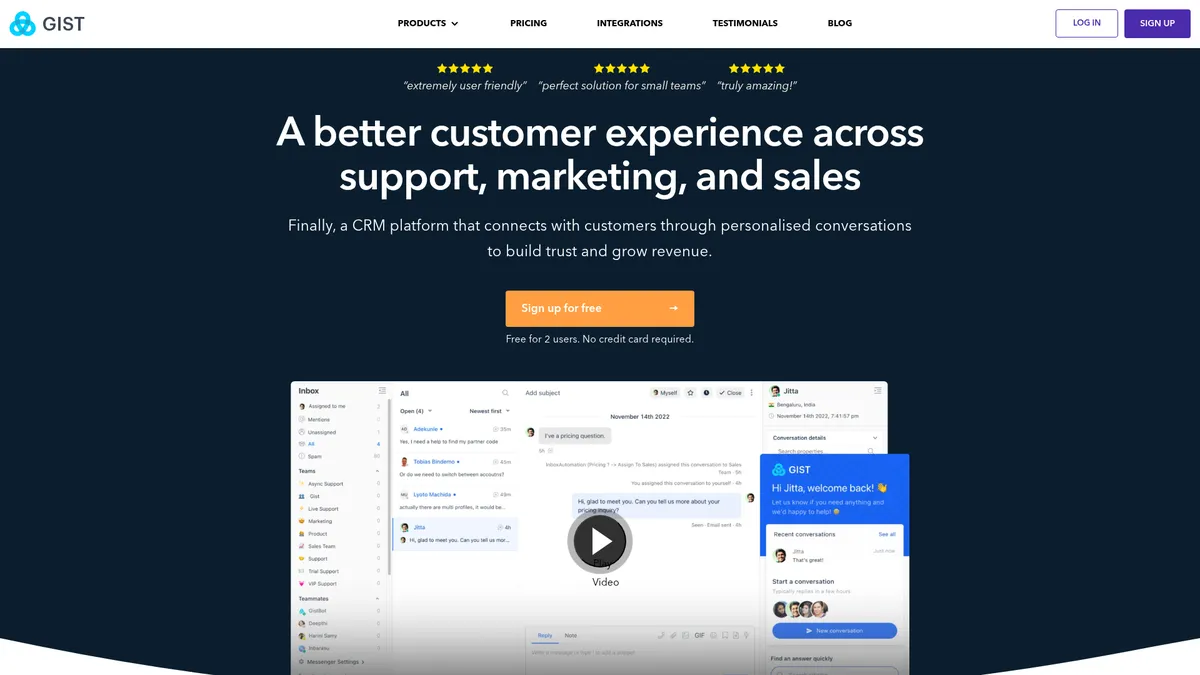
What is Gist?
How to Use Gist
Getting started with Gist is quick — you can go from signup to your first live chat conversation in under 30 minutes. Follow these steps to set up your account, connect your website, and start engaging customers across multiple channels.
Sign up for your free trial
Go to getgist.com and click 'Start Free Trial'. Enter your email address, create a password, and verify your account. No credit card is required, and you'll get full access to all features for 14 days.
Install the live chat widget on your website
After logging in, navigate to the 'Install' section in your dashboard. Copy the JavaScript snippet provided and paste it into your website's header. Gist will automatically detect your site and activate live chat. You can customize the chat widget's appearance, position, and greeting message.
Set up your knowledge base
Go to the 'Knowledge Base' section and create your first article. Organize content into categories, add images or videos, and publish. This self-service library will answer common customer questions and deflect tickets before they reach your team.
Build your first email campaign
Use the email builder to create a newsletter or promotional campaign. Choose from customizable templates, add your content, and select a target audience based on contact lists or behavior-based segments. Schedule or send immediately.
Create an automated workflow
Navigate to 'Automation' and click 'New Workflow'. Choose a trigger — like a new contact signing up or a deal reaching a certain stage — then add actions such as sending an email, updating a contact property, or creating a task. Test your workflow and activate it to run automatically.
Gist Core Features
Gist Use Cases
- 1Customer Support: Deliver omnichannel support through live chat, knowledge base, and chatbots to reduce response times and keep customers happy without adding headcount.
- 2Marketing Automation: Build visual workflows with triggers, email sequences, and A/B testing to nurture leads, re-engage dormant contacts, and drive predictable growth.
- 3Sales Pipeline Management: Track every deal from lead to close with a visual CRM, lead scoring, and drag-and-drop pipeline management that gives your team full visibility.
- 4Lead Generation: Capture high-quality leads using targeted popup forms, behavior-based chatbot conversations, and smart triggers that convert anonymous visitors into contacts.
- 5Customer Engagement: Boost retention with personalized email campaigns, in-app product tours, satisfaction surveys, and proactive live chat that keeps users coming back.
Pros and Cons of Gist
Pros
- All-in-one platform that replaces multiple standalone tools, reducing costs and simplifying your tech stack for customer communication, marketing, and sales.
- Competitive flat-rate pricing at $99/month for the full suite, offering exceptional value compared to piecing together individual solutions from Intercom, HubSpot, or Mailchimp.
- Robust marketing automation with visual workflow builders, behavior-based triggers, and built-in A/B testing that empowers data-driven campaigns without needing a developer.
- Comprehensive customer support toolkit including live chat, chatbots, knowledge base, and ticketing — all integrated so your team has full context on every conversation.
✕ Cons
- Steep learning curve due to the sheer breadth of features, which can overwhelm new users and require dedicated time to set up and optimize properly.
- Limited customization options for advanced users who need granular control over templates, automation logic, and reporting dashboards beyond what's offered out of the box.
- No free plan is available, which may be a barrier for very small businesses, freelancers, or teams that want to test the platform extensively before committing.
Gist vs Top Alternatives
| Feature | Intercom | HubSpot | Drift | Crisp |
|---|---|---|---|---|
| Starting Price | $74/seat/mo | $45/mo (Marketing Hub) | Contact for pricing | $25/mo |
| Live Chat & Chatbots | ✅ Advanced chatbots & live chat | ✅ Live chat & chatbot add-on | ✅ AI chatbots & live chat | ✅ Live chat & chatbots |
| Marketing Automation | ✅ Powerful automation workflows | ✅ Advanced automation & sequences | ❌ No marketing automation | ❌ No marketing automation |
| Built-in CRM | ✅ Full CRM included | ✅ Free CRM included | ❌ No native CRM | ❌ No native CRM |
Gist Pricing
Team
- Live chat & chatbots
- Email marketing & automation
- CRM & sales pipeline
- Knowledge base
- Meeting scheduler
- Surveys & product tours
- Analytics & event tracking
- 14-day free trial
- Annual discount available
Gist FAQ
What is Gist and who is it for?+
How much does Gist cost?+
Does Gist offer a free plan or free trial?+
What features does Gist include?+
Is Gist suitable for large enterprises?+
What platforms does Gist support?+
How does Gist compare to Intercom or HubSpot?+
Gist Review — Editor's Score
Who Should Use Gist?
Small to medium businesses, startups, and growing teams that want to consolidate their customer communication, marketing, and sales tools into a single affordable platform without paying per-seat fees or buying multiple subscriptions.
Gist is a rare breed in the crowded customer communication space: a genuinely all-in-one platform that doesn't sacrifice affordability for breadth. It won't win any awards for deepest functionality in any single area, but for a growing business that wants live chat, email marketing, CRM, and automation under one roof with one predictable price, Gist is a compelling choice. The learning curve is real, and power users may bump into customization limits, but the value-for-money equation is hard to beat.
- Combines live chat, chatbots, email marketing, CRM, and automation in one platform
- Flat $99/month pricing with no per-seat fees offers exceptional value
- Visual workflow builder makes marketing automation accessible to non-developers
- 14-day free trial with full feature access and no credit card required
📺 Gist Tutorials & Introduction
Gist AI Chrome Extension Review - Is this AI summarizer a Gem?
How to Create a GitHub Gist And Embed It [2026 Full Guide]
how to create Gists in GitHub (Share Code Snippets) - YouTube
Keywords: