

Gamma
Create stunning presentations, docs & websites with AI
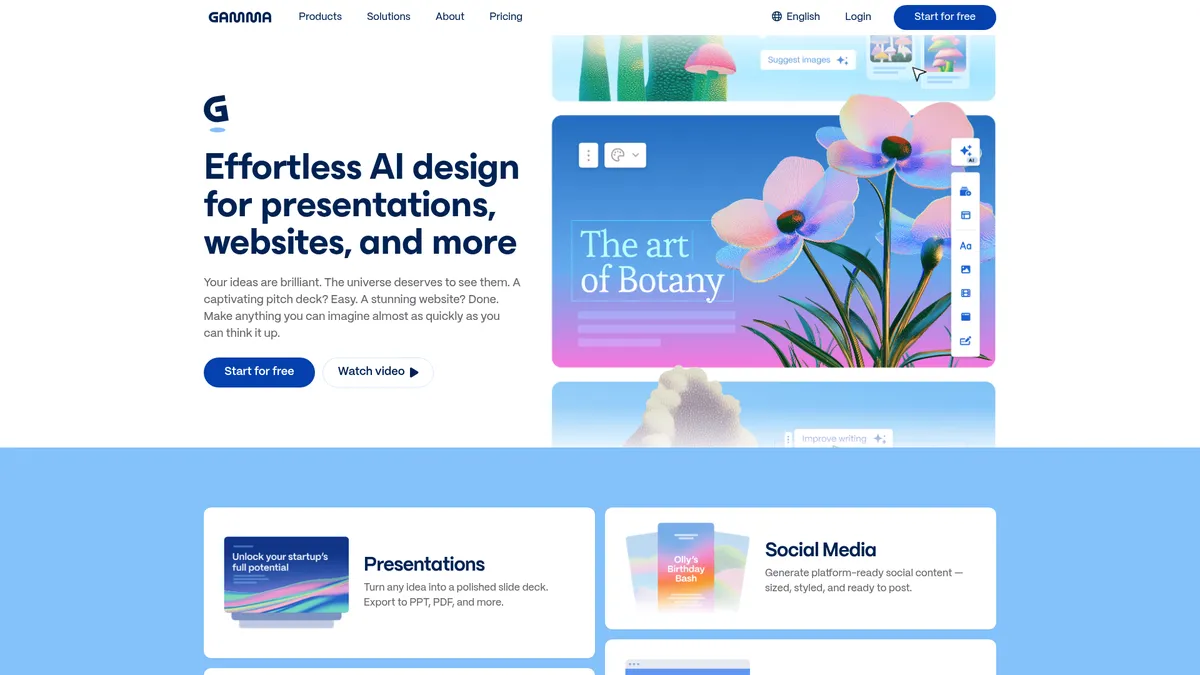
What is Gamma?
How to Use Gamma
Creating your first Gamma presentation is straightforward and takes just minutes. Follow these steps to go from a blank canvas to a polished, shareable deck using AI-powered tools and collaborative features.
Create your account and choose a starting method
Sign up for free at gamma.app, then decide how to start: type a prompt for AI generation, paste an outline from another document, import a PDF or PPTX file to enhance, or begin with a blank template from the library.
Generate your first draft with AI
Select from over 20 AI models for text generation and premium image models for visuals. Gamma's card-based editor creates slides or sections based on your input, which you can then rearrange, edit, or expand as needed.
Customize with themes and branding
Apply one of 100+ professionally designed themes or import your own brand assets including logos, colors, and fonts. Use smart layouts to rearrange content with a single click and maintain consistent design throughout.
Collaborate and refine with your team
Invite team members to co-edit in real-time with changes synced instantly. Add comments for feedback, track changes through version history, and iterate until your content is polished and ready for your audience.
Publish, export, or share your creation
When you're satisfied, publish as a hosted website with a custom domain for professional online access, export to PPTX/PDF/PNG/Google Slides for offline use, or share a direct link with your audience for instant viewing.
Gamma Core Features
Gamma Use Cases
- 1Pitch Deck Creation for Consultants - Consultants and agencies can rapidly build polished pitch decks, proposals, and client-facing websites using AI-generated content and on-brand templates, cutting production time from hours to minutes.
- 2Social Media Campaign Management - Marketing teams can generate, resize, and schedule on-brand social posts and ad creatives across multiple platforms from a single workspace, ensuring consistent messaging across all channels.
- 3Dynamic Sales Presentations - Sales professionals can create personalized one-page briefs and interactive presentations for prospects, complete with AI-written copy and branded visuals tailored to each specific client.
- 4Educational Content Development - Educators and students can produce visually engaging lesson plans, whitepapers, and interactive study materials with AI-assisted writing, translations, and multimedia integration for better learning outcomes.
- 5Startup Product Validation - Product teams and entrepreneurs can quickly prototype product pages, build investor pitch decks, and launch landing pages to validate ideas without needing dedicated design resources.
Pros and Cons of Gamma
Pros
- All-in-one design ecosystem combining presentations, documents, websites, social media, and graphics in a single platform — eliminates the need for multiple specialized design tools and streamlines your workflow.
- Access to 20+ leading AI language models and premium image/video generators including Claude, ChatGPT, Gemini, DALL-E, and Flux ensures versatile, high-quality content generation for any use case.
- Real-time collaboration with robust brand controls including theme import, custom fonts, asset libraries, and version history — perfect for teams that need consistent on-brand output every time.
- Flexible publishing options with multi-format export (PPTX, PDF, PNG, Google Slides) plus one-click website publishing with custom domain support for professional online presentations.
✕ Cons
- Free tier is highly restrictive with only 400 non-refillable credits and a hard limit of 10 cards per prompt, making it difficult to properly evaluate the platform without upgrading to a paid plan.
- Key advanced features like API access, custom domains, detailed analytics, and video generation are locked behind the Pro ($18/mo) and Ultra ($90/mo) tiers, which can be costly for power users.
- Gamma is primarily web-based with no native mobile or desktop applications, limiting offline access and convenience for users who prefer dedicated apps for content creation.
Gamma vs Top Alternatives
| Feature | Canva | Beautiful.ai | Tome |
|---|---|---|---|
| AI Models & Generation | Limited AI with Magic Studio; no multi-model selection or credit system | AI slide design only; no multi-format document or website generation | GPT-4 integration focused on narrative storytelling |
| Editor & Design Approach | Traditional drag-and-drop canvas with extensive template library | Auto-layout slide editor with smart template alignment | Narrative-focused card-based editor for presentations only |
| Output & Publishing Options | Export to PDF/PNG/PPTX; Canva Sites for basic web publishing | Export to PPTX/PDF; no website publishing capability | Export to PPTX/PDF; basic web sharing with limited hosting |
| Starting Price (Monthly) | Free tier; Pro at $12.99/mo | Free trial; Pro from $12/mo | Free tier; Pro from $16/mo |
Gamma Pricing
Free
- 400 starter credits (non-refillable)
- Up to 10 cards per prompt
- Basic AI text and image models
- Gamma branding on exports
- Export to PDF, PPTX, PNG, Google Slides
Plus
- 1,000 credits per month
- Up to 20 cards per prompt
- Advanced AI image models
- Remove Gamma branding
- Export to PDF, PPTX, PNG, Google Slides
Pro
- 4,000 credits per month
- Up to 60 cards per prompt
- Premium AI text and image models
- Custom branding and fonts
- API access
- Up to 10 custom domains
- Detailed analytics
- Workspace templates
Ultra
- 20,000 credits per month
- Up to 75 cards per prompt
- Highest-end AI models (text, image, video)
- Up to 100 custom domains
- Early access to new features
- Priority support
Gamma FAQ
What is Gamma and what can I create with it?+
How does Gamma's credit system work?+
Can I export my Gamma creations to PowerPoint or PDF?+
Does Gamma support real-time team collaboration?+
What AI models does Gamma use for content generation?+
Is Gamma secure for enterprise use?+
Is there a free version of Gamma and what are its limitations?+
Gamma Review — Editor's Score
Who Should Use Gamma?
Gamma is best suited for consultants, marketers, sales professionals, educators, and startup founders who need to produce polished visual content rapidly without relying on a dedicated design team or juggling multiple tools.
Gamma stands out as one of the most versatile AI design platforms on the market. Its card-based editor is genuinely innovative, and the breadth of AI models available — from Claude to DALL-E — is unmatched by competitors. While the free tier is more of a teaser than a usable tool, the Pro plan at $18/month offers solid value for professionals who regularly create presentations, documents, or web content. It will save you hours each week.
- Unique card-based editor that adapts to your content automatically
- Access to over 20 leading AI language and image generation models
- One-click publishing as SEO-friendly hosted websites
- Real-time collaboration with version history and threaded comments
📺 Gamma Tutorials & Introduction
How to Use Gamma AI (Full Tutorial for Presentations ... - YouTube
How I Use Gamma AI To Build Presentations In Minutes - YouTube
Gamma AI Review 2026 (Perfect If You Hate Designing Slides)
Keywords: