
Docsumo
AI agents that automate document workflows end-to-end
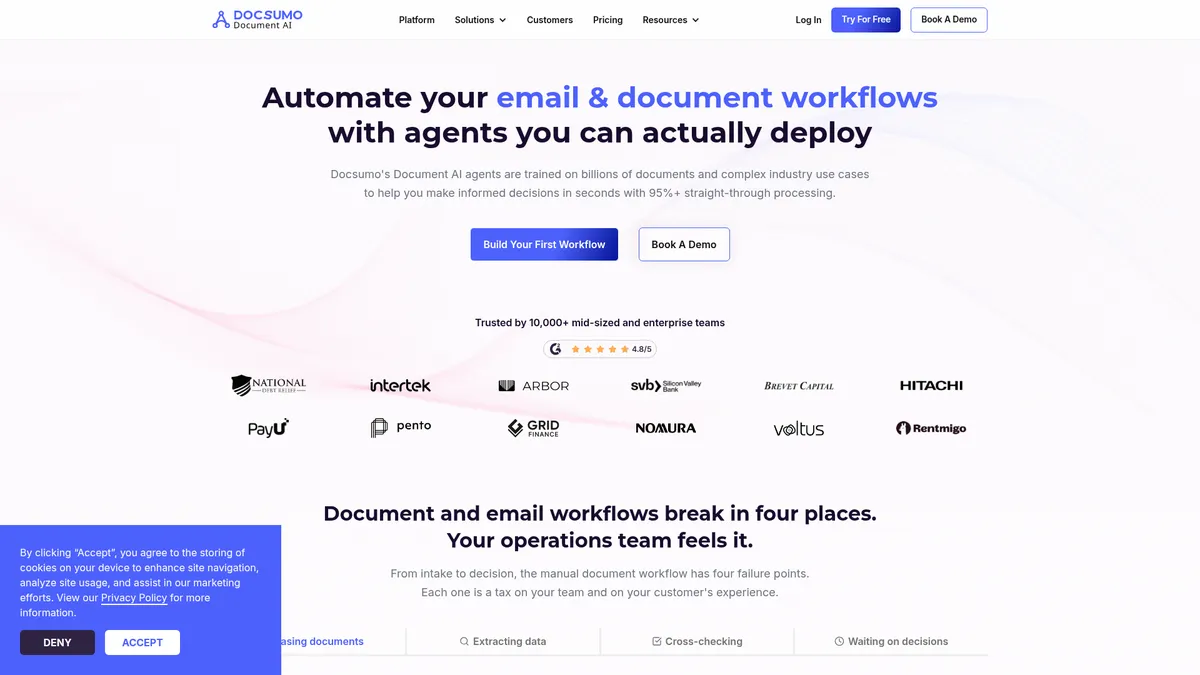
What is Docsumo?
How to Use Docsumo
Getting started with Docsumo is straightforward. Follow these steps to set up your first automated document pipeline and start extracting data in minutes, even without any coding experience.
Create Your Account and Explore the Dashboard
Sign up for Docsumo's free tier at docsumo.com. Once logged in, take a tour of the dashboard where you'll find your document agents, pipeline builder, and integration settings. The interface is clean and organized by workflow stage.
Set Up a Document Collection Source
Choose how documents enter your pipeline. Docsumo's Document Collection Agent can pull files from email inboxes, SFTP servers, cloud storage (Google Drive, Dropbox), vendor portals, or directly via API. Configure your source and map the folder structure.
Configure Document Classification
Enable the Document Classification Agent to automatically identify incoming documents by type — invoice, purchase order, W-2, etc. The agent can also split multi-document bundles so each file routes to the correct extraction model.
Build Your Extraction Pipeline
Use the drag-and-drop pipeline builder to select pre-trained extraction models for each document type. Map the fields you need (vendor name, invoice total, date, etc.) and set up any custom extraction rules. Test the pipeline using the built-in sandbox environment.
Set Up Validation Rules and Integrations
Define business rules for the Document Verification Agent — for example, validating that invoice totals match purchase orders or that DTI ratios fall within thresholds. Finally, configure webhooks or API connections to push validated data into your ERP, CRM, or accounting system.
Docsumo Core Features
Docsumo Use Cases
- 1Invoice & Expense Processing — Auto-extract line items, totals, and vendor information from invoices and receipts, then post directly to your accounting system. Reduces manual data entry by up to 90% and accelerates month-end close.
- 2Loan & Credit Underwriting — Ingest loan applications, W-2s, tax returns, and bank statements. Automatically validate DTI ratios, income, and reserves while surfacing exceptions for faster, more accurate approvals.
- 3Insurance Claims Processing — Collect claim forms, policy documents, and receipts from multiple channels. Verify consistency across documents and trigger automated payouts for straightforward claims.
- 4KYC/AML Compliance — Extract data from passports, driver's licenses, and utility bills. Cross-check against internal watchlists and regulatory rules in real time to streamline onboarding.
- 5Customer Service Email Triage — Automatically categorize inbound requests, pull attachments from email threads, draft contextual replies, and route tickets to the right team without manual sorting.
Pros and Cons of Docsumo
Pros
- Extremely high extraction accuracy — roughly 99% field-level across 250+ document types including handwriting and tables, reducing manual review time significantly.
- End-to-end automation via modular AI agents that can be composed into custom workflows without coding, from ingestion to validation to routing.
- Generous free tier offering 1,000 pages per month with 10 user licenses, enabling quick proof-of-concept without any upfront investment.
- Enterprise-grade features including audit logs, role-based access control, dedicated account manager, and real-time analytics for regulated industries.
✕ Cons
- No publicly listed pricing for paid plans; enterprises must engage sales to get a quote, which can slow down procurement and budget planning.
- The breadth of modular agents and configuration options can feel overwhelming for non-technical users during initial setup and onboarding.
- Heavy reliance on AI models means occasional mis-extractions on edge cases or unusual document formats, still requiring human-in-the-loop review.
Docsumo vs Top Alternatives
| Feature | Nanonets | Rossum | ABBYY |
|---|---|---|---|
| Extraction Accuracy | 99%+ accuracy | 98%+ accuracy | 95%+ accuracy |
| Pre-trained Models | 100+ pre-trained models | 150+ pre-trained models | 200+ pre-trained models |
| Free Tier | Free trial with 500 pages | Free trial available | No free tier |
| Workflow Builder | Basic workflow automation | Workflow builder included | Advanced workflow automation |
Docsumo Pricing
Free
- 1,000 pages per month
- 10 user licenses
- Unlimited pre-trained models
- Field and table extraction
- AI reviewer with prompting
- Continuous learning
- Webhooks and API access
- Private Slack channel support
Business
- Everything in Free
- Unlimited users
- Master data lookup
- Auto-classification and AI-Transform
- Custom document pipelines
- Rich permissions and RBAC
- Test environment and audit logs
- Custom integrations and dedicated account manager
Enterprise
- Everything in Business
- AI-powered automated workflows
- AI-led case management
- Cross-document validations
- Real-time document analytics
- Dedicated solutions engineer
- Enterprise-grade governance
- Custom SLA and support
Docsumo FAQ
What is Docsumo?+
How accurate is Docsumo's document extraction?+
What document types does Docsumo support?+
Is there a free version of Docsumo?+
Who is Docsumo best suited for?+
What integrations does Docsumo offer?+
How does Docsumo handle sensitive or regulated data?+
Docsumo Review — Editor's Score
Who Should Use Docsumo?
Mid-size to enterprise teams in finance, insurance, logistics, and compliance who process large volumes of documents and want to automate their end-to-end document workflows without heavy coding.
Docsumo is a standout in the crowded document AI space, offering near-perfect extraction accuracy and genuinely useful workflow automation through its modular agent system. While the interface could be more intuitive for newcomers, the generous free tier and continuous learning loop make it a smart bet for any team dealing with document-heavy processes.
- 99% field-level extraction accuracy across 250+ document types
- Generous free tier with 1,000 pages per month and 10 user licenses
- Continuous learning loop that improves accuracy over time
- Modular AI agents for end-to-end workflow automation
📺 Docsumo Tutorials & Introduction
Bank statement extraction using Docsumo AI [A Quick Guide]
5 Ways Agentic Document Extraction Transforms Workflows - YouTube
Automate Document Workflows with Docsumo's New Integration Hub
Keywords: