
Deepgram
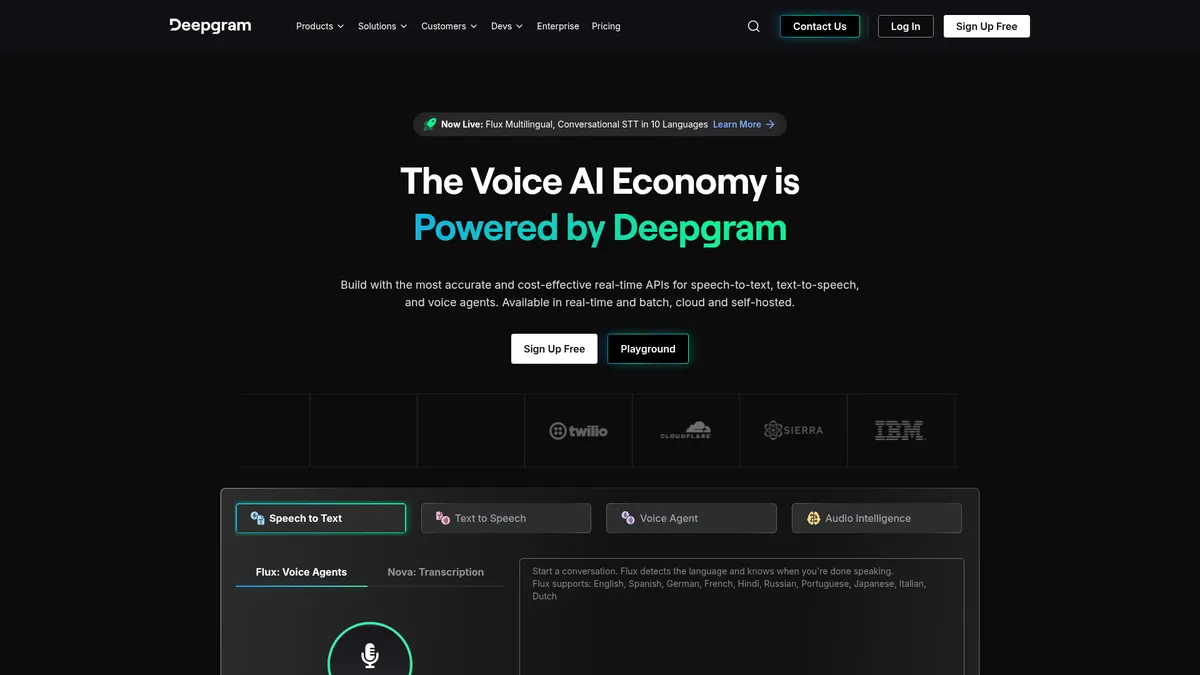
Real-time Voice AI for speech recognition and synthesis
What is Deepgram?
How to Use Deepgram
Getting started with Deepgram's speech-to-text API is straightforward. Whether you're building a real-time transcription app or processing recorded audio, these steps will have you up and running in minutes.
Create a Deepgram Account and Get Your API Key
Sign up for a free Deepgram account at deepgram.com to receive $200 in credits with no credit card required. Once registered, navigate to the API Keys section in your dashboard to generate a new API key. Save this key securely as you'll use it to authenticate all your API requests.
Install the Deepgram SDK or Use the REST API
Deepgram provides SDKs for popular programming languages including Python, Node.js, Go, and .NET. Install the SDK using your package manager, or use the REST API directly with curl or any HTTP client. The SDKs handle authentication and connection management automatically.
Prepare Your Audio File for Transcription
Deepgram supports common audio formats including WAV, MP3, M4A, FLAC, and more. For best results, use audio with clear speech and minimal background noise. You can transcribe files stored locally or reference files hosted at a public URL for batch processing.
Send the Audio for Transcription
Make a POST request to the Deepgram transcription endpoint with your audio file or URL. Configure the request with options like language, model selection (e.g., nova-3 or flux), and features like diarization or smart formatting. The API returns a JSON response with the transcribed text and metadata.
Process and Use the Transcription Results
The API response includes the full transcript along with word timestamps, confidence scores, and speaker labels if diarization was enabled. Use this data to generate captions, populate search indexes, analyze sentiment, or feed into downstream applications like analytics dashboards.
Deepgram Core Features
Deepgram Use Cases
- 1Healthcare documentation: Transcribe clinical notes, telemedicine sessions, and patient consultations with high accuracy even in noisy clinical environments. Deepgram's medical-grade accuracy helps clinicians save time on documentation while maintaining compliance with privacy regulations.
- 2Customer support analytics: Analyze call center recordings in real-time to assist agents, automate ticket generation, and monitor compliance. The platform's sentiment analysis and key-term prompting surface critical insights from every customer interaction.
- 3Meeting transcription and search: Capture and transcribe team meetings, webinars, and conferences for searchable archives. With speaker diarization and smart formatting, teams can quickly find specific moments and action items from any conversation.
- 4Voice assistants and conversational agents: Build low-latency, multilingual voice bots for customer service, retail, and hospitality applications. Deepgram's Flux models enable natural turn-taking with ultra-fast response times for fluid conversations.
- 5Accessibility and captioning: Generate real-time captions and subtitles for live events, educational content, and media production. The platform supports 45+ languages, making content accessible to global audiences with minimal latency.
Pros and Cons of Deepgram
Pros
- Industry-leading accuracy: Deepgram's deep learning models deliver exceptional transcription accuracy even in noisy environments, far-field recordings, and challenging acoustic conditions. The Nova-3 family consistently outperforms generic models on specialized domains like healthcare and finance.
- Flexible deployment options: Choose between cloud API for easy integration or self-hosted infrastructure for complete data sovereignty. This flexibility makes Deepgram suitable for regulated industries with strict data residency requirements.
- Transparent usage-based pricing: With a generous $200 free credit, no minimums, and no long-term contracts, Deepgram makes it easy to start small and scale. The prepaid Growth Plan offers up to 20% discounts for predictable workloads.
- Rich developer ecosystem: Comprehensive documentation, REST and WebSocket APIs, and an active Discord community make integration straightforward. The platform's multiple model options allow developers to optimize for accuracy, latency, or cost.
✕ Cons
- Limited free tier for heavy testing: The $200 credit is generous for initial experimentation but may be insufficient for extensive testing or proof-of-concept work at scale. Developers need to budget for paid usage once the credit is exhausted.
- Pricing can scale steeply: While competitive for moderate volumes, per-minute pricing can become expensive at very high transcription volumes compared to competitors offering flat-rate or bulk discount plans. The Growth Plan helps but requires upfront commitment.
- Learning curve for model selection: With multiple model families (Flux, Nova-3) and deployment options, choosing the right configuration requires careful evaluation. Developers may need to experiment to find the optimal balance of accuracy, latency, and cost for their specific use case.
Deepgram vs Top Alternatives
| Feature | AssemblyAI | Google Cloud Speech-to-Text | OpenAI Whisper |
|---|---|---|---|
| Real-time Streaming | WebSocket streaming with low latency | Streaming recognition with interim results | Limited real-time streaming support |
| Batch Transcription | Pre-recorded batch API with diarization | Async batch transcription via GCS | File upload batch transcription |
| Text-to-Speech | Not available | Available via Cloud TTS (separate) | Available via OpenAI TTS API |
| Self-Hosted Option | Cloud-only deployment | Cloud-only (GCP) | Open-source, self-hostable |
Deepgram Pricing
Free Credit
- $200 free credit for new users
- Access to all API endpoints
- No credit card required
- Automatic transition to pay-as-you-go
Pay-As-You-Go
- Per-minute audio processing billing
- No minimums or contracts
- Access to Nova-3, Flux, and all models
- Concurrent request limits per API type
Growth Plan
- Up to 20% discount on usage rates
- Prepaid annual commitment
- Priority support access
- Higher concurrency limits
Enterprise
- Custom pricing and SLAs
- Self-hosted deployment option
- Dedicated support team
- Custom concurrency and throughput limits
Deepgram FAQ
What is Deepgram and what does it do?+
How does Deepgram's pricing work?+
What languages does Deepgram support?+
Can I use Deepgram for real-time transcription?+
Does Deepgram offer text-to-speech?+
Can Deepgram be self-hosted?+
What makes Deepgram different from other speech-to-text APIs?+
Deepgram Review — Editor's Score
Who Should Use Deepgram?
Developers and product teams building real-time voice applications, from transcription services and call center analytics to multilingual conversational agents and accessibility tools.
Deepgram is a top-tier Voice AI platform that delivers exceptional speech-to-text accuracy and low-latency streaming, making it ideal for developers building voice-enabled applications. Its specialized Flux models and transparent pricing give it an edge in the conversational AI space, though the free tier's credit limit means serious evaluation requires a paid commitment.
- Ultra-low latency Flux models optimized for conversational AI
- 45+ language support with specialized multilingual models
- Flexible cloud or self-hosted enterprise deployment
- Transparent per-minute pricing with $200 free credit
📺 Deepgram Tutorials & Introduction
Python AI Voice Agent Tutorial - Full Developer Guide ... - YouTube
I built an AI Voice Agent Using VideoSDK & @Deepgram API (Python)
Deepgram Saga: The Voice OS for Developers - YouTube
Keywords: