
Colossyan
AI Video Platform for Enterprise Training & Development
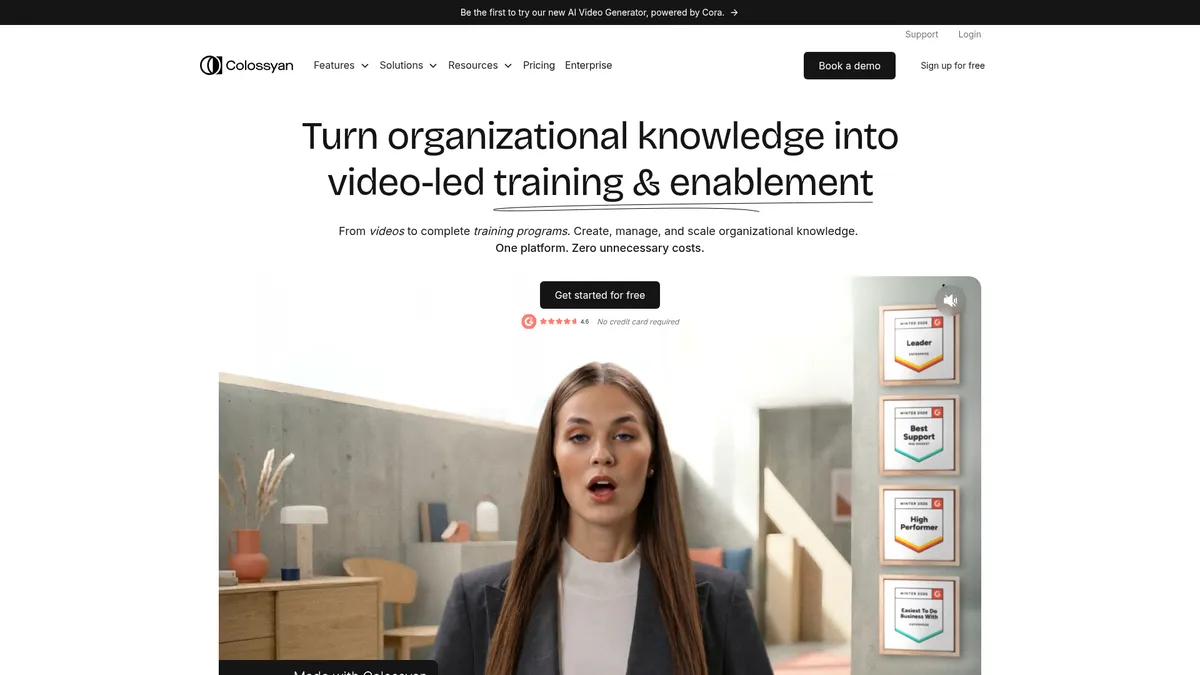
What is Colossyan?
How to Use Colossyan
Creating professional AI training videos with Colossyan is straightforward. Follow this step-by-step guide to transform your existing knowledge materials into engaging video content in minutes, without any prior video editing experience.
Sign Up and Choose Your Workspace
Create a free Colossyan account or log into your existing workspace. Select the plan that fits your needs—Starter for individual creators, Business for small teams, or Enterprise for larger organizations. You'll land in the dashboard where all your video projects are managed.
Write or Import Your Script
Start a new video project and write your training script directly in the editor, or paste content from existing documentation, presentations, or PDFs. Colossyan's editor supports text formatting, bullet points, and speaker annotations for multi-avatar conversations.
Select and Customize Your AI Avatar
Choose from the avatar library based on the tone and audience of your training. Adjust appearance, clothing, and background to match your brand. You can add multiple avatars for dialogue-style training or use a single presenter for straightforward narration.
Add Interactivity and Media
Enhance your video with quizzes, polls, and branching scenarios that adapt based on learner choices. Upload screen recordings, images, or slides to supplement the avatar presentation. Set up clickable calls-to-action to direct learners to additional resources.
Translate and Localize Content
Use the auto-translation feature to generate versions of your video in 70+ languages. Review and fine-tune translations for accuracy, then publish localized versions for different regions. Each language version maintains the same avatar performance and interactivity.
Publish, Share, and Track Analytics
Export your video as an MP4, share via a direct link, or embed directly into your LMS or company portal. Monitor viewer engagement, quiz scores, and completion rates through the analytics dashboard. Use insights to update and improve your training content over time.
Colossyan Core Features
Colossyan Use Cases
- 1Onboarding and HR: Create engaging employee onboarding videos that introduce company culture, policies, and procedures without needing a film crew or editing suite. New hires can access consistent, up-to-date training from day one, reducing time-to-productivity across the organization.
- 2Sales Enablement: Equip sales teams with personalized product demo videos, pitch training, and objection-handling scenarios that can be updated instantly without reshooting. Keep your sales content fresh, aligned with messaging, and accessible on demand.
- 3Compliance and InfoSec: Produce mandatory compliance training with auto-translations for global teams, track completion rates, and easily update content when regulations change. Eliminate the annual content scramble and ensure every employee has access to current compliance materials.
- 4Internal Upskilling: Transform subject matter expert knowledge into scalable video training modules that help teams develop new skills continuously. Record expert insights once using AI avatars and share them across the organization without requiring experts to repeat themselves.
- 5Customer Education: Build comprehensive video libraries for product walkthroughs, feature tutorials, and best practices that improve onboarding, reduce support tickets, and drive product adoption. Deliver consistent educational content that scales with your customer base.
Pros and Cons of Colossyan
Pros
- Intuitive drag-and-drop interface makes it easy for anyone to create professional AI videos without editing skills or expensive production equipment, democratizing video creation across teams of all sizes.
- High-quality AI-generated avatars and voice clones deliver natural-looking training content that engages learners effectively while maintaining brand consistency across all videos.
- Scalable enterprise solution with unlimited viewers, editors, and auto-translations into 70+ languages, making it ideal for global organizations with diverse, distributed workforces.
- Cost-effective alternative to traditional video production that saves both time and budget, with clear ROI through reduced production costs, faster content delivery, and improved training outcomes.
✕ Cons
- Free plan is quite limited with restricted features and video minutes, making it difficult for teams to fully evaluate the platform's capabilities before committing to a paid subscription.
- Advanced features like custom avatars and complex branching scenarios have a steeper learning curve, requiring time investment to master the full potential of the platform.
- AI-generated video quality can sometimes feel less natural than real human recordings, particularly for emotionally nuanced or highly expressive content that requires authentic human delivery.
Colossyan vs Top Alternatives
| Feature | Synthesia | Vyond | HeyGen | Elai.io |
|---|---|---|---|---|
| AI Avatars & Customization | 100+ AI avatars, custom avatars available | Animated characters, no realistic avatars | Custom avatars, 100+ templates | 50+ AI avatars, custom avatars available |
| Language Support & Translation | 120+ languages and accents | Limited translation support | 40+ languages | 65+ languages |
| Interactive Training Tools | Basic interactivity, screen recording | Advanced animation, character movements | Basic video editing, templates | Quizzes, branching scenarios |
| Starting Price | $29/month (Starter) | $49/month (Essential) | $29/month (Creator) | $23/month (Basic) |
Colossyan Pricing
Starter
- 1 editor
- 15 minutes of video per month
- AI video generation
- Basic avatar library
- Standard support
Business
- 1-3 editors
- Unlimited video minutes
- Full avatar library
- Priority support
- Integrations
- Custom voice cloning
Enterprise
- Unlimited editors
- Custom avatars
- Dedicated account management
- Custom integrations
- API access
- SLA guarantees
Colossyan FAQ
What is Colossyan and how does it work?+
How much does Colossyan cost?+
Can I create videos in multiple languages?+
What kind of avatars are available?+
Is Colossyan suitable for enterprise training?+
Is there a free version of Colossyan?+
What integrations does Colossyan support?+
Colossyan Review — Editor's Score
Who Should Use Colossyan?
Colossyan is ideal for L&D professionals, HR teams, and corporate trainers who need to produce engaging video content at scale. It's also well-suited for sales enablement teams, compliance officers, and internal communications teams looking to modernize their training delivery with minimal production overhead.
Colossyan delivers a polished AI video creation experience that's purpose-built for corporate training. While it faces stiff competition from general-purpose AI video tools, its training-specific features—quizzes, branching scenarios, and deep analytics—make it a standout choice for L&D teams. The platform is easy enough for non-technical users to pick up quickly, yet powerful enough to handle enterprise-scale deployments. If you're producing training content regularly, Colossyan offers excellent value and a clear path to scaling your efforts.
- Purpose-built for corporate training with quizzes and branching scenarios
- Auto-translate videos into 70+ languages for global workforce reach
- Custom AI avatars and voice clones for consistent branded content
- End-to-end platform from video creation to analytics and tracking
📺 Colossyan Tutorials & Introduction
Watch this Before getting Colossyan AI - Honest Review - YouTube
Colossyan Video Learning Center - YouTube
How To Use Colossyan's AI Avatar Platform (Tutorial) - YouTube
Keywords: