

Clipdrop
AI-powered image editing in seconds
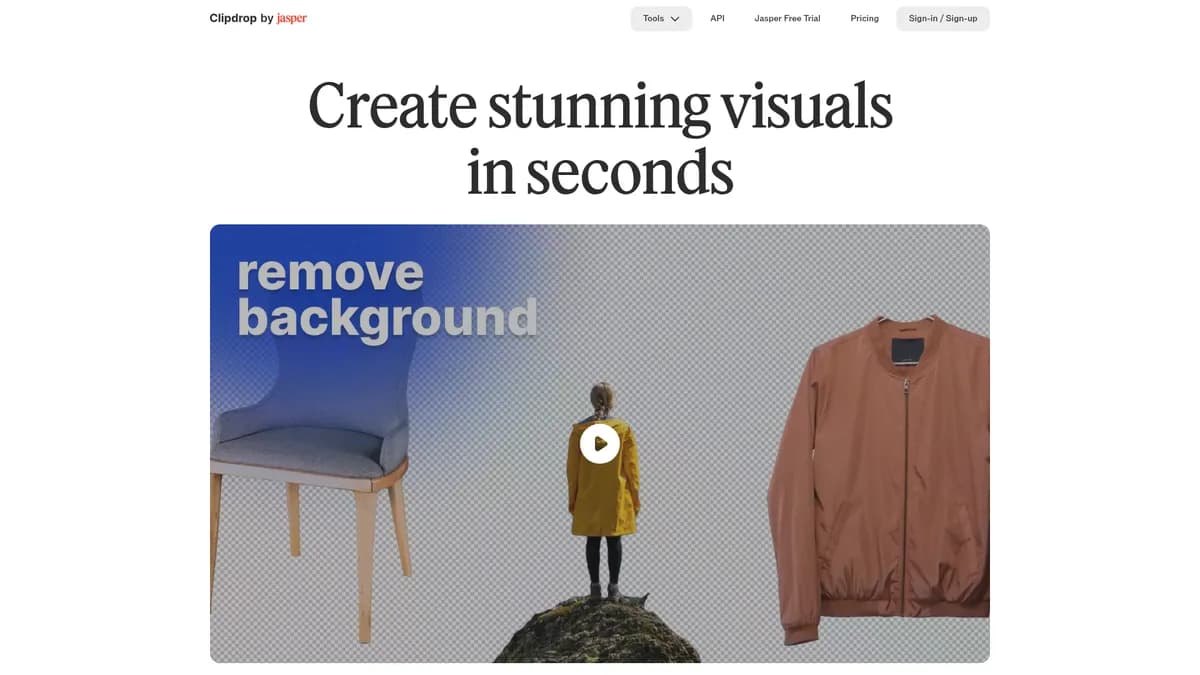
What is Clipdrop?
How to Use Clipdrop
Clipdrop makes background removal effortless with its AI-powered tools. Follow these simple steps to remove or replace backgrounds from any image in just a few seconds without any manual masking.
Navigate to the Remove Background tool
Go to the Clipdrop website and click on the Remove Background tool from the dashboard. No account is required to get started, but signing up unlocks higher usage limits.
Upload your image
Click the upload area or drag and drop your image file directly onto the page. Clipdrop accepts common formats like JPG, PNG, and WEBP with files up to 10MB on the free tier.
Wait for AI processing
The AI automatically detects the subject and removes the background in 2-3 seconds. Fine details like hair, fur, and transparent objects are handled with impressive precision.
Download or replace the background
Download the image with a transparent background, or click Replace Background to add a solid color, gradient, or custom image behind your subject. All outputs are available in HD quality.
Clipdrop Core Features
Clipdrop Use Cases
- 1Social media managers can quickly resize and adapt visuals for different platforms without redesigning from scratch each time, saving hours of manual work.
- 2E-commerce teams can remove backgrounds, relight, and clean up product photos at scale for consistent, professional catalog presentations across all channels.
- 3Marketing agencies can generate campaign visuals, edit images on the fly, and produce polished content without waiting for a dedicated designer.
- 4Developers can integrate AI-powered image editing features into their SaaS products using Clipdrop's well-documented API and SDK code samples.
- 5Photographers can restore old photos by upscaling resolution, removing scratches and defects, and expanding canvases with intelligent filling.
Pros and Cons of Clipdrop
Pros
- Comprehensive all-in-one suite covering background removal, upscaling, generation, relighting, and object cleanup in a single platform
- High-quality AI results with impressively fast processing times for most operations compared to manual editing in traditional software
- Free tier provides genuine utility for casual users and thorough testing before committing to a paid subscription plan
- Flexible usage-based API enables deep integration into existing workflows and third-party products with minimal development effort
✕ Cons
- Free tier operation limits are restrictive at 20-50 daily operations per tool, making regular use difficult without upgrading to Pro
- Cloud-only processing requires a stable internet connection with no offline editing capabilities for working on the go
- API costs can escalate significantly for high-volume enterprise deployments without careful usage optimization
Clipdrop vs Top Alternatives
| Feature | remove.bg | Canva | Adobe Photoshop | Let's Enhance |
|---|---|---|---|---|
| Pricing Model | Freemium ($0.99/img+) | Freemium ($12.99/mo+) | Paid ($22.99/mo+) | Freemium ($9/mo+) |
| Best For | Quick background removal | All-in-one graphic design | Professional photo editing | Image upscaling & enhancement |
| AI Capabilities | Specialized single-task AI | Broad AI suite with templates | Advanced manual + AI tools | Specialized upscaling AI |
| API Access | Yes, REST API available | Limited API access | No public API | Yes, API available |
Clipdrop Pricing
Free
- 20-50 operations per tool per 24 hours
- Standard resolution outputs
- Standard queue processing
- Free HD downloads
Pro
- 1,000 operations per tool per 24 hours
- High-resolution up to 4K
- 16x upscaling capability
- Queue-skipping priority processing
- Priority customer support
API
- Usage-based pricing per API call
- Access to all AI image models
- Documentation and SDK code samples
- Bulk processing support
Clipdrop FAQ
What is Clipdrop and how does it work?+
Is Clipdrop free to use?+
What can I do with Clipdrop's Cleanup tool?+
Can I use Clipdrop for commercial projects?+
Does Clipdrop have an API for developers?+
How does Clipdrop compare to Photoshop?+
Who owns Clipdrop?+
Clipdrop Review — Editor's Score
Who Should Use Clipdrop?
Clipdrop is ideal for social media managers, e-commerce teams, marketers, and developers who need fast, AI-powered image editing without the learning curve of traditional software like Photoshop.
Clipdrop is a powerful AI image-editing toolkit that delivers professional-grade results with minimal effort. Its comprehensive suite of tools—from background removal to text-to-image generation—makes it a versatile choice for creators and marketers alike. While the free tier's limits can feel restrictive and the cloud-only approach demands a stable connection, the speed and quality of the AI outputs more than justify the $15/month Pro plan for anyone regularly editing visuals.
- One-click background removal with exceptional edge detection on complex subjects like hair and fur
- Comprehensive toolset covering most common image editing needs in a single unified platform
- Fast processing times with high-quality AI outputs that rival dedicated tools in each category
- Flexible API enables seamless integration into custom workflows and third-party products
📺 Clipdrop Tutorials & Introduction
Clipdrop AI Image Editing Tool Review(Step by Step Tutorial)
How to use Clipdrop Stable Diffusion | AI Image Generation - YouTube
How To Enhance Image Quality Using Free AI Tool - Clipdrop AI
Keywords: