

ChatGPT
Your all-in-one AI assistant for work, creativity, and learning.
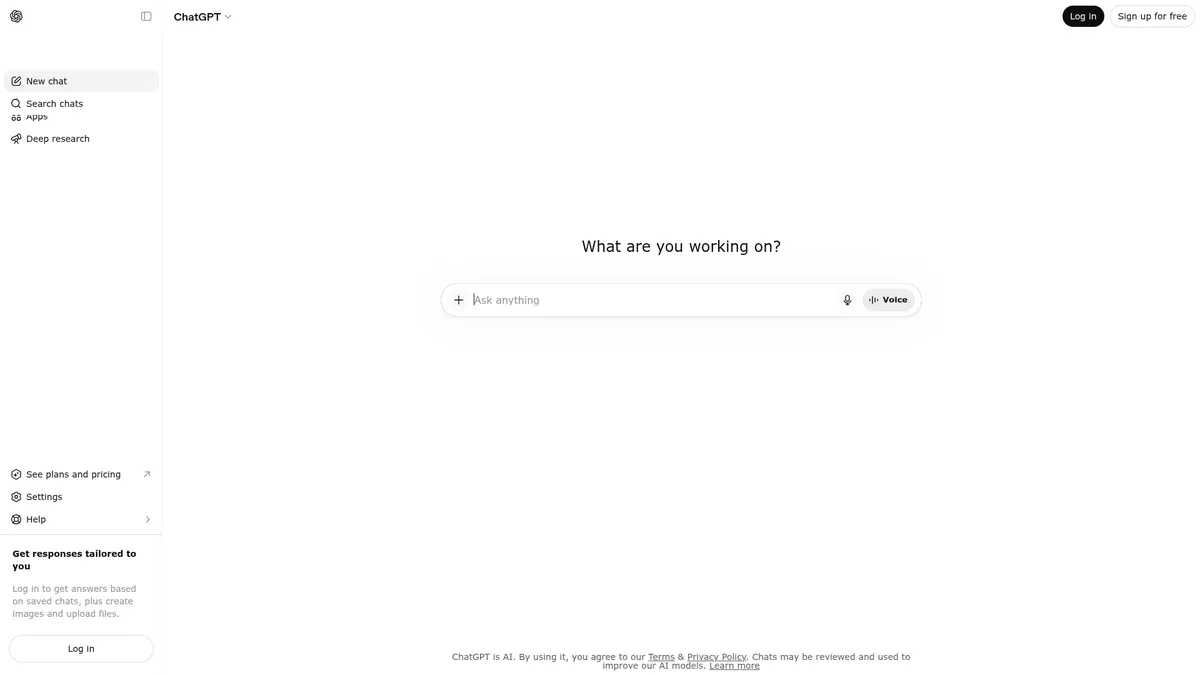
What is ChatGPT?
How to Use ChatGPT
Getting started with ChatGPT takes just a few minutes. Whether you are using the free tier or exploring paid plans, the setup process is straightforward and you will be chatting with AI in no time. Here is how to begin your ChatGPT journey.
Create your account
Visit chat.openai.com and sign up using your email address, Google account, or Microsoft account. The free tier requires no payment information — just verify your email and you are ready to start chatting with the AI model.
Choose your plan
Start with the Free plan to explore basic features. If you need more capabilities, upgrade to Plus ($20/mo) for GPT-5.5 Thinking, custom GPTs, and agent mode, or Pro ($100/mo) for maximum usage limits and the top-tier Pro model.
Start a conversation
Type your question or prompt in the chat interface. ChatGPT supports text, image uploads, and file attachments. You can ask for writing help, code generation, research assistance, or creative brainstorming — the model adapts to your needs in real time.
Explore advanced features
Once comfortable, try custom GPTs for specialized tasks, enable agent mode for autonomous research, or create shared projects if you are on a Business plan. Connect third-party apps like Slack, Google Drive, or GitHub to supercharge your workflow.
ChatGPT Core Features
ChatGPT Use Cases
- 1Content creation and professional writing: Draft blog posts, marketing copy, email campaigns, and social media content with AI-powered suggestions. The model refines tone, structure, and clarity across formats, making it essential for writers and marketers.
- 2Software development assistance: Generate code snippets, debug errors, review code security, and document projects using the integrated Codex system. Developers streamline workflows with multi-file analysis and automated testing suggestions.
- 3Academic research and deep analysis: Conduct comprehensive research with deep search capabilities, summarize lengthy documents, and extract key insights from uploaded files. The expanded context window processes entire research papers in a single conversation.
- 4Team collaboration and workflow automation: Create shared projects with custom GPTs, connect 60+ SaaS tools, and automate repetitive tasks across departments. Business plans provide admin controls for managing team access and integrations.
- 5Image generation for marketing and design: Generate custom visuals, logos, marketing materials, and concept art using integrated image creation. Ideal for designers and content creators needing quick, high-quality visual assets.
Pros and Cons of ChatGPT
Pros
- Scalable tiered pricing from free to enterprise with clear upgrade paths — individuals, startups, and large organizations find a fitting plan without overpaying for unused capabilities.
- Best-in-class model performance with tiered reasoning (Instant to Thinking to Pro) that adapts to task complexity, from quick answers to deep analytical work requiring extensive computation.
- Rich ecosystem of 60+ integrations, custom GPTs, and agent mode transforms ChatGPT from a simple chatbot into a customizable AI workspace tailored to specific workflows.
- Enterprise-grade security and compliance including SOC 2 Type 2, GDPR, SAML SSO, and data residency make ChatGPT viable for regulated industries and privacy-conscious organizations.
✕ Cons
- Free tier is heavily limited — core features like GPT-5.5 Thinking, custom GPTs, and agent mode are locked behind paid plans, making the free experience feel like an extended demo.
- Steep price jump from Plus ($20/mo) to Pro ($100/mo) creates a gap for power users who need more usage but cannot justify the 5x cost increase for the top-tier model.
- Usage caps and subject-to-abuse guardrails can interrupt heavy workflows, and ads on the Go plan ($8/mo) detract from the overall user experience.
ChatGPT vs Top Alternatives
| Feature | Claude | Gemini | Microsoft Copilot |
|---|---|---|---|
| Best for | Long-form analysis, technical writing, and nuanced conversations | Google ecosystem users and multimodal search tasks | Microsoft 365 productivity and Windows integration |
| Starting Price | Free (Pro $20/mo) | Free (Advanced $20/mo) | Free (Pro $20/mo) |
| Model Access | Claude 3 model family with advanced reasoning | Gemini 1.5 Pro with native multimodal understanding | GPT-4 and DALL-E 3 with Microsoft security layers |
| Key Differentiator | Constitutional AI safety training and 100K+ token context | Deep Google Workspace integration and 1M token context | Native integration across Office, Windows, and Bing |
ChatGPT Pricing
Free
- Limited GPT-5.5 Instant access
- Basic message quota
- Standard image generation
- Standard memory
- Basic file uploads
Plus
- GPT-5.5 Instant and Thinking models
- Expanded message and upload limits
- Agent mode and deep research
- Custom GPT creation
- Early access to new features
Pro
- GPT-5.5 Pro flagship model
- 5-20x higher usage limits
- Unlimited file uploads
- Fastest image generation speed
- Maximum Codex and unlimited deep research
Business
- All Plus features
- 60+ third-party app integrations
- Shared projects and collaborative canvases
- Admin controls, SAML SSO, and MFA
- Business Codex access for development teams
Enterprise
- All Business features
- Unlimited GPT-5.5 Pro access
- Expanded context window for large inputs
- Data residency in 10 global regions
- 24/7 priority support with SLAs
- SCIM provisioning and EKM
ChatGPT FAQ
What is ChatGPT and how does it work?+
Is ChatGPT free to use?+
What is the difference between GPT-5.5 Instant, Thinking, and Pro?+
Can ChatGPT generate images?+
Is my data safe with ChatGPT?+
How do custom GPTs work?+
What is the best ChatGPT plan for my needs?+
ChatGPT Review — Editor's Score
Who Should Use ChatGPT?
ChatGPT is ideal for anyone who wants a single AI tool for writing, coding, research, and creative work. It is particularly well-suited for professionals, content creators, developers, and teams who need a reliable AI assistant that scales from quick questions to complex multi-step tasks. Enterprise buyers will appreciate the robust security, compliance features, and administrative controls.
ChatGPT remains the gold standard for consumer AI assistants, offering an unmatched combination of versatility, ease of use, and scalability. While the free tier is deliberately restrictive and the jump to Pro is steep, the Plus plan delivers exceptional value for most users. It is not the cheapest option, but it is the most complete and well-rounded AI assistant on the market today.
- Industry-leading GPT-5.5 model family with progressive reasoning tiers for any task complexity
- Multi-modal support spanning text, image generation, file analysis, and deep research
- Rich ecosystem of custom GPTs, agent mode, and 60+ third-party integrations
📺 ChatGPT Tutorials & Introduction
ChatGPT Tutorial 2025 - [Become An AI Power User in 30 Minutes]
10 Ways to Use ChatGPT So Well It Feels Illegal (Tutorial) - YouTube
ChatGPT Tutorial: 35 Tips I Wish I Knew Sooner - YouTube
Keywords: