
Cal.com
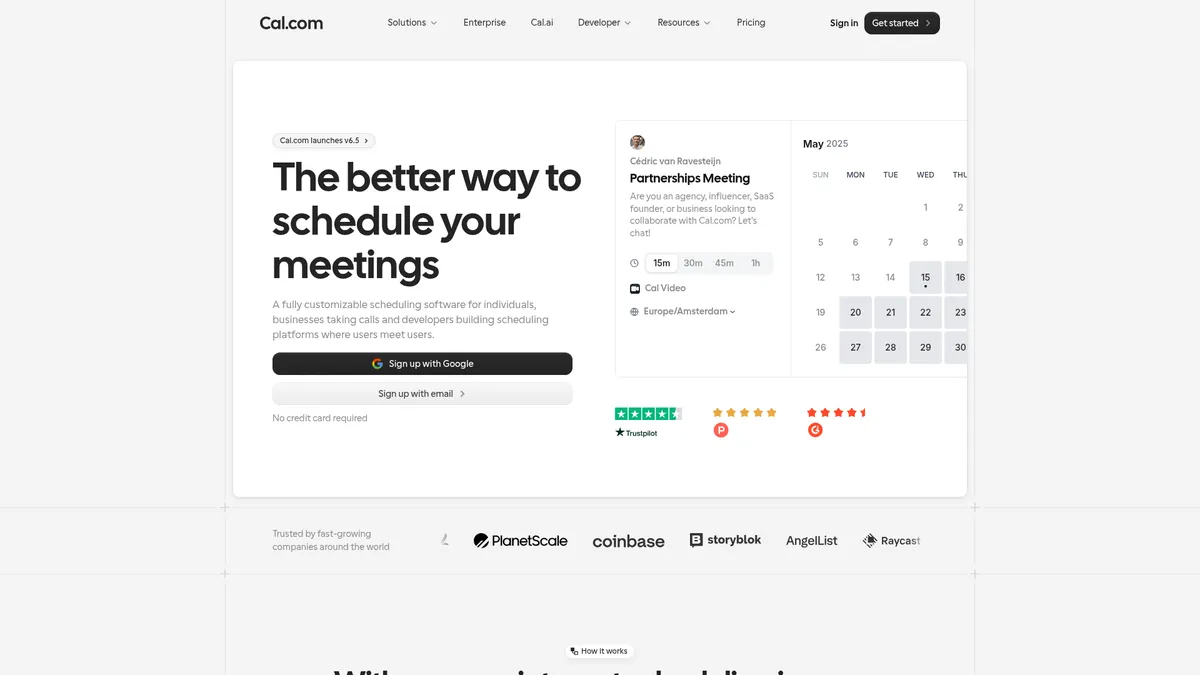
Open-source scheduling for modern teams and developers
What is Cal.com?
How to Use Cal.com
Getting started with Cal.com is straightforward. Follow these steps to set up your scheduling page, connect your calendars, and start accepting bookings in minutes.
Create Your Account
Sign up for a free Cal.com account using your email or Google account. Choose the Individual plan to get started with unlimited event types at no cost.
Connect Your Calendars
Link your Google Calendar, Outlook, or iCloud account to automatically check availability and prevent double bookings. Cal.com supports multiple calendar connections for comprehensive scheduling across all your calendars.
Set Up Event Types
Configure your meeting types with custom durations, locations (Zoom, Google Meet, in-person), and availability windows. Add booking questions to collect necessary information from attendees before they book.
Customize Your Booking Page
Personalize your scheduling page with your brand colors, logo, and custom messaging. Set up confirmation emails and automated reminders to keep attendees informed and reduce no-shows.
Share Your Link and Start Booking
Share your Cal.com booking link via email, embed it on your website, or add it to your email signature. You can also use the mobile app to manage bookings, check your schedule, and make changes on the go.
Cal.com Core Features
Cal.com Use Cases
- 1Sales and success teams can manage customer interactions, schedule demos, and follow up seamlessly. Cal.com's routing features ensure leads are assigned to the right team members, while integrations with Salesforce and HubSpot keep your CRM data in sync automatically.
- 2Marketplaces and platforms can embed scheduling directly into their user experience. Cal.com's API and embed options allow you to build custom booking flows that match your brand, handling everything from tutor sessions to service appointments.
- 3Healthcare and public service organizations can coordinate access to critical resources with ease. Features like custom booking questions, automated reminders, and secure video conferencing integration make patient and client scheduling efficient and reliable.
- 4Product teams can integrate scheduling functionality into their applications without building from scratch. Cal.com's developer-friendly APIs, webhooks, and open-source codebase enable rapid implementation of booking features tailored to your product's needs.
- 5Individual professionals such as consultants, coaches, and freelancers can streamline client booking with a personalized scheduling page. The free plan offers unlimited event types and automatic timezone detection, making it easy to manage appointments across different time zones.
Pros and Cons of Cal.com
Pros
- Fully open-source and self-hostable, giving you complete control over your data and customizations
- Generous free tier with unlimited event types and a transparent pricing model for paid plans
- Developer-first platform with robust API, webhooks, and embed options for building custom scheduling flows
- Integrates with over 100 popular apps including Salesforce, HubSpot, Zoom, and Stripe for seamless workflow automation
✕ Cons
- May require technical expertise to fully configure advanced features like custom routing and self-hosting
- Limited information available about the company's founding history and long-term roadmap
- Customer support responsiveness can vary depending on your plan, with priority support reserved for Enterprise customers
Cal.com vs Top Alternatives
| Feature | Calendly | Acuity Scheduling | Doodle |
|---|---|---|---|
| Open Source | No | No | No |
| Free Plan | Yes, limited | Yes, basic | Yes, basic |
| API Access | REST API & Webhooks | Limited API | No public API |
| App Integrations | 100+ integrations | 30+ integrations | Google, Outlook, iCal |
Cal.com Pricing
Individual
- Unlimited event types
- 1 calendar connection
- Basic booking page
- Mobile app access
- Community support
Teams
- Everything in Individual
- Unlimited calendar connections
- Team scheduling
- Round-robin bookings
- Analytics dashboard
- 14-day free trial
Organizations
- Everything in Teams
- Advanced routing
- Member attributes
- Custom workflows
- Salesforce and HubSpot sync
- 14-day free trial
Enterprise
- Everything in Organizations
- Dedicated onboarding
- Priority support
- Custom integrations
- SLA guarantees
Cal.com FAQ
What is Cal.com and how does it work?+
Is Cal.com really free?+
How does Cal.com compare to Calendly?+
Can I accept payments through Cal.com?+
Does Cal.com integrate with Google Calendar?+
Is Cal.com open source?+
How do I embed Cal.com on my website?+
Cal.com Review — Editor's Score
Who Should Use Cal.com?
Cal.com is ideal for developers who want to embed scheduling into their apps, sales teams managing client interactions, marketplaces coordinating bookings, and any business that needs a highly customizable scheduling solution without vendor lock-in.
Cal.com is a powerful, open-source scheduling platform that offers exceptional flexibility and customization. While it may require some technical know-how to unlock its full potential, the generous free tier and transparent pricing make it accessible to everyone. For teams and developers who need a scheduling solution that adapts to their workflow rather than the other way around, Cal.com is a top-tier choice.
- Fully open-source and self-hostable with AGPLv3 license
- Generous free tier with unlimited event types and 1 calendar connection
- Developer-first platform with robust API, webhooks, and embed options
- Integrates with 100+ apps including Salesforce, HubSpot, Zoom, and Stripe
📺 Cal.com Tutorials & Introduction
How to Use Cal.com for Scheduling (Demo 2025) - YouTube
Cal.com Video – Free embedded video conferencing - YouTube
How to Connect ElevenLabs with Cal.com Voice AI Booking Tutorial
Keywords: