

Bubble
AI-powered no-code platform for building full-stack web and mobile apps
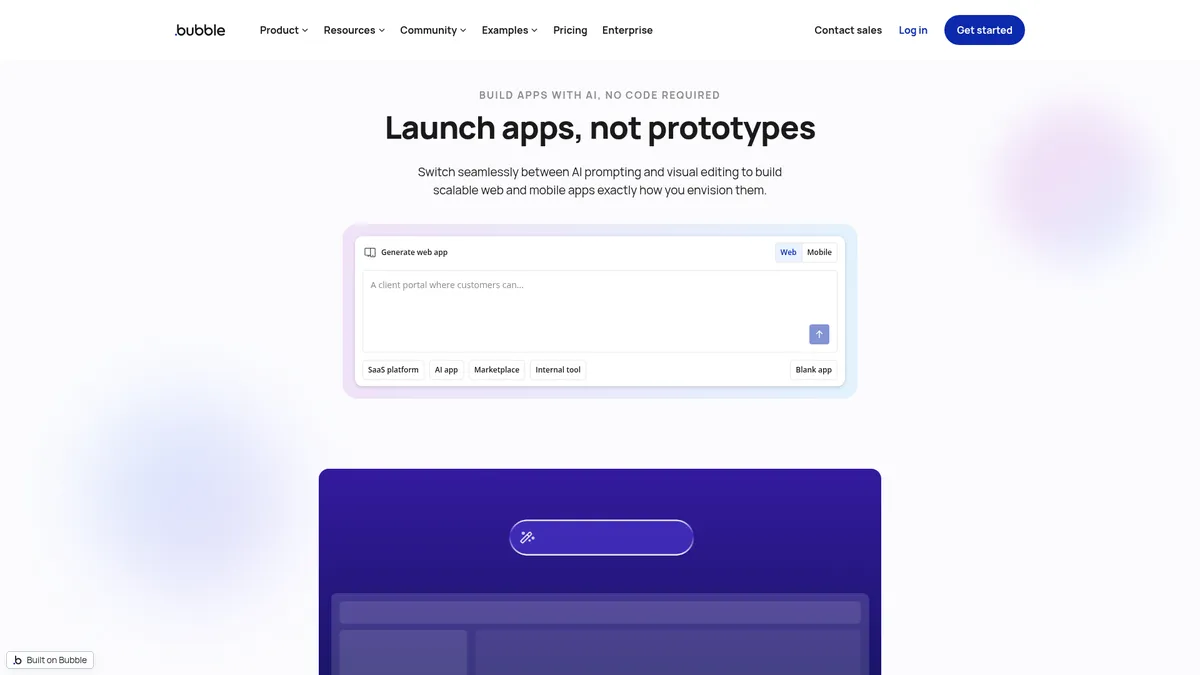
What is Bubble?
How to Use Bubble
Getting started with Bubble is straightforward, even if you have no coding experience. This guide walks you through the essential steps to build and launch your first full-stack application using Bubble's visual editor, database, and workflow engine.
Sign up and explore templates
Create a free account on Bubble.io. You'll land in the editor with the option to start from scratch or choose from hundreds of pre-built templates for marketplaces, SaaS dashboards, social networks, and more. Templates give you a head start with pre-configured layouts, data structures, and workflows.
Design your app interface
Use Bubble's drag-and-drop visual editor to build your front-end. Add buttons, input fields, images, and other UI elements by dragging them onto the canvas. Use the responsive engine to ensure your design adapts to desktop, tablet, and mobile screens. Style everything with the built-in theme editor.
Set up your database
Define your data model using Bubble's built-in relational database. Create data types (e.g., User, Product, Order) and add fields to store information. Set up privacy rules to control who can read, create, update, or delete data. You can also import data from spreadsheets or connect external databases.
Build workflows and logic
Connect your UI to your database using Bubble's visual workflow editor. Define what happens when users click buttons, submit forms, or trigger events. Create server-side workflows for recurring tasks like sending emails, processing payments, or calling external APIs via the API Connector.
Test, deploy, and launch
Use Bubble's built-in debugger to test your app's functionality. Once ready, deploy to a live environment with a custom domain and automatic SSL. For mobile apps, use the native mobile builder to generate iOS and Android builds. Monitor performance with server logs and scale workload units as traffic grows.
Bubble Core Features
Bubble Use Cases
- 1Marketplace Platforms: Build multi-vendor marketplaces with user profiles, listings, transactions, and reviews—all without writing a line of code. Companies like Hive Health and ChurchSpace have launched on Bubble.
- 2SaaS Applications: Launch AI-driven SaaS products such as MyAskAI and Dyspute.ai, leveraging Bubble's workflow engine and API connectors for complex back-end logic and subscription management.
- 3Internal Tools & Dashboards: Create custom admin panels and business dashboards for enterprises like Seagate, connecting to existing databases and third-party APIs for real-time data visualization.
- 4MVP Prototyping: Rapidly validate startup ideas by building functional prototypes in weeks rather than months, with AI-assisted development accelerating the entire process from mockup to live demo.
- 5AI-Enhanced Products: Combine Bubble's no-code interface with AI APIs to build intelligent applications featuring prompt-generated UI, automated content workflows, and smart data processing.
Pros and Cons of Bubble
Pros
- No-code accessibility eliminates the need for traditional programming skills, enabling non-developers to build full-stack applications from scratch and launch viable products independently.
- AI-powered acceleration significantly speeds up UI and workflow creation through natural language prompts, reducing development timelines from months to weeks for most projects.
- Cross-platform deployment lets you build once and ship to web browsers, iOS, and Android, saving significant development resources and maintaining a single codebase.
- Rich ecosystem with over 8,000 plugins, hundreds of templates, and a large community of builders provides extensive support, extensibility, and pre-built solutions.
✕ Cons
- Steep learning curve for the visual editor and workflow logic requires time and dedication to master, especially for absolute beginners with no technical background.
- Vendor lock-in concerns due to heavy reliance on Bubble's proprietary runtime make migrating applications to other platforms complex, costly, and time-consuming.
- Scaling costs can escalate quickly for growing apps as higher-tier plans, workload add-ons, and premium plugins add up, potentially exceeding traditional hosting expenses.
Bubble vs Top Alternatives
| Feature | Webflow | Adalo | FlutterFlow |
|---|---|---|---|
| Full-stack development approach | Visual front-end with CMS, limited back-end logic and custom workflows | Visual front-end with built-in database and basic workflow automation | Full-stack with Firebase/Supabase back-end integration and custom code support |
| Native mobile app capabilities | Responsive web only; no native mobile app export functionality | Yes - native iOS and Android app export with push notifications | Yes - native mobile apps via Flutter framework with high performance |
| AI integration in building process | AI website text generation and basic layout suggestions | No built-in AI features for app generation or workflow creation | AI page generation in beta and limited workflow automation assistance |
| Learning curve for non-developers | Moderate learning curve with familiar visual interface and CMS concepts | Gentle learning curve designed specifically for absolute beginners | Moderate learning curve requiring understanding of Flutter and app architecture |
Bubble Pricing
Free
- 1 app editor
- 50K workload units
- API connector
- Development version
- Web & mobile debuggers
- On-device testing
Starter
- All Free features
- Recurring workflows
- Basic version control
- 175K workload units
- Custom domain
- Live website
- 5 mobile build submissions per month
- 3 live app versions
Growth
- All Starter features
- Premium version control
- Two-factor authentication
- 2 app editors
- 10 custom branches
- 250K workload units
- 14-day logs
- 10 mobile builds per month
- 5 live versions
Team
- All Growth features
- Sub-apps
- 5 app editors
- 25 custom branches
- 500K workload units
- 20-day logs
- 20 mobile builds per month
- 8 live versions
Bubble FAQ
What is Bubble and how does it work?+
Is Bubble free to use?+
Can I build native mobile apps with Bubble?+
What kind of apps can I build on Bubble?+
Does Bubble offer a free trial for paid plans?+
How does Bubble pricing work?+
Is Bubble suitable for enterprise applications?+
Bubble Review — Editor's Score
Who Should Use Bubble?
Bubble is ideal for entrepreneurs, startup founders, product managers, and agencies who need to build full-stack web and mobile applications quickly without a dedicated development team. It's also well-suited for enterprises creating internal tools and dashboards, and for anyone looking to rapidly prototype and validate app ideas before investing in custom development.
Bubble remains the gold standard for no-code full-stack development, offering an impressive blend of visual design tools, AI assistance, and robust back-end capabilities. While it has a notable learning curve and costs can scale with growth, its versatility and power are unmatched for building serious web and mobile applications without traditional coding. For entrepreneurs and agencies looking to ship fast, it's a compelling platform.
- AI-assisted app generation from natural language prompts speeds up development significantly
- Build once, deploy to web, iOS, and Android from a single visual codebase
- 8,000+ plugins and extensions marketplace with pre-built integrations for payments, analytics, and AI
- Trusted by over 6 million builders worldwide processing $850M in app transactions in 2024
- Generous free tier enables serious experimentation and development before committing to paid plans
📺 Bubble Tutorials & Introduction
This AI Tool Makes Bubble Apps Ridiculously Easy - YouTube
How to Build an AI app with Bubble - YouTube
Bubble AI: BEST AI App Builder For Android and IOS with NO CODE!
Keywords: